Do Routers Go Bad And How To Tell When They Are Failing
Do routers go bad? Yes, routers absolutely do degrade over time, and knowing the warning signs can save you from frustrating internet outages. Router failure shows up as slow speeds, blinking lights, and constant disconnections. This guide walks you through every sign of a dying router and gives you clear steps to fix or replace it.
Do routers go bad? It is a question many people ask when their Wi-Fi starts acting up. The short answer is yes. Routers do go bad over time, and they fail in ways you can actually spot if you know what to look for.
Your router works hard every single day. It sends and receives signals, handles multiple devices, and keeps your home network running. After years of this, parts wear out. Performance drops. And eventually, the router just cannot keep up anymore.
Understanding router lifespan helps you plan ahead. Instead of dealing with sudden internet failures, you can recognize the early warning signs. This means fewer frustrating moments and a smoother online experience. In this guide, we will cover everything you need to know about do routers go bad and how to tell when your router is on its way out.
Key Takeaways
- Routers have a limited lifespan: Most last 3-5 years before performance drops noticeably.
- Warning signs are easy to spot: Slow speeds, blinking lights, and frequent disconnections all point to trouble.
- Overheating is a top killer: Poor ventilation and dust buildup can shorten your router’s life significantly.
- Firmware updates matter: Keeping your router updated helps it run smoothly and stay secure.
- Not all problems are hardware: Sometimes a simple reset or placement fix solves the issue.
- Replacing on time saves money: A new router boosts speed, security, and coverage for your entire home.
📑 Table of Contents
- How Long Do Routers Last Before They Go Bad?
- Do Routers Go Bad? Common Signs Your Router Is Failing
- Why Do Routers Go Bad? Understanding the Causes
- Router vs Modem: What Is the Difference When Things Go Wrong?
- When Should You Replace Your Router?
- How to Extend Your Router’s Lifespan
- Can You Fix a Failing Router?
- Final Thoughts on Do Routers Go Bad
How Long Do Routers Last Before They Go Bad?
Most home routers last between three and five years. After that, you will likely notice a decline in performance. Some routers last longer, but the technology around them also improves. So even if your router still works, it may not support newer Wi-Fi standards or handle modern internet demands.
The average router lifespan depends on several factors:
- Build quality: Cheap routers wear out faster than premium models.
- Usage intensity: A router handling 20 devices will age faster than one handling 3.
- Environment: Hot, dusty spaces shorten router life.
- Firmware support: Manufacturers stop updating older models, leaving them vulnerable.
- Power surges: Electrical spikes can damage internal components over time.
If you have had your router for more than five years, it is worth paying attention to how it performs. Even if it seems fine now, older hardware struggles with modern internet speeds and security demands.
What Happens When a Router Gets Old?
Aging routers show clear signs of decline. First, they get slower. Pages take longer to load. Videos buffer more often. Second, they handle fewer devices at once. Your smart home gadgets, phones, and laptops all compete for bandwidth, and an old router just cannot juggle them well.
Third, older routers lack the latest wireless technology. Wi-Fi 6 and Wi-Fi 7 routers offer much better speeds and range. If your router only supports Wi-Fi 4 or 5, you are missing out on big performance gains. Upgrading can make a real difference in your daily internet use.
Do Routers Go Bad? Common Signs Your Router Is Failing
Spotting a failing router early can save you a lot of headaches. Here are the most common signs that your router is going bad.
1. Slow Internet Speeds
This is the number one clue. If your internet feels sluggish even though your plan should be fast, your router might be the problem. Run a speed test on a device close to the router. Then test again from farther away. If the speeds are well below what you pay for, the router could be failing.
Keep in mind that slow speeds can also come from your internet service provider. But if everything else checks out, the router hardware is likely the culprit.
2. Frequent Disconnections
Do you find yourself reconnecting to Wi-Fi multiple times a day? Random dropouts are a classic sign of a dying router. A healthy router maintains a steady connection. If yours keeps cutting out, the internal components may be wearing down.
3. Blinking or Flashing Indicator Lights
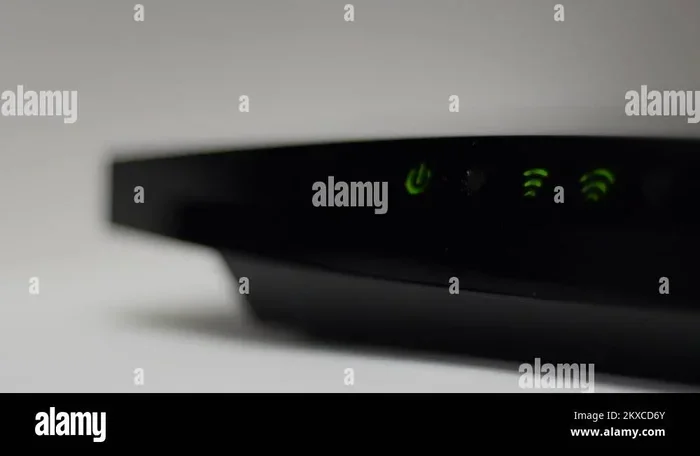
Router lights tell a story. A solid power light means everything is normal. But if you see blinking amber or red lights, something is wrong. Each router brand has its own light codes, so check your manual. Flashing internet lights often mean the router cannot maintain a stable connection to your ISP.
4. Overheating
Touch your router. Does it feel hot to the touch? Routers generate heat, but they should not be burning hot. Overheating causes performance drops and can permanently damage the unit. If your router feels like it is cooking, it is struggling.
5. Weak Wi-Fi Signal in Rooms That Used to Work
If your bedroom used to get great signal but now shows one bar, the router might be failing. A weakening Wi-Fi signal that spreads over more of your home is a red flag. This happens when the router’s antennas or radio components start to degrade.
6. Needing to Reset the Router Constantly
A quick reset fixes temporary glitches. But if you are resetting your router every single day, something is seriously wrong. Constant resets mean the router cannot maintain stable operation on its own. This is one of the clearest signs of router failure.
7. Devices Cannot Connect at All
When new devices refuse to connect or existing ones drop off the network frequently, the router’s networking hardware may be failing. This is different from a password issue or a simple configuration problem. If you have checked all the basics and still cannot connect, the router itself is likely the issue.
Why Do Routers Go Bad? Understanding the Causes
Routers do not just stop working out of nowhere. Several factors contribute to router degradation over time.
Heat and Poor Ventilation
Heat is the biggest enemy of electronics. Routers placed in enclosed spaces, behind furniture, or inside cabinets build up heat fast. Over time, this heat damages internal circuits. The capacitors age faster, and the processor throttles performance to protect itself. Eventually, the router cannot recover.
Keep your router in an open, ventilated area. Do not stack things on top of it. A simple placement change can add years to your router’s life.
Dust and Dirt Buildup
Dust clogs vents and blocks airflow. It also conducts heat, making the problem worse. Over months and years, dust buildup inside the router causes components to overheat. A quick cleaning with compressed air every few months helps a lot.
Power Surges and Electrical Issues
Power surges can fry router components instantly or damage them slowly over time. Even small surges from your home’s electrical system add up. Using a surge protector or a UPS battery backup can protect your router from electrical damage.
Outdated Firmware and Software
Router manufacturers release firmware updates to fix bugs, patch security holes, and improve performance. If you never update your router, it becomes vulnerable and less efficient. Some older routers stop receiving updates entirely, which means they cannot keep up with modern network security demands.
Heavy Network Traffic
Today’s homes have more connected devices than ever. Smart TVs, phones, tablets, cameras, smart speakers, and IoT devices all compete for bandwidth. A router built for lighter usage will wear out faster under heavy load. If you have a smart home with 15 or more devices, your router works overtime every day.
Physical Damage
Accidents happen. A knocked-over router, a spilled drink, or a pet chewing on cables can cause immediate or gradual damage. Even small cracks in the casing can let dust inside and affect internal components.
Router vs Modem: What Is the Difference When Things Go Wrong?
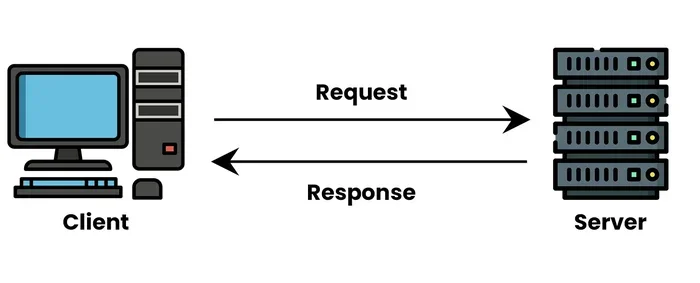
Many people confuse routers and modems. They are different devices that work together. Your modem connects to your internet service provider. The router distributes that connection to your devices via Wi-Fi or Ethernet cables.
When you have internet problems, it helps to know which device is the issue. Here is a simple comparison:
How to Tell if It Is the Router or the Modem
Follow these steps to isolate the problem:
- Check the modem lights. If the modem shows no internet light, the problem is with your ISP or modem, not the router.
- Connect a device directly to the modem. If you get a strong wired connection, the modem is fine and the router is likely the problem.
- Test multiple devices. If all devices have issues, it could be the router or the modem. If only one device has issues, the problem is that device.
- Restart both devices. A fresh start often clears temporary glitches. Start with the modem, then the router.
Sometimes both devices need replacing at the same time, especially if they are both several years old. Many ISPs now offer combined modem-router units, which means one device handles both jobs. These combo units also go bad eventually, and when they do, you lose both internet access and Wi-Fi coverage.
When Should You Replace Your Router?
Knowing when to replace your router saves you from constant frustration. Here are clear signals that it is time for a new one.
Your Router Is More Than Five Years Old
If your router is past the five-year mark, seriously consider replacing it. Technology moves fast. Newer routers offer faster speeds, better range, and stronger security features. A modern Wi-Fi 6 router can transform your home network experience.
You Keep Having the Same Problems
If you have tried restarting, repositioning, and resetting, but the same issues keep coming back, the router is likely failing. Repeated troubleshooting without lasting results is a strong sign of hardware failure.
Your Internet Plan Has Upgraded
Did you recently upgrade to a faster internet plan but your router cannot handle the speed? That is a clear sign you need a new router. Old routers create a bottleneck that limits your internet speed no matter how fast your plan is.
You Have Many Smart Home Devices
Modern routers handle multiple devices much better than older models. If your household has grown and you added smart devices, your old router may simply be outmatched. Upgrading to a mesh Wi-Fi system or a router with better device handling can solve this problem.
Security Concerns
Older routers often lack the latest security updates. This leaves your network vulnerable to attacks. If your router no longer receives firmware updates from the manufacturer, it is time to replace it for your own safety.
How to Extend Your Router’s Lifespan
You cannot stop a router from aging, but you can slow the process down. Here are practical steps to keep your router healthy for as long as possible.
Keep It Cool
Place your router in an open area with good airflow. Do not hide it in a closet or bury it under papers. Elevate it off the floor. A cool router runs better and lasts longer.
Update the Firmware Regularly
Check for firmware updates every few months. Most modern routers have an app or web interface where you can check for updates. Keeping your router updated improves performance and closes security gaps.
Restart It Weekly
A weekly restart clears the router’s memory and refreshes its connections. You can set up automatic restarts on many newer models. This simple habit keeps things running smoothly.
Clean It Regularly
Use compressed air to blow dust out of the vents every few months. Keep the area around the router clean. This prevents overheating and keeps the internal components in good shape.
Use a Surge Protector
Plug your router into a surge protector or a UPS battery backup. This shields it from power spikes that can cause gradual or sudden damage. It is a small investment that can add years to your router’s life.
Reboot After Storms
Lightning and electrical storms can cause power fluctuations that affect your router. After a storm, restart your router to clear any temporary issues caused by electrical disturbances.
Can You Fix a Failing Router?
Sometimes yes, sometimes no. It depends on what is wrong. Here are a few fixes that might help:
- Factory reset: This clears all settings and starts fresh. It fixes many software-related issues. Just know that you will need to set up your Wi-Fi name and password again.
- Firmware update: If the router is running outdated software, an update can resolve performance and security problems.
- Channel change: Switching to a less crowded Wi-Fi channel can improve performance in areas with many networks nearby.
- Antenna replacement: Some routers have detachable antennas. Replacing a damaged antenna can restore signal strength.
- Power supply replacement: A faulty power adapter can cause intermittent problems. Replacing it is cheap and easy.
However, if the router’s internal hardware is damaged, there is no real fix. At that point, replacement is the only option. Trying to repair internal electronics is not cost-effective for most home users.
So to answer the question directly: do routers go bad? Yes, they absolutely do. But with proper care and timely replacement, you can keep your home network running strong and reliable.
Pay attention to the warning signs. Do not ignore slow speeds or frequent disconnections. Your router is working hard for you every day, and it deserves to be replaced when it can no longer do its job well.
Final Thoughts on Do Routers Go Bad
Do routers go bad? Without a doubt, yes. Routers are electronic devices with a limited lifespan, and they wear out over time. The good news is that you can spot the warning signs early and take action before your internet completely fails.
Watch for slow speeds, frequent disconnections, overheating, and blinking lights. These are your router’s way of telling you it needs help. Keep your router cool, clean, and updated to stretch its lifespan as far as possible.
When the time comes to replace your router, invest in a quality model that fits your household needs. A new router brings faster speeds, better coverage, stronger security, and fewer headaches. Your internet experience will thank you.
Take care of your router, and it will take care of your connection. Stay proactive, stay informed, and never let a failing router ruin your day.
Frequently Asked Questions
How do I know if my router is going bad?
Look for slow speeds, frequent disconnections, overheating, blinking error lights, and devices that refuse to connect. If you need to reset your router constantly, that is a strong sign of hardware failure. These symptoms mean the router is struggling and likely needs replacement.
What is the average lifespan of a router?
Most home routers last between three and five years. After that, performance declines and they struggle with modern internet demands. Premium routers may last longer, but even the best units eventually wear out from daily use.
Can a router fail suddenly?
Yes, routers can fail suddenly due to power surges, electrical damage, or component failure. However, most routers show warning signs before they completely die, such as slow speeds and frequent dropouts. Regular maintenance helps prevent sudden failures.
Is it better to replace a router or repair it?
For most home users, replacement is the better choice. Router repairs are rarely cost-effective, and internal hardware damage cannot be fixed easily. A new router also gives you better speed, security, and features compared to an aging unit.
Does unplugging a router help it last longer?
Yes, unplugging your router when not in use can reduce wear on internal components. However, this is not practical for most households since you need constant internet access. A weekly restart is a more realistic way to keep your router healthy.
What should I look for when buying a new router?
Look for Wi-Fi 6 or Wi-Fi 7 support, enough Ethernet ports for your needs, good range for your home size, and strong security features. Consider a mesh system if you have a large home. Choose a model that fits your device count and internet speed plan.