Can You Use Wi Fi On A Plane Everything You Need To Know
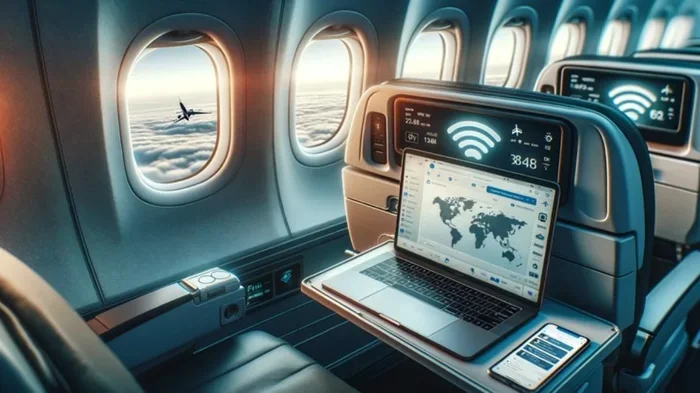
Can you use Wi-Fi on a plane? Yes, you can! In-flight WiFi has become widely available on most major airlines, letting you browse, stream, and even video call while cruising at 35,000 feet. This guide covers how airplane WiFi works, the different types of connections, costs, speed expectations, and practical tips to get the best experience. Whether you are a frequent flyer or planning your first trip with WiFi on a plane, you will find everything you need right here.
Have you ever been stuck on a long flight and wondered, can you use Wi-Fi on a plane? The short answer is yes. The longer answer is that in-flight WiFi has come a long way, and staying connected at 35,000 feet is now a reality for millions of travelers every day.
Gone are the days when you had to power down all your devices the moment the seatbelt sign turned off. Today, airlines around the world offer WiFi on planes that lets you check emails, scroll through social media, stream movies, and even join video calls. But how does it actually work? And is it worth the cost? Let us dive into everything you need to know about using WiFi on a plane.
If you have ever tried to use WiFi on a plane and been disappointed by slow speeds or high prices, you are not alone. The experience of in-flight WiFi can vary a lot depending on the airline, the route, the technology they use, and even the time of day. This guide breaks it all down so you know exactly what to expect the next time you fly.
Key Takeaways
- WiFi on planes is real and widely available: Most major airlines now offer in-flight WiFi on domestic and international routes.
- Two main technologies power airplane WiFi: Air-to-ground systems and satellite-based connections each have unique strengths.
- Costs vary widely: Some airlines offer free WiFi while others charge anywhere from $7 to $50+ per flight.
- Speed has improved dramatically: Modern satellite WiFi can support streaming, video calls, and browsing with reasonable speeds.
- You can stream and make calls: Many airlines now support WiFi streaming and even WiFi calling, though rules vary.
- Smart tips boost your experience: Downloading content offline and choosing off-peak hours can help you get the best WiFi on a plane.
- The future looks bright: New technologies like low-earth orbit satellites are making in-flight connectivity faster and more affordable.
📑 Table of Contents
How In-Flight WiFi Works
Understanding how WiFi on a plane works is simpler than you might think. At its core, airplane WiFi connects your device to the internet using special equipment on the aircraft. Instead of connecting to a local router like you do at home or in a coffee shop, the plane talks to either ground-based towers or satellites orbiting the Earth.
Air-to-Ground WiFi Technology
The first type of WiFi on planes uses air-to-ground, or ATG, technology. This works a lot like your mobile phone connecting to cell towers on the ground. The airplane has an antenna on its belly that talks to towers on the ground as the plane flies over them.
Air-to-ground WiFi works well over land and in regions with dense tower coverage. Airlines like Gogo have built extensive networks using this technology, especially in the United States. The signal is usually strong and reliable when flying over connected areas.
However, there is a big limitation. Air-to-ground WiFi does not work over oceans, deserts, or remote areas where there are no ground towers. This means your connection will drop or you will not have WiFi at all during certain parts of your flight. For domestic flights within the US, this is usually not a problem. For international routes over water, it can be an issue.
Satellite-Based WiFi Technology
Satellite WiFi solves the coverage problem. The plane connects to satellites in space, which then relay the signal to ground stations on Earth. This means you can get WiFi on a plane even when flying over the middle of the ocean or remote mountain ranges.
There are two main types of satellite WiFi used on planes today. The older Ku-band satellites offer decent speeds but can be affected by weather. The newer Ka-band and LEO (low-earth orbit) satellites provide much faster connections and are more reliable. Airlines like Delta, JetBlue, and Alaska Airlines use satellite-based systems for their WiFi on planes.
Satellite WiFi has improved a lot in recent years. Some airlines now offer speeds that rival home broadband connections. This means you can stream Netflix, join Zoom calls, and browse the web without constant buffering. The technology is still evolving, and future satellites promise even better performance.
Types of WiFi Plans Airlines Offer
Not all WiFi on planes is created equal. Airlines offer different types of WiFi plans, and knowing what is available can save you money and frustration. Let us look at the main options.
Free WiFi on Airlines
Some airlines offer free WiFi on planes, and the number is growing. JetBlue is one of the most well-known airlines with free in-flight WiFi on most domestic flights. Their service, called Fly-Fi, lets passengers browse, stream, and use social media without paying a dime.
Other airlines that have offered free WiFi at various times include Alaska Airlines, which provides free basic WiFi and charges for faster tiers, and some international carriers that include WiFi as part of their ticket price. Free WiFi on planes is a great perk, but it often comes with speed limits or data caps.
Paid WiFi Plans
Most major US airlines charge for WiFi on planes. The cost varies a lot. Delta WiFi, for example, typically costs around $7 for a single flight or $17 for a month of access. American Airlines charges similar rates, and United Airlines offers plans ranging from $7 for basic browsing to $19 for faster speeds.
Some airlines offer daily passes or monthly subscriptions that can save you money if you fly often. Southwest Airlines charges around $8 for WiFi on a single flight. International airlines may have different pricing structures, and some charge by the hour or offer packages based on data usage.
Before you buy WiFi on a plane, check if your airline offers a free tier. Many airlines now provide free basic WiFi that lets you browse the web and use messaging apps like WhatsApp and iMessage, even if you do not pay for a premium plan.
WiFi Speed Tiers
Many airlines now offer different speed tiers for their WiFi on planes. Basic tier gives you enough speed for email, web browsing, and messaging. Premium tier offers faster speeds that can support streaming video and video calls.
The actual WiFi speed you get on a plane depends on several factors. These include the number of people using the network at the same time, the type of technology the airline uses, and your altitude and location. During peak travel times, speeds can drop significantly because everyone on the plane is trying to use the same connection.
Can You Stream and Make Calls Using WiFi on a Plane?
This is one of the most common questions people ask about WiFi on a plane. The good news is that streaming and calling are possible on many airlines, but there are some important rules and limitations to know.
Streaming on WiFi on a Plane
Yes, you can stream on WiFi on a plane on most modern airlines. JetBlue, Delta, and Alaska Airlines all support WiFi streaming on their faster speed tiers. You can watch Netflix, Hulu, YouTube, and other streaming services during your flight if you have a premium WiFi plan.
However, streaming uses a lot of data, so keep that in mind. A one-hour movie can use about 3 GB of data. If your WiFi plan has a data cap, you might run out before the flight ends. Also, streaming quality may be lower than what you are used to at home because airplane WiFi speeds can fluctuate.
Pro tip: Download your favorite shows or movies before your flight instead of relying on in-flight WiFi for streaming. This way, you have entertainment even if the WiFi is slow or unavailable.
WiFi Calling on a Plane
Can you make phone calls using WiFi on a plane? The answer is yes and no. Technically, WiFi calling works on planes that have WiFi. You can use apps like FaceTime Audio, WhatsApp, and Skype to make voice or video calls.
However, most airlines have rules against making voice calls on the plane using their WiFi. The reason is simple: nobody wants to sit next to someone talking on the phone for a six-hour flight. Airlines like Delta and American explicitly prohibit voice calls over their WiFi networks.
So while you can use WiFi for messaging and video chat with the cabin crew’s permission, making traditional phone calls is generally not allowed. Always check the specific rules of your airline before you assume you can make calls.
Messaging and Social Media
One of the best uses of WiFi on a plane is staying in touch through messaging apps. Even on free basic WiFi tiers, you can usually use iMessage, WhatsApp, Facebook Messenger, and similar apps. These apps use less data and work well even on slower connections.
Social media platforms like Instagram, Twitter, and Facebook also work on most airplane WiFi networks. You can scroll through feeds, post updates, and reply to messages without any issues on basic plans.
How Much Does WiFi on a Plane Cost?
The cost of WiFi on a plane varies by airline and by the type of plan you choose. Here is a general breakdown of what you can expect to pay for WiFi on planes with major US carriers.
WiFi Pricing by Airline
Let us look at some real numbers so you can budget for WiFi on your next flight. Keep in mind that prices can change, so always check the airline’s website for the latest rates.
- Delta Air Lines: Around $7 for a single flight, $17 for a monthly pass, and $49 for a year-long subscription. Basic messaging is free.
- American Airlines: Starts at $10 for a single flight. AAdvantage members may get discounts or free access on certain fare classes.
- United Airlines: $7 for basic browsing, $19 for faster speeds. United Explorer cardholders get free WiFi on domestic flights.
- Southwest Airlines: Around $8 for WiFi on a single flight. Southwest Rapid Rewards members may get free WiFi on select flights.
- JetBlue: Free WiFi on most domestic flights through their Fly-Fi service. No paid tiers needed for basic use.
- Alaska Airlines: Free basic WiFi for all passengers. Premium WiFi with faster speeds costs around $5 to $10.
International WiFi Pricing
International flights can have different WiFi pricing. Some airlines like Emirates and Qatar Airways offer free WiFi for a limited data amount and then charge for more. European carriers vary widely, with some offering free WiFi and others charging similar rates to US airlines.
If you fly internationally often, consider signing up for a WiFi subscription or using a roaming plan that covers in-flight WiFi. Some credit cards also include WiFi passes as a travel benefit, so check if your card offers this perk.
Tips for Getting the Best WiFi on a Plane
Want to make the most of WiFi on a plane? These practical tips will help you get a better experience every time you fly.
Choose Your Seat Wisely
Your seat location can affect your WiFi experience on a plane. Seats near the front of the aircraft or near the wings often get stronger signals because they are closer to the WiFi antenna. Back-of-the-plane seats can sometimes have weaker connections.
If you know you will need WiFi on a plane for an important meeting or presentation, try to book a seat in the front cabin or near the wing area. This small choice can make a big difference in your connection quality.
Download Content Before Your Flight
One of the best tips for using WiFi on a plane is to download everything you need before you board. Download movies, TV shows, music, podcasts, and documents to your device before takeoff.
This way, you do not have to rely on the in-flight WiFi for entertainment. You can use the WiFi for quick browsing, checking emails, or messaging while saving your streaming for when you have a strong connection or for when you are on the ground.
Use WiFi During Off-Peak Hours
The more people using WiFi on a plane, the slower it gets for everyone. If you can, try to use the WiFi during off-peak times. Early morning flights and red-eye flights tend to have fewer passengers online at the same time.
On busy flights, the WiFi network can get congested quickly. If you need a strong connection for work, consider doing your tasks early in the flight before everyone else wakes up and starts streaming.
Bring a Portable Charger
Using WiFi on a plane drains your battery faster than normal. The constant searching for and maintaining a connection uses extra power. Bring a portable charger or a high-capacity power bank so your phone or laptop stays charged throughout the flight.
Some airlines now have USB charging ports and even power outlets at seats, but not all do. Having your own backup power source ensures you can keep using WiFi on a plane for the entire duration of your flight.
Check WiFi Availability Before Booking
Not all airlines or all flights offer WiFi on planes. Before you book a ticket, check if the airline offers WiFi on that specific route. You can usually find this information on the airline’s website or by calling their customer service.
Some regional flights or smaller aircraft may not have WiFi equipment installed. If staying connected is important to you, choose airlines and routes that are known for reliable WiFi on planes.
The Future of WiFi on Planes
The future of WiFi on planes looks incredibly promising. Airlines and technology companies are investing heavily in making in-flight WiFi faster, more reliable, and more affordable. Here are some exciting developments to watch.
Low-Earth Orbit Satellite Networks
Companies like Starlink, owned by SpaceX, are launching thousands of small satellites into low-earth orbit. These satellites can provide much faster and more reliable WiFi on planes than traditional geostationary satellites. Starlink Aviation is already partnering with several airlines to offer premium in-flight WiFi.
LEO satellites orbit much closer to Earth, which means lower latency and faster speeds. Passengers on planes using Starlink WiFi have reported speeds comparable to good home internet connections. This technology could change the in-flight WiFi experience completely.
Free WiFi Becoming the Standard
There is a trend toward airlines offering free WiFi on planes. As the cost of providing WiFi decreases with better technology, more airlines are likely to make WiFi a standard feature rather than a paid add-on. Some airlines in Europe and Asia already offer free WiFi as a basic service.
In the US, competition among airlines is driving prices down and quality up. Airlines that offer free WiFi attract more customers, especially business travelers who need reliable connectivity. Expect free WiFi on planes to become more common in the coming years.
Faster Speeds and More Bandwidth
New WiFi standards and improved satellite technology mean that WiFi on planes will continue to get faster. Airlines are upgrading their equipment to support 5G-like speeds and higher bandwidth. This will enable smoother streaming, faster downloads, and better video calls.
In the near future, using WiFi on a plane might feel almost identical to using WiFi at home or in a cafe. The days of painfully slow connections and constant buffering could become a thing of the past.
Common Mistakes People Make With WiFi on a Plane
Avoid these common mistakes to get the most out of WiFi on a plane.
- Assuming all flights have WiFi: Not every aircraft or route has WiFi installed. Always check before you fly.
- Not buying WiFi early enough: Some airlines offer lower prices if you purchase WiFi before boarding or before takeoff.
- Expecting home internet speeds: WiFi on a plane is slower than most home connections. Adjust your expectations and plan accordingly.
- Forgetting to switch to airplane mode: You still need to turn on airplane mode and then enable WiFi separately on your device.
- Ignoring data limits: Some WiFi plans have data caps. If you plan to stream or download large files, make sure you have enough data.
- Not testing the connection early: Connect to WiFi right after takeoff when the signal is usually strongest. If there is a problem, you have more time to troubleshoot.
Final Thoughts
So, can you use Wi-Fi on a plane? Absolutely. WiFi on planes has transformed the flying experience for millions of travelers. Whether you need to work, stream, browse, or simply stay in touch with loved ones, in-flight WiFi makes it possible.
The technology has improved dramatically, and the future looks even brighter. Faster speeds, lower costs, and free WiFi options are on the horizon. Next time you fly, take advantage of WiFi on a plane and stay productive or entertained throughout your journey.
Remember to check your airline’s WiFi options before you book, download content ahead of time, and choose your seat strategically. With a little planning, WiFi on a plane can be a game-changer for your travel experience. Stay connected up in the sky and make every flight count.
Frequently Asked Questions
Can you use Wi-Fi on a plane for free?
Yes, some airlines like JetBlue and Alaska Airlines offer free WiFi on planes. JetBlue provides free WiFi on most domestic flights, and Alaska Airlines offers free basic WiFi for all passengers. Always check with your specific airline to see if free WiFi is available on your route.
How fast is WiFi on a plane?
WiFi speed on a plane varies by airline and technology. Modern satellite-based WiFi can deliver speeds of 10 to 50 Mbps or more, which is enough for browsing, messaging, and even streaming. Air-to-ground systems tend to be slower and can vary based on your location over land.
Can you make phone calls using WiFi on a plane?
Technically yes, but most airlines prohibit voice calls over their WiFi networks. You can use messaging apps like WhatsApp and iMessage, and some airlines allow video calls with the crew’s permission. Always check your airline’s specific rules about making calls while in the air.
Does WiFi on a plane work over oceans?
Yes, satellite-based WiFi on planes works over oceans and remote areas. Air-to-ground WiFi only works over land with cell tower coverage. Most international airlines use satellite WiFi, so you can stay connected even when flying over the Pacific or Atlantic oceans.
How do I connect to WiFi on a plane?
After the plane reaches cruising altitude, turn on WiFi on your device while in airplane mode. You will see the airline’s WiFi network listed. Connect to it and follow the prompts on the login page. Some airlines auto-connect, while others require you to purchase a plan or enter a password.
Is WiFi on a plane safe to use?
Yes, WiFi on a plane is generally safe to use. Airlines use secure networks, and your connection is encrypted similar to what you would experience on a home network. Avoid entering sensitive information on public WiFi, and use a VPN if you are handling private work data while flying.
=== CONCLUSION ===
Using WiFi on a plane is no longer a luxury, it is becoming a standard part of air travel. From understanding how in-flight WiFi works to knowing what to expect from different airlines, this guide has covered everything you need to stay connected at 35,000 feet. Whether you are flying domestically or internationally, WiFi on a plane can keep you productive, entertained, and in touch with the world below.
The technology continues to improve every year, with faster speeds, lower costs, and more airlines offering free WiFi on planes. Next time someone asks, can you use Wi-Fi on a plane, you will have all the answers. Plan ahead, choose the right airline, and enjoy a connected flight experience like never before.