Can You Print With Just Bluetooth Everything You Need
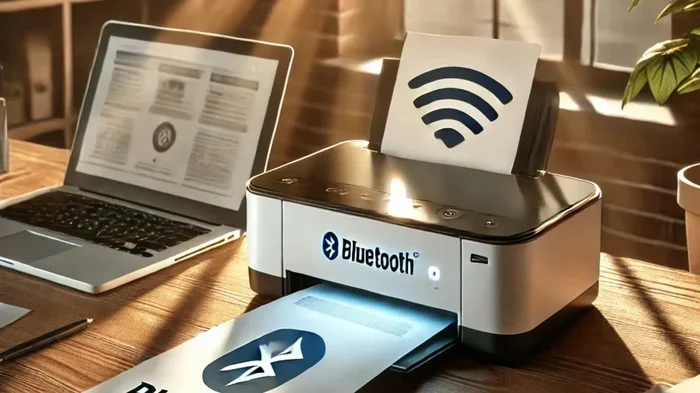
Yes, you can print with just Bluetooth — no WiFi or cables required. Bluetooth printing lets you send documents and photos directly from your phone, tablet, or laptop to a compatible printer. This guide covers how it works, which printers support it, setup steps, and common problems to watch out for.
Key Takeaways
- Bluetooth printing works without WiFi: You can send print jobs directly from your device to a Bluetooth-enabled printer within range.
- Setup is simple: Most modern printers and smartphones make pairing quick and painless with just a few steps.
- Not all printers support Bluetooth: You need a printer with built-in Bluetooth or a Bluetooth adapter to make it work.
- Range is limited: Bluetooth typically works within 30 feet, so keep your device close to the printer.
- Speed is slower than WiFi: Bluetooth printing is fine for documents and photos but not ideal for large jobs.
- Troubleshooting is straightforward: Most Bluetooth printing issues can be fixed by re-pairing, updating drivers, or checking settings.
📑 Table of Contents
- Can You Print With Just Bluetooth? Yes, Here Is How It Works
- Can You Print With Just Bluetooth Without WiFi?
- How to Set Up Bluetooth Printing on Your Device
- Best Bluetooth Printers for Every Need
- Common Bluetooth Printing Problems and How to Fix Them
- Bluetooth vs WiFi Printing Which Is Better for You?
- Final Thoughts on Printing With Just Bluetooth
Can You Print With Just Bluetooth? Yes, Here Is How It Works
Have you ever been in a situation where you needed to print something but there was no WiFi in sight? Maybe you are at a coffee shop, a hotel room, or just in a part of your house where the wireless signal is weak. The good news is that you can print with just Bluetooth. It is simpler than you might think.
Bluetooth printing allows you to connect your phone, tablet, or computer directly to a printer without needing a wireless network. This means no router, no internet connection, and no complicated setup. You just pair your device with the printer and start printing. It is one of the most convenient ways to handle wireless printing on the go.
In this article, we will walk you through everything you need to know about printing with Bluetooth. We will cover how it works, what you need, how to set it up, and what to do when things go wrong. Whether you are a student, a professional, or someone who just wants to print a photo from your phone, this guide has you covered.
The idea of printing without WiFi might sound too good to be true. But Bluetooth technology has been around for a long time, and many printers now include it as a built-in feature. Let us dive into the details and see exactly how you can make it work for you.
What Is Bluetooth Printing?
Bluetooth printing uses short-range wireless technology to send data from your device to a printer. Bluetooth is a standard wireless protocol found in almost every modern smartphone, laptop, and tablet. When your printer also has Bluetooth, the two devices can talk to each other directly. No middleman, no network needed.
This is different from WiFi printing, where your device and printer both connect to the same wireless network. With Bluetooth, the connection is direct and private. Only your device and the printer are involved. This makes it great for quick jobs and situations where WiFi is not available.
How Does Bluetooth Connectivity Work for Printing?
When you send a print job over Bluetooth, your device converts the document or photo into data. That data is then transmitted through the air to the printer using Bluetooth radio waves. The printer receives the data, processes it, and produces your printout.
Here is a simple breakdown of the process:
- Step 1: Your device and printer are paired through Bluetooth settings.
- Step 2: You select the document or photo you want to print.
- Step 3: You hit the print button, and the data is sent wirelessly.
- Step 4: The printer receives the data and starts printing.
The whole process usually takes just a few seconds to set up and a few more seconds to print. It is fast, easy, and does not require any technical knowledge.
Can You Print With Just Bluetooth Without WiFi?
This is the question most people ask, and the answer is a clear yes. You do not need WiFi to print with Bluetooth. The two technologies work independently of each other. Bluetooth creates its own direct connection between your device and the printer.
Wireless printing does not always mean WiFi printing. Bluetooth is another form of wireless communication, and it works perfectly for printing. You can be in a completely offline environment and still print documents, photos, and even web pages from your phone or computer.
Many people assume that all wireless printing requires an internet connection. That is not true. WiFi printing needs a router and an active network. Bluetooth printing needs none of that. It is a standalone connection that works anywhere, anytime.
When Is Bluetooth Printing the Best Choice?
There are many situations where printing with just Bluetooth makes more sense than WiFi. Here are some common scenarios:
- Traveling: You are in a hotel or a remote location with no WiFi. You still need to print a boarding pass or a document.
- Small offices: You do not want to set up a WiFi network just for printing. Bluetooth keeps things simple.
- Quick jobs: You need to print a single page or a photo right now. Bluetooth pairing is faster than connecting to a WiFi network.
- Privacy: You want a direct, secure connection without sharing data over a network.
- No router available: You are outdoors, at a cabin, or in a location with no internet infrastructure.
In all of these cases, printing without WiFi using Bluetooth is not just possible. It is often the better option.
How to Set Up Bluetooth Printing on Your Device
Setting up Bluetooth printing is easier than most people think. The process is similar whether you are using an iPhone, an Android phone, a Windows laptop, or a Mac. Let us walk through the steps.
Step 1: Check Printer Compatibility
Before you start, make sure your printer supports Bluetooth. Not all printers have it built in. Look for the Bluetooth logo on the printer or check the product specifications in the manual or on the manufacturer’s website. Some printers come with Bluetooth as a standard feature, while others may need a Bluetooth adapter or dongle.
Here are some popular printer brands that offer Bluetooth models:
- HP
- Canon
- Epson
- Brother
- Samsung
- Lexmark
Many of these brands offer portable printers with Bluetooth built in. These are compact, lightweight, and perfect for people who need to print on the go. A bluetooth enabled printer is becoming more common in both home and office settings.
Step 2: Turn on Bluetooth on Your Device
Go to your device settings and turn on Bluetooth. On most phones, you can swipe down from the top of the screen and tap the Bluetooth icon. On a computer, go to the settings menu and select Bluetooth. Make sure it is turned on and set to be visible to other devices.
Step 3: Put the Printer in Pairing Mode
Most printers have a Bluetooth or pairing button. Press and hold it until the indicator light starts flashing. This means the printer is ready to be discovered by your device. Check your printer manual if you are not sure how to do this.
Step 4: Pair Your Device with the Printer
On your device, go to the Bluetooth settings and look for available devices. Your printer should appear in the list. Tap on it to pair. Some printers may require you to enter a PIN, which is usually printed on a label on the printer itself.
Once paired, your device will remember the printer. You will not need to pair again unless you remove the printer from your Bluetooth settings.
Step 5: Print Your Document
Open the document or photo you want to print. Tap the share or menu button and select Print. Choose your Bluetooth printer from the list of available printers. Adjust any settings you need, such as paper size or color options, and hit Print. Your printer should start working within seconds.
Best Bluetooth Printers for Every Need
If you are in the market for a bluetooth printer, there are many great options available. The right one depends on what you need to print, how often you print, and your budget. Let us look at some of the best choices.
Portable Bluetooth Printers
Portable printers are small enough to fit in your bag or even your pocket. They are perfect for travelers, students, and anyone who needs to print on the go. Most portable printers use thermal printing technology, which means they do not need ink cartridges.
Popular portable Bluetooth printers include models from brands like HP, Canon, and Fujifilm. These printers are great for printing photos, receipts, and short documents. They usually connect to your phone through a dedicated app, which makes the mobile printing experience smooth and straightforward.
Home Office Bluetooth Printers
If you need a printer for your home office, you want something more robust. Look for a bluetooth enabled printer that also supports other connection types like WiFi or USB. This gives you flexibility. You can print over Bluetooth when WiFi is not available and switch to WiFi when it is.
Brands like Epson and Brother offer home office printers with Bluetooth support. These models often include features like automatic duplex printing, high-resolution output, and large paper trays.
Photo Printers with Bluetooth
For those who love printing photos directly from their phone, Bluetooth photo printers are a fantastic option. These compact printers let you print 4×6 or 5×7 photos in seconds. They connect to your phone through Bluetooth and a companion app. You can edit photos, add filters, and print right from your phone.
Canon and Fujifilm make some of the best Bluetooth photo printers on the market. They are affordable, easy to use, and produce vibrant, high-quality prints.
Comparison Table: Bluetooth vs WiFi vs USB Printing
Not sure which connection type is best for you? Here is a quick comparison:
Bluetooth Printing: Direct connection, no WiFi needed, limited range of about 30 feet, slower speed for large files, great for quick jobs and mobile printing.
WiFi Printing: Network-based connection, works from anywhere in range, faster speeds, supports multiple devices, needs a router and internet.
USB Printing: Wired connection, most reliable, fastest speeds, limited by cable length, requires physical proximity to the printer.
Each method has its strengths. Bluetooth is best for simplicity and portability. WiFi is best for speed and multi-device use. USB is best for reliability and large jobs.
Common Bluetooth Printing Problems and How to Fix Them
Bluetooth printing is generally reliable, but you may run into issues from time to time. Here are the most common problems and how to solve them.
Printer Not Showing Up in Bluetooth Settings
If your printer does not appear in the list of available devices, try these steps:
- Make sure Bluetooth is turned on on both your device and the printer.
- Check that the printer is in pairing mode. The indicator light should be flashing.
- Move your device closer to the printer. Bluetooth range is typically about 30 feet.
- Restart Bluetooth on your device and try again.
- Check if the printer is already paired with another device. Disconnect it from other devices first.
Print Jobs Stuck or Not Printing
If you send a print job but nothing happens, try the following:
- Check that the printer has paper and ink or toner.
- Make sure the printer is online and connected to your device.
- Cancel the print job on your device and try again.
- Restart both your device and the printer.
- Check for any error messages on the printer display.
Slow Printing Speed
Bluetooth is slower than WiFi, so printing large files may take longer. To speed things up:
- Print smaller files or reduce the resolution of photos before printing.
- Move your device closer to the printer for a stronger signal.
- Make sure there are no obstructions between your device and the printer.
- Consider using WiFi or USB for large print jobs.
Connection Drops Frequently
If your Bluetooth connection keeps dropping, try these fixes:
- Remove the printer from your Bluetooth settings and pair it again.
- Update your device software and printer firmware.
- Keep your device within the recommended Bluetooth range.
- Turn off other Bluetooth devices nearby that might be causing interference.
Bluetooth vs WiFi Printing Which Is Better for You?
Both Bluetooth and WiFi printing have their advantages. The right choice depends on your needs and situation. Let us break it down.
Bluetooth printing is ideal when you want a simple, direct connection. It does not require a router or internet. It is perfect for quick prints, mobile devices, and situations where WiFi is not available. If you value simplicity and portability, Bluetooth is the way to go.
WiFi printing is better when you need to print from multiple devices or from across the house. WiFi offers faster speeds and a longer range. It is ideal for home offices, families, and businesses where many people need to print regularly.
Some modern printers support both Bluetooth and WiFi. This gives you the best of both worlds. You can use Bluetooth for quick, direct prints and WiFi for larger, multi-device jobs. When shopping for a printer, look for models that offer both options for maximum flexibility.
For most home users and casual printers, Bluetooth printing is more than enough. For heavy users and offices, WiFi printing is usually the better choice. But having both capabilities on a single printer is the ultimate convenience.
Quick Tips for Better Bluetooth Printing
Here are some expert tips to get the most out of your Bluetooth printing experience:
- Keep your devices updated. Software updates often improve Bluetooth performance and fix bugs.
- Use a dedicated printing app. Many printer brands offer free apps that make Bluetooth printing easier and more reliable.
- Keep your printer firmware up to date. Manufacturers release updates that improve connectivity and fix issues.
- Reduce file size when possible. Smaller files print faster over Bluetooth.
- Place your printer in a central location. This helps maintain a strong Bluetooth signal within the 30-foot range.
- Avoid interference. Other Bluetooth devices, microwaves, and wireless signals can interfere with your connection. Keep your printer away from these sources.
Final Thoughts on Printing With Just Bluetooth
Can you print with just Bluetooth? Absolutely. Bluetooth printing is a practical, convenient, and reliable way to print without WiFi or cables. Whether you are at home, traveling, or working in a location without internet access, a Bluetooth-enabled printer gives you the freedom to print whenever you need to.
The setup process is straightforward, the technology is widely supported, and the results are dependable for most everyday printing needs. From photos to documents, Bluetooth printing handles the job with ease. As long as you stay within range and keep your devices paired, you will have a smooth printing experience.
If you have been hesitant to try Bluetooth printing, now is the time. The technology is mature, the printers are affordable, and the convenience is hard to beat. Give it a try, and you may find that it becomes your go-to way to print.
Remember, the key to successful Bluetooth printing is choosing the right printer, keeping your devices updated, and understanding the technology’s limitations. With those basics covered, you will be printing wirelessly in no time.