Can You Charge Any Usb C Device With Any Usb C Charger
Yes, you can charge most USB C devices with any USB C charger, but not all chargers are created equal. The real answer depends on power delivery, wattage, and the charging protocol your device supports. Using the wrong charger can lead to slow charging or, in rare cases, damage. This guide breaks down everything you need to know about USB-C charging compatibility so you can charge safely and efficiently.
You have a USB-C cable. You have a USB-C charger. So why wouldn’t you just plug them together and call it a day? It seems simple enough. But here is the thing. Not every USB-C charger works the same way with every USB-C device. The connector is universal. The power behind it is not.
If you have ever grabbed a random charger and plugged it into your laptop or phone, you might have noticed something. Sometimes it charges fast. Sometimes it charges slow. And sometimes it does not seem to charge at all. That confusion is real. It is also very common. In this article, we will answer the big question. Can you charge any USB C device with any USB C charger? We will break it down in simple terms. You will learn how USB-C charging actually works. You will find out what power delivery means. And you will walk away knowing exactly what to look for when picking a charger.
The short answer is yes. Most of the time, it works. But the full answer is a little more nuanced. And understanding that difference can save you time, money, and maybe even your favorite gadget. So let us dig in.
Key Takeaways
- Universal Connector, Not Universal Power: The USB-C shape fits all devices, but power output varies by charger.
- Power Delivery Matters: USB PD is the standard that ensures your device gets the right amount of power.
- Wattage Must Match: Your device will only draw the power it needs, but a low-wattage charger will charge slowly.
- Cheap Chargers Can Be Risky: Non-certified chargers may lack safety features and could harm your device.
- Fast Charging Depends on Both Sides: You need a compatible charger, cable, and device for fast charging.
- GaN Chargers Are the Best Option: They are small, efficient, and deliver consistent power across devices.
- Always Check Your Device Specs: Knowing your device’s wattage and protocol needs helps you pick the right charger.
📑 Table of Contents
- How USB-C Charging Actually Works
- Can You Really Use Any USB-C Charger with Any USB-C Device?
- Power Delivery and Why It Matters for Charging
- Common USB-C Charging Mistakes People Make
- Quick Tips for Safe and Efficient USB-C Charging
- Which USB-C Chargers Are Worth Buying?
- Expert Insight: What the Industry Says About USB-C Charging
- Key Takeaways
- Conclusion
How USB-C Charging Actually Works
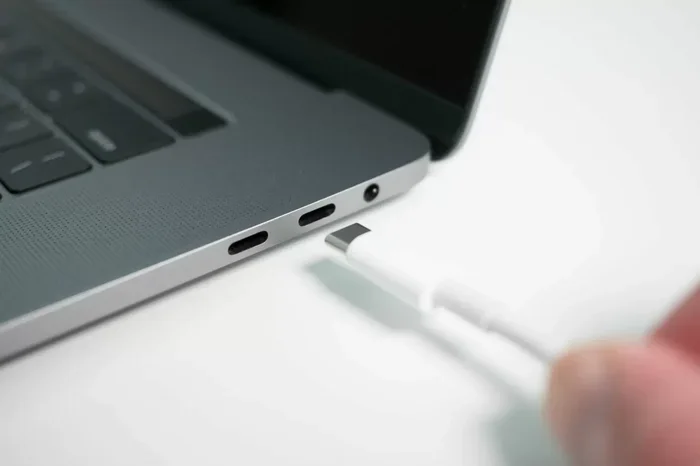
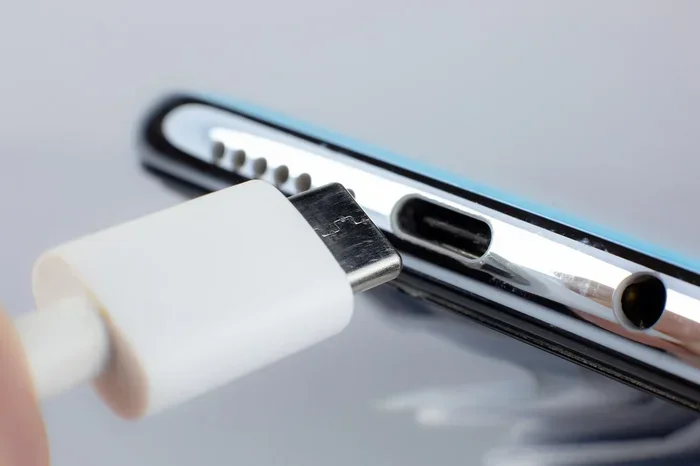
USB-C is a connector type. That is all it is. It is the small, reversible plug that fits into your phone, laptop, tablet, or earbuds. The shape is the same across devices. But what happens inside that connection is what really matters. Charging is not just about plugging something in. It is about communication between the charger and your device.
When you connect a USB-C charger to your device, they talk to each other. The charger tells the device how much power it can provide. The device then decides how much power it wants to draw. This is called a charging protocol. It keeps things safe. Your phone will not suddenly pull 100 watts if it only needs 15 watts. The device controls the flow.
The Role of USB Power Delivery
USB Power Delivery, or USB PD, is the standard that makes all of this work. It is a charging protocol built into most modern USB-C devices. USB PD allows devices to negotiate the right amount of power. It can range from 5 watts up to 240 watts in newer standards.
Here is why USB PD matters. Without it, your charger might send power at a fixed rate. Your device might not be able to handle that rate. Or worse, it might not charge at all. USB PD solves this problem. It creates a common language between the charger and the device. Both sides agree on the power level before current flows.
Most smartphones, tablets, and laptops made after 2018 support USB PD. That is a huge step forward. It means you have a better chance of cross-device compatibility. But it does not mean every charger will work perfectly with every device. More on that in a moment.
USB-C vs. USB-A: Why the Change Matters
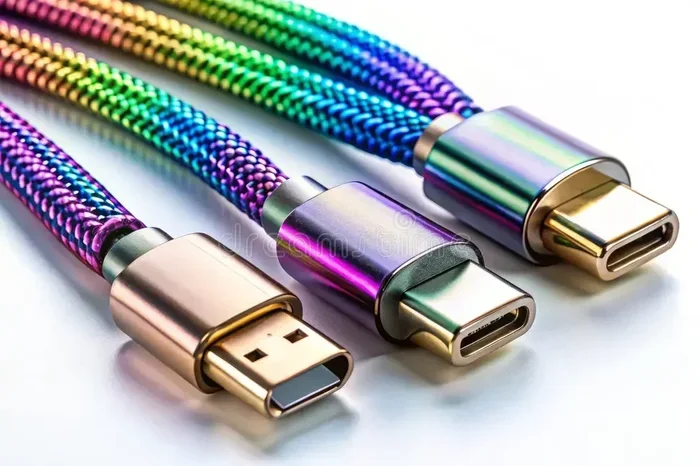
You might be wondering why USB-C became the go-to connector. The old USB-A port was big and bulky. It was also unidirectional. You had to flip the cable multiple times to get it right. USB-C fixed both of those problems. It is small, reversible, and supports much higher power levels.
USB-A chargers cannot charge USB-C devices without an adapter. And even then, the charging speed may be limited. USB-C was designed to handle more power and faster data transfer. It is the future of charging. That is why almost every new device uses it now. Phones, laptops, earbuds, portable batteries, and even some monitors use USB-C.
Can You Really Use Any USB-C Charger with Any USB-C Device?
Here is where things get interesting. The physical connection is universal. Any USB-C charger can physically plug into any USB-C device. But that does not mean it will charge well. Or charge at all. There are several factors that determine how well a charger works with a specific device.
Wattage and Your Device’s Needs
Every device has a power requirement. A smartwatch might need only 5 watts. A phone might need 15 to 25 watts. A laptop could need 45 to 100 watts or more. The wattage rating of your charger tells you the maximum power it can deliver.
Here is the good news. Your device will only draw the power it needs. If you plug a 100-watt charger into a phone that needs 20 watts, the phone will only take 20 watts. It will not overload. The charger is like a water pipe. It can supply a lot of water, but your glass will only fill as fast as the glass allows.
But here is the catch. If you use a charger with too low wattage, your device will charge slowly. A 5-watt charger plugged into a laptop will barely charge at all. It might even drain while you use it. So while the connection works, the experience may be frustrating.
Charging Protocols and Compatibility
Different devices use different charging protocols. USB PD is the most common. But some brands use their own fast charging tech. Qualcomm Quick Charge used to be popular in Android phones. Samsung has Adaptive Fast Charging. Apple uses USB PD for iPhones and MacBooks.
When your charger and device both support USB PD, things work smoothly. But if one side uses a different protocol, you might not get the fastest speeds. Some chargers support multiple protocols. Others only support USB PD. This is why checking specs matters before you buy.
For example, if you use a Quick Charge-only charger with an iPhone, it will still charge. But it will not charge any faster than a standard USB-C charger. You get the base level of power. No fast charging bonus.
Cable Quality Makes a Big Difference
People often forget about the cable. The charger gets all the attention. But the USB-C cable between them is just as important. A cheap or damaged cable can limit power flow. It might not support the wattage your device needs.
USB-C cables come in different categories. Some are rated for 3 amps. Others handle 5 amps. The cable you use directly affects charging speed. A 60-watt charger with a 3-amp cable might only deliver 45 watts. That is a big difference if you are trying to fast charge a laptop.
Always use cables that are rated for the power level you need. Look for cables marked with their wattage or amperage. E-Marker chips inside certified cables help negotiate the right power level automatically. These cables are worth the small extra cost.
Power Delivery and Why It Matters for Charging
USB Power Delivery is the backbone of modern USB-C charging. Without it, the whole ecosystem would be a mess of incompatible chargers and slow speeds. USB PD is what makes it possible to use one charger for your phone, your laptop, and even your tablet.
How USB PD Negotiates Power Levels
When you plug in a USB-C charger, a negotiation happens. The charger and your device exchange information. They agree on the voltage and current needed. This happens in milliseconds. You do not see it or feel it. But it is happening every single time you plug something in.
The negotiation ensures your device gets the right amount of power safely. It also allows for bidirectional charging. Some devices can both send and receive power through USB-C. Your phone can charge your earbuds. Your laptop can charge your phone. Your power bank can charge your tablet. USB PD makes all of this possible.
USB PD Power Profiles
USB PD has defined power profiles for common devices. These profiles tell the charger what power level to provide based on the device type.
- 5W: Basic charging for small devices like earbuds or smartwatches
- 15W: Standard charging for most smartphones
- 20-30W: Fast charging for phones and small tablets
- 45-65W: Typical for most laptops and larger tablets
- 100W and above: For gaming laptops and high-performance devices
When both your charger and device support USB PD, they will automatically select the right profile. You do not need to do anything. It just works. That is the beauty of the standard.
Common USB-C Charging Mistakes People Make
Even though USB-C seems simple, people make mistakes all the time. These mistakes can lead to slow charging, wasted energy, or even device damage. Let us look at the most common ones.
Using a Charger with Too Low Wattage
This is the number one mistake. People grab the smallest charger they have and expect it to power a laptop. It will not. A 10-watt charger cannot charge a 65-watt laptop at full speed. The laptop might charge very slowly or not at all while you use it.
Always check your device’s recommended wattage. Most laptops list this on the original charger or in the manual. Match your replacement charger to that number. You will get the best results.
Ignoring Cable Quality
We mentioned this earlier, but it deserves its own spotlight. A bad cable ruins a good charger. Many people buy expensive chargers and pair them with cheap, unverified cables. The result is slow charging or intermittent connection.
Look for USB-IF certified cables. These have been tested for safety and performance. They cost a little more, but they protect your devices and deliver consistent power.
Using Non-Certified Chargers
Not all chargers on the market are created equal. Some cheap, uncertified chargers skip safety features. They might overheat, deliver inconsistent power, or even damage your device’s battery over time.
Stick with reputable brands. Look for USB-IF certification or USB PD compliance on the packaging. These labels mean the charger has been tested and meets safety standards. A little extra cost now saves you from big headaches later.
Assuming All USB-C Ports Are the Same
Your laptop might have multiple USB-C ports. But not all of them are the same. Some ports only support data transfer. Others support charging. And some support both but at different power levels.
Check your laptop manual or specs to see which ports support charging and at what wattage. Plugging your charger into the wrong port can result in no charging at all. It is a frustrating mistake that is easy to avoid.
Quick Tips for Safe and Efficient USB-C Charging
Want to get the most out of your USB-C charging setup? Follow these simple tips. They will help you charge faster, safer, and more efficiently.
- Check your device wattage requirements before buying a replacement charger.
- Use USB PD-compatible chargers for the best cross-device compatibility.
- Invest in certified cables from reputable brands or USB-IF certified options.
- Avoid charging in extreme heat or cold. Temperature affects battery health and charging speed.
- Unplug devices once fully charged if possible. This helps preserve battery lifespan.
- Use a GaN charger for travel. They are smaller, lighter, and often more efficient than traditional chargers.
- Never use a damaged cable or charger. Frayed wires or bent connectors can cause safety issues.
These tips are simple but effective. They apply whether you are charging a phone, a laptop, or any other USB-C device. Making them habits will extend your device’s battery life and keep you safe.
Which USB-C Chargers Are Worth Buying?
Not all chargers are worth your money. Some are overpriced for what they offer. Others are cheap but unsafe. Here are a few types of USB-C chargers that deliver good value and reliable performance.
GaN Chargers
Gallium Nitride, or GaN, chargers are the current gold standard. They use advanced semiconductor material that generates less heat. This means they can be smaller while still delivering high wattage. A 65-watt GaN charger can fit in your palm. That is amazing compared to the bulky chargers of the past.
Brands like Anker, Baseus, and Ugreen make excellent GaN chargers. They support USB PD and work with a wide range of devices. If you buy one charger today, make it a GaN model.
Multi-Port Chargers
If you charge multiple devices at once, a multi-port charger is a great choice. These chargers have two or more USB-C ports. Some also include USB-A ports for older devices. You can charge your phone and laptop from the same outlet.
Look for chargers with smart power distribution. They adjust wattage to each port based on what is connected. This ensures every device gets the right amount of power without slowing down.
Portable Power Banks with USB-C
For travel or on-the-go charging, a USB-C power bank is essential. Look for power banks that support USB PD input and output. This way, you can charge the power bank from your laptop charger and then use it to charge your phone or tablet.
Capacity is measured in milliamp-hours, or mAh. A 10,000 mAh power bank can charge most phones about two to three times. A 20,000 mAh bank can do even more. Pick the size that fits your needs and travel style.
Expert Insight: What the Industry Says About USB-C Charging
The USB Implementers Forum, or USB-IF, is the organization that sets USB standards. They have been pushing for universal USB-C charging for years. The European Union even passed regulations requiring USB-C as a standard charging port for most electronics by 2024.
Industry experts agree on one thing. USB-C is here to stay. It is the most versatile connector we have ever seen. It handles power, data, and video through a single small port. As USB PD continues to evolve, we can expect even better compatibility and faster speeds.
But experts also warn about one thing. The quality of the charger and cable matters more than people think. A cheap, uncertified charger might work today. But it could damage your device or battery over time. Always choose quality over price when it comes to power delivery.
Key Takeaways
- USB-C is universal in shape but not in power output. The connector fits all devices, but wattage and protocol vary.
- USB Power Delivery is the key to compatibility. It allows chargers and devices to negotiate the right power level safely.
- Your device controls how much power it draws. A high-wattage charger will not damage your device. It will only deliver what is needed.
- Cheap, uncertified chargers are a risk. They may lack safety features and could harm your battery or device.
- The cable matters just as much as the charger. Use certified cables rated for the power level you need.
- GaN chargers offer the best combination of size, speed, and safety. They are worth the investment.
- Always check your device specs before buying a charger. Knowing your wattage needs saves time and frustration.
Conclusion
So, can you charge any USB C device with any USB C charger? The answer is mostly yes. The USB-C connector is designed to be universal. Any USB-C charger can physically connect to any USB-C device. But the charging experience depends on several factors. Wattage, power delivery, cable quality, and charging protocols all play a role.
The good news is that USB PD has made cross-device charging much easier. Most modern devices speak the same language. They negotiate power automatically and safely. You just plug in and go. But you still need to pay attention to the details. Use a charger with enough wattage for your device. Use a certified cable. And avoid cheap, uncertified chargers that cut corners on safety.
Charging your devices should be simple. And with the right knowledge, it is. Now you know what to look for. You know what to avoid. And you know how to get the best charging experience every time. Apply these tips and you will never have a slow charging day again.
Take a few minutes today. Check your current charger and cables. Make sure they meet your device needs. A small upgrade now can save you from frustration later. Happy charging.
Frequently Asked Questions
Will a higher wattage USB-C charger damage my device?
No, it will not. Your device only draws the power it needs. A 100-watt charger will not force 100 watts into a phone that only needs 20 watts. The device controls the power intake. USB Power Delivery makes sure the negotiation happens safely before any current flows.
Why does my USB-C device charge slowly with some chargers?
Slow charging usually happens when the charger wattage is too low or the cable cannot handle the power. Cheap or damaged cables often limit power flow. Also, if your charger does not support USB PD, your device may default to a slower charging speed. Always use a USB PD-compatible charger and a quality cable for the best results.
Can I use a USB-C charger from one brand with a device from another brand?
Yes, you can. USB Power Delivery is a universal standard. A charger from Anker will work with a Samsung phone or a MacBook. The key is that both the charger and device support USB PD. As long as they do, the brand does not matter.
What happens if I use a non-USB-C charger with a USB-C device?
You will need an adapter. A USB-A to USB-C adapter lets you use older chargers with new devices. But charging will likely be slower. USB-A ports usually max out at 10 to 15 watts. Your USB-C device is designed for much more. You will not get the full charging speed you would with a proper USB-C charger.
Are all USB-C cables the same for charging?
No, they are not. USB-C cables vary in their power handling capabilities. Some support 3 amps, while others support 5 amps. Thicker, higher-quality cables can deliver more power. Always check the cable rating before using it for fast charging or laptop charging. A cheap cable can bottleneck your charging speed no matter how good your charger is.
Is GaN better than traditional USB-C chargers?
Yes, GaN chargers have clear advantages. They use gallium nitride semiconductors that produce less heat. This allows them to be much smaller while delivering the same or higher power. They are also more energy efficient. If you are buying a new charger, a GaN model is the best choice for most users.