Can Type C To Type C Charge Work For All Your Devices
Type C to Type C charge is a reliable and fast way to power up modern devices, but it doesn’t work universally. This guide covers compatibility, speed limits, cable quality, and common mistakes so you can charge with confidence. You will learn which devices support USB-C charging, how Power Delivery works, and what to look for when buying cables.
Key Takeaways
- Universal Connector: USB-C is now the standard charging port on most modern phones, laptops, and tablets.
- Not All Cables Are Equal: The quality and wattage of your cable directly affect charging speed and safety.
- Power Delivery Matters: USB-C Power Delivery (PD) can deliver up to 100 watts or more for fast charging.
- Bidirectional Charging: Type C to Type C supports sending and receiving power, enabling features like laptop-to-phone charging.
- Check Device Compatibility: Always verify your device supports USB-C charging before relying on a Type C to Type C cable.
- Avoid Cheap Cables: Low-quality cables can damage your devices or charge extremely slowly.
📑 Table of Contents
- What Is Type C to Type C Charge and Why Does It Matter?
- Can Type C to Type C Charge Work for Your Devices?
- How Does Type C to Type C Charging Work?
- Type C to Type C Charge Speed: What to Expect
- Common Problems with Type C to Type C Charging
- Tips for Getting the Best Type C to Type C Charging Experience
- Expert Insights on Type C to Type C Charging
- Frequently Asked Questions About Type C to Type C Charging
- Final Thoughts on Type C to Type C Charging
What Is Type C to Type C Charge and Why Does It Matter?
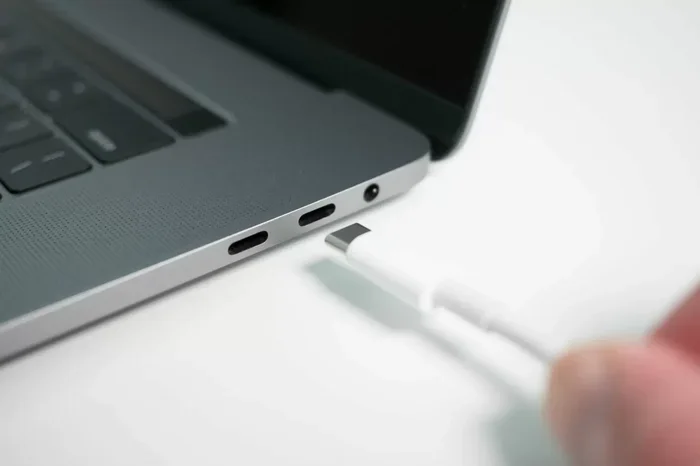
If you have ever held a modern phone or laptop in your hands, you have probably noticed the small, oval-shaped port. That is the USB-C port. And when you plug a type C to type C charge cable into two devices, you are using one of the most versatile charging technologies available today.
The USB-C connector replaced the older USB-A and Micro-USB designs for good reason. It is smaller, reversible, and much faster. You no longer have to flip a cable three times just to get it to fit. The connector works both ways, which is a small but huge quality-of-life improvement.
So, can type C to type C charge work for all your devices? The short answer is no, not every device. But the long answer is very interesting. Most devices made after 2018 use USB-C in some form. That includes smartphones, tablets, laptops, earbuds, and even some gaming controllers.
Understanding how this technology works helps you make smarter buying decisions. You will avoid wasted money on cables that do not fit or charge slowly. Let us break everything down in simple terms.
Can Type C to Type C Charge Work for Your Devices?
The type C to type C charge setup depends on two things. First, does your device have a USB-C port? Second, does the cable support the right power standard? These two factors determine whether charging will work and how fast it will go.
Devices That Support USB-C Charging
Most modern gadgets now come with USB-C ports. Here is a quick look at the categories:
- Smartphones: Almost all Android phones from Samsung, Google, OnePlus, and Xiaomi use USB-C. Apple switched to USB-C with the iPhone 15 lineup.
- Laptops: MacBook, Dell XPS, Lenovo ThinkPad, HP Spectre, and many other models use USB-C for both charging and data.
- Tablets: iPad Pro, Samsung Galaxy Tab, and Microsoft Surface all feature USB-C.
- Earbuds and Headphones: Many true wireless earbuds now use USB-C for charging their cases.
- Portable Gaming: Nintendo Switch, Steam Deck, and other handhelds rely on USB-C.
If your device falls into one of these categories, a type C to type C charge cable will likely work. But there is an important catch. Not all USB-C cables are built the same way.
Devices That Do NOT Use USB-C
Some devices still use older ports. Older iPads use Lightning connectors. Some budget phones still use Micro-USB. Certain gaming consoles and accessories use proprietary cables. For these devices, a USB-C cable will not work directly. You would need an adapter or a different cable entirely.
Before buying any cable, check your device specifications. A quick look at the manufacturer’s website will confirm the port type. This small step saves a lot of frustration later.
How Does Type C to Type C Charging Work?
The type C to type C charge process relies on a few key technologies working together. Understanding these helps you choose the right setup for your needs.
USB Power Delivery (PD)
USB Power Delivery is the protocol that determines how much power flows through a USB-C cable. USB PD can deliver up to 240 watts with the latest standards. Most consumer devices use 18W, 30W, 65W, or 100W profiles.
Here is how USB PD power levels break down:
- 18W: Standard fast charging for most smartphones.
- 30W: Fast charging for mid-range tablets and phones.
- 65W: Common for ultrabooks and lightweight laptops.
- 100W: Powers most full-size laptops and some gaming devices.
- 240W: The newest standard for high-performance laptops and monitors.
When both your charger and device support USB PD, the two devices negotiate the best power level automatically. This is called a handshake protocol. It ensures your device receives the right amount of power without damage.
Data Transfer Speeds
USB-C does more than just charge. It also transfers data. The speed depends on the cable and the USB standard it supports.
- USB 2.0: Up to 480 Mbps. Basic and common in cheap cables.
- USB 3.2 Gen 1: Up to 5 Gbps. Good for most everyday tasks.
- USB 3.2 Gen 2: Up to 10 Gbps. Great for external drives and video.
- USB4: Up to 40 Gbps. The fastest standard available today.
- Thunderbolt 3 and 4: Up to 40 Gbps. Found on premium laptops and docks.
Not all type C to type C cables support data transfer. Some cables are charge-only. If you need to transfer files or connect to a display, make sure your cable supports data.
Type C to Type C Charge Speed: What to Expect
Charging speed is one of the main reasons people choose type C to type C charge cables. But the actual speed depends on several factors working together.
What Determines Charging Speed?
Four main factors control how fast your device charges:
- Charger Wattage: A 65W charger will charge faster than a 15W charger, assuming your device supports it.
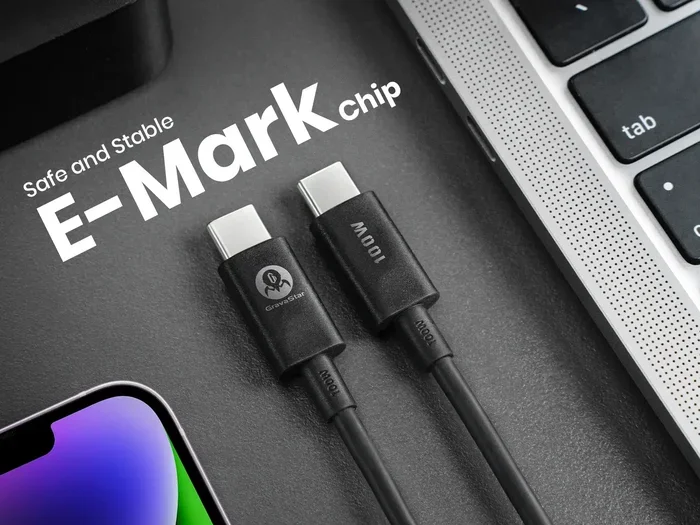
- Cable Quality: Premium cables with thicker wiring handle more current without overheating.
- Device Capability: Your phone or laptop must support the fast charging protocol you are using.
- Temperature: Devices slow down charging when they get too hot to protect the battery.
Let us say you have a Samsung Galaxy phone and a 45W USB-C charger. If you use a good quality cable, the phone should charge from zero to 50% in about 30 minutes. But if you use a cheap, thin cable, the speed drops significantly. The phone may only charge at 10W or 15W.
Real-World Speed Comparison
Here is a practical comparison of how different setups perform:
- Standard 5W charger with basic cable: Charges a phone from 0 to 100% in about 3 hours.
- 18W fast charger with quality USB-C cable: Charges a phone from 0 to 100% in about 1.5 hours.
- 65W USB-C PD charger with premium cable: Charges a laptop from 0 to 50% in about 30 minutes.
- 100W charger with GaN technology: Charges most laptops from 0 to 50% in about 20 minutes.
The differences are significant. Investing in a good charger and cable pays off in both time and battery health.
Common Problems with Type C to Type C Charging
Even with the best equipment, you may run into issues. Here are the most common problems and how to solve them.
Cable Does Not Fit or Stay Connected
Some USB-C cables fit loosely in certain ports. This is a known issue with some devices. The port may feel loose or the cable may fall out easily. Try a different cable or a different brand. Sometimes the problem is the cable, and sometimes it is the device port.
Charging Is Very Slow
If your device charges slowly, check a few things first. Is the cable rated for high wattage? Is the charger output matching what your device needs? Is the cable damaged or frayed? Often, the culprit is a low-quality or damaged cable.
Device Does Not Recognize the Cable
Some charge-only cables do not support data transfer. If your computer does not recognize a connected device, try a different cable that supports data. Look for cables labeled with USB 3.0 or higher specifications.
Cable Gets Hot During Charging
A warm cable during charging is normal. But if the cable is too hot to touch, stop using it immediately. Overheating cables can damage your devices or even cause safety hazards. Replace the cable with a certified, high-quality option.
Intermittent Charging
If your device charges sometimes but not others, the cable or port may have debris inside. Use a soft brush or compressed air to clean the USB-C port gently. Also inspect the cable connector for bent pins or lint buildup.
Tips for Getting the Best Type C to Type C Charging Experience
Follow these practical tips to get the most out of your type C to type C charge setup. These small habits make a big difference over time.
Buy Certified Cables
Look for cables that carry USB-IF certification or MFi certification for Apple devices. Certified cables meet strict safety and performance standards. They are more expensive, but they protect your devices and last longer.
Match Your Charger to Your Device
A 100W charger will not harm a phone that only accepts 18W. The devices negotiate the power level. But a 15W charger will never charge a 65W laptop at full speed. Always check the power requirements of your device and match them with a compatible charger.
Keep Cables Clean and Coiled Properly
Avoid wrapping cables tightly around your devices. This stresses the internal wiring over time. Use a cable organizer or loose loops instead. Keep the connectors free from dust and lint by storing cables in a clean bag or case.
Use Quality Wall Adapters and Power Banks
The charger matters just as much as the cable. GaN (Gallium Nitride) chargers are compact, efficient, and powerful. They are the best choice for USB-C charging setups. A good GaN charger can power your laptop, phone, and tablet with a single unit.
Replace Cables When They Wear Out
No cable lasts forever. If you notice fraying, exposed wires, or intermittent charging, replace the cable immediately. Using a damaged cable risks port damage and battery issues on your devices.
Consider a USB-C Hub or Dock
If you want to charge your laptop while using multiple peripherals, a USB-C hub is a great investment. It expands your port options and keeps your charging cable connected. This is especially useful for people who work from home or travel frequently.
Expert Insights on Type C to Type C Charging
Industry experts agree that USB-C is here to stay. The European Union has even mandated USB-C as the standard charging port for all smartphones and tablets sold in the region. This means every device you buy in the future will likely use USB-C.
Tech reviewers consistently point out that cable quality is the most overlooked factor in charging performance. Many people buy expensive chargers but pair them with cheap cables. This creates a bottleneck that limits the entire setup. Investing in a few high-quality cables pays dividends in speed, safety, and longevity.
Some users also ask about using their existing cables from older devices. While some older Micro-USB cables can be adapted with a USB-C connector, this is not recommended. The adapter adds resistance and may not support the power levels your device needs. Always use cables designed specifically for USB-C.
For those wondering about accessories and home tech setups, you might also want to explore alternatives to traditional cable TV providers if you are looking to cut the cord while keeping your charging and connectivity game strong at home.
Frequently Asked Questions About Type C to Type C Charging
Can I Use Any Type C to Type C Cable for Fast Charging?
Not all USB-C cables support fast charging. You need a cable rated for the wattage your device requires. Look for cables that support USB Power Delivery and match the amperage your charger provides. Cheap, thin cables often limit charging speed to 5W or 10W regardless of your charger’s capability.
Is Type C to Type C Charging Safe for My Battery?
Yes, it is safe when you use certified cables and chargers. Modern devices have built-in battery management chips that regulate charging speed and temperature. These chips prevent overcharging and overheating. Just avoid using damaged or uncertified cables, as they can bypass safety protections.
Can I Charge My Laptop with a Type C to Type C Cable?
Most modern laptops can charge via USB-C. Check your laptop’s power requirements and make sure your charger matches or exceeds them. A 65W or higher USB-C charger works for most ultrabooks. The cable must also support the necessary wattage and power delivery protocol.
Do All Type C Cables Support Data Transfer?
No, many USB-C cables are charge-only. They lack the internal wiring needed for data transfer. If you need to connect devices for file sharing or display output, check the cable specifications for USB 3.0, USB 3.2, or Thunderbolt support. Charge-only cables are usually cheaper and may be labeled accordingly.
How Long Does a Good USB-C Cable Last?
A high-quality USB-C cable typically lasts between one and three years with regular daily use. Cables with braided nylon jackets and reinforced connectors last longer than thin rubber cables. Avoid bending the cable sharply at the connector, as this is the most common cause of early cable failure.
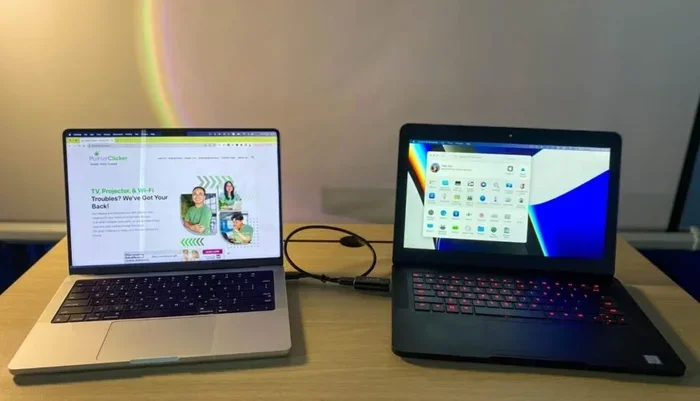
Can I Use a Type C to Type C Cable to Connect Two Phones?
Yes, you can connect two phones using a type C to type C charge cable for data transfer or even to share a charge. However, both phones must support USB OTG (On-The-Go) for this to work. Not all phones support this feature, so check your device manual before attempting a phone-to-phone connection.
Final Thoughts on Type C to Type C Charging
The type C to type C charge standard has transformed how we power our devices. It is fast, versatile, and becoming universal. From phones to laptops to tablets, USB-C connects and powers nearly everything in our digital lives today.
However, not every cable, charger, or device is created equal. The key takeaway is to invest in quality. Choose certified cables, match your charger wattage to your device needs, and replace worn cables promptly. These simple habits ensure your devices charge safely and efficiently every single time.
As technology continues to evolve, USB-C will only become more powerful and widespread. The USB4 standard is already rolling out, offering faster data speeds and higher power delivery. Staying informed and choosing the right accessories puts you ahead of the curve.
Take a few minutes today to audit your cable collection. Toss the damaged ones, invest in a couple of high-quality USB-C cables, and enjoy the difference. Your devices will charge faster, last longer, and perform better. That is a win for everyone.