Can I Use Laptop Usb C Charger For Iphone You Need To Know
Can I Use Laptop Usb C Charger For Iphone? Yes, you can in most cases with the right cable and charger. Using a laptop USB C charger for iPhone is safe, convenient, and supports fast charging on compatible models. This guide covers everything you need to know.
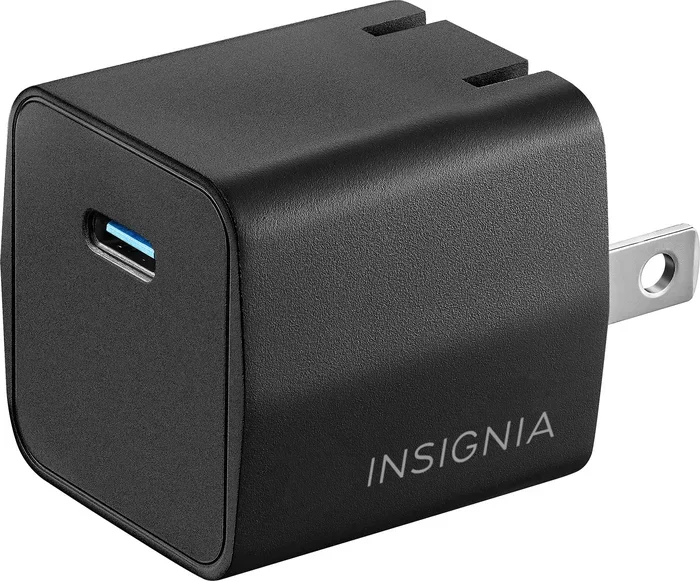
If you have been wondering can I use laptop USB C charger for iPhone, you are not alone. This question has become very common since Apple made the switch to USB-C on its newer phones. Many people already carry a single USB-C charger for their laptop and want to know if they can use it for their iPhone too. The good news is that in most cases, the answer is yes. However, there are a few things you need to check before you plug in your cable. This guide will walk you through everything you need to know about using a laptop USB C charger for iPhone safely and effectively.
Charging your iPhone with a laptop charger might seem simple, but there are important details to consider. Different iPhone models use different connectors. Newer phones like the iPhone 15 and iPhone 16 use USB-C, while older models still rely on the Lightning connector. The wattage of your charger also matters for how fast your phone charges. Using the wrong cable or charger could slow things down or even cause safety issues. Let us break it all down so you can charge your iPhone with confidence.
Whether you are at home, in the office, or traveling, knowing how to charge your iPhone with a laptop charger can save you from carrying extra cables. It is convenient, practical, and in many cases, perfectly safe. Let us dive into the details and answer this question once and for all.
Key Takeaways
- Yes, you can charge your iPhone with a laptop USB C charger: newer iPhone models support USB-C charging directly and older models need a USB-C to Lightning cable.
- Check your iPhone model first: iPhone 15 and later use USB-C, while older models rely on the Lightning connector.
- Fast charging is possible: a USB C charger with 20W or higher power delivery can significantly speed up your charging speed.
- Safety matters: always use certified cables and avoid cheap knockoffs that may damage your device or raise safety concerns.
- Wattage and compatibility vary: not all laptop chargers deliver the same power output for iPhone device compatibility.
- MagSafe works with USB C: you can use USB-C MagSafe chargers for convenient magnetic charging on newer iPhones.
- Know your cable type: USB-C to Lightning and USB-C to USB-C cables serve different iPhone models and charging needs.
📑 Table of Contents
- Can I Use Laptop Usb C Charger For Iphone? The Short Answer
- Understanding USB-C Charging and iPhone Compatibility
- Which iPhone Models Support USB-C Charging?
- Fast Charging Your iPhone with a Laptop USB C Charger
- Safety Tips and Common Mistakes
- Comparing Laptop USB C Chargers for iPhone Use
- Final Thoughts: Can I Use Laptop Usb C Charger For Iphone?
Can I Use Laptop Usb C Charger For Iphone? The Short Answer
The simple answer is yes, you can use a laptop USB C charger for iPhone in most situations. If you have an iPhone 15 or newer, it comes with a USB-C port built in. This means you can plug a USB-C cable directly into your laptop charger and charge your phone. The process is straightforward and works just like charging any other USB-C device.
However, if you have an older iPhone model that uses the Lightning connector, you will need a USB-C to Lightning cable. This cable bridges the gap between your laptop’s USB-C charger and your iPhone’s Lightning port. Apple sells these cables separately, and many third-party options are available too. Just make sure you buy a certified cable to avoid any issues.
So whether your iPhone has USB-C or Lightning, you can generally use a laptop USB C charger for iPhone. The key is having the right cable and making sure your charger delivers enough power. Let us look at what makes a charger compatible and safe.
Why This Question Matters Now
The reason this question is so popular right now is the big shift Apple made in 2023. The iPhone 15 lineup moved from Lightning to USB-C. This change happened because of new European regulations that required USB-C as a universal charging standard. Since then, more people have been using USB-C chargers for multiple devices, including their iPhones.
Many users already have USB-C chargers for their laptops, iPads, and other gadgets. It makes sense to want to use one charger for everything. This reduces clutter and makes travel easier. But before you grab any USB-C charger and plug it into your iPhone, there are a few things to keep in mind.
Understanding USB-C Charging and iPhone Compatibility
Before you grab your laptop charger, it helps to understand how USB-C charging works with iPhones. Not all USB-C chargers are the same, and not all cables deliver the same power. Knowing the basics will help you make the right choice and ensure your iPhone compatibility is spot on.
What Is USB-C Charging?
USB-C is a type of connector that has become the standard for many devices. It is small, reversible, and can carry both data and power. A USB-C charger plugs into a wall outlet or a laptop USB-C port and sends power through a cable to your device.
USB-C chargers come in different shapes and sizes. Some are small and compact, while others are larger and deliver more power. The important thing to look for is the wattage rating. Wattage tells you how much power the charger can send to your device. Higher wattage means faster charging, up to a point.
For iPhones, USB-C charging works with both the built-in USB-C port on newer models and with a USB-C to Lightning cable on older models. The charger itself does not need to be an Apple product. Many third-party chargers work just as well, as long as they meet the right specifications. This is great news for anyone looking to simplify their charging setup.
How Does USB-C Power Delivery Work?
USB-C Power Delivery, often called USB-C PD, is a protocol that allows devices to negotiate the right amount of power. This means your iPhone and charger talk to each other to decide how much electricity to send. If your iPhone needs 15 watts, the charger will deliver 15 watts. If it needs 20 watts, it will adjust accordingly.
This is a smart feature because it prevents overcharging and protects your battery. You do not need to worry about sending too much power to your iPhone. The device will only take what it needs. This makes USB-C PD one of the safest and most efficient ways to charge your phone.
When using a laptop USB C charger for iPhone, look for one that supports USB-C PD. Most modern laptop chargers do. They typically deliver 30 watts, 65 watts, or even 100 watts. Your iPhone will only pull the power it needs, so a higher-wattage charger is perfectly safe. This is why power delivery is such an important feature to understand.
Which iPhone Models Support USB-C Charging?
Not all iPhones are created equal when it comes to USB-C charging. Apple made the switch to USB-C on certain models, while others still use the older Lightning connector. Here is a quick breakdown to help you understand device compatibility.
iPhone 15 and iPhone 16 Series
The iPhone 15, iPhone 15 Plus, iPhone 15 Pro, and iPhone 15 Pro Max all come with USB-C ports. The iPhone 16 and iPhone 16 Plus also use USB-C. These models can be charged directly with a USB-C cable and a USB-C charger. There is no need for any adapter or special cable. Just plug in and charge.
These newer iPhones also support fast charging over USB-C. With a 20-watt or higher USB-C PD charger, you can charge your iPhone from zero to 50 percent in about 30 minutes. This is a huge improvement over standard 5-watt charging. The iPhone 15 USB-C transition has made charging more universal and convenient for millions of users.
Older iPhone Models with Lightning
If you have an iPhone 14 or older, it still uses the Lightning connector. These models cannot be charged directly with a USB-C cable. You will need a USB-C to Lightning cable to connect your USB-C charger to your iPhone.
The good news is that USB-C to Lightning cables are widely available. Apple sells them for a reasonable price, and many certified third-party options exist. Just make sure the cable is MFi certified, which means it has been approved by Apple for safety and performance.
Using a USB-C to Lightning cable with a laptop charger works just as well as using an Apple USB-C charger. The only difference is the cable type. Your charging speed will depend on the wattage of your charger and the quality of the cable.
Fast Charging Your iPhone with a Laptop USB C Charger
One of the biggest reasons people ask about using a laptop USB C charger for iPhone is fast charging. Nobody wants to wait hours for their phone to charge. The good news is that you can fast charge your iPhone with a laptop charger, but there are some requirements you should know about.
What Wattage Do You Need for Fast Charging?
To fast charge your iPhone, you need a USB-C charger that delivers at least 20 watts of power. Most laptop chargers easily meet this requirement. A typical laptop USB-C charger delivers 30, 45, 65, or even 100 watts. Your iPhone will only draw the power it needs, so a 65-watt laptop charger is perfectly safe.
Here is a simple breakdown of charging speeds based on wattage:
- 5-watt charger: Standard charging. Takes about 3 hours to fully charge an iPhone.
- 10-watt charger: Slightly faster than 5 watts. Good for overnight charging.
- 20-watt charger: Fast charging. Charges iPhone to 50 percent in about 30 minutes.
- 30-watt and above: Same fast charging speed as 20 watts. Your iPhone will not charge faster beyond 20 watts.
So if your laptop charger is 20 watts or higher, you can enjoy fast charging on your iPhone. If it is lower than 20 watts, you will still charge your phone, just at a slower rate. This is an important thing to check before you rely on your laptop charger for quick top-ups during the day.
USB-C to Lightning vs USB-C to USB-C Cables
The cable you use matters just as much as the charger. If you have a USB-C iPhone, use a USB-C to USB-C cable. If you have a Lightning iPhone, use a USB-C to Lightning cable. Using the wrong cable will not work or could cause slow charging.
Always choose high-quality cables. Cheap, uncertified cables may not handle the power properly. They can also be a safety risk. Look for cables that are MFi certified or USB-IF certified. These have been tested to meet safety standards and will give you the best charging speed and reliability.
Expert Insights
According to Apple, using a USB-C PD charger with 20 watts or more is the best way to fast charge any compatible iPhone. Apple also recommends using only certified cables and chargers to ensure safety and optimal performance. Third-party chargers from reputable brands like Anker, Belkin, and Nomad are great alternatives to the Apple USB-C charger and offer excellent value.
Safety Tips and Common Mistakes
Charging your iPhone with a laptop USB C charger is generally safe, but there are some common mistakes and safety tips you should know. Taking a few precautions will protect your iPhone battery and help your device last longer.
Common Mistakes When Charging iPhone with Laptop Chargers
Here are some mistakes people make when using a laptop charger for their iPhone:
- Using a damaged or frayed cable: A damaged cable can cause slow charging, intermittent connections, or even safety hazards. Always inspect your cable before use.
- Ignoring heat: If your iPhone or charger gets very hot while charging, unplug it and let it cool down. Excessive heat can damage the battery over time.
- Using an uncertified charger: Cheap, uncertified chargers may not regulate power properly. This can lead to overcharging or undercharging, both of which can harm your battery.
- Charging in extreme temperatures: Avoid charging your iPhone in very hot or very cold environments. Extreme temperatures affect battery health and charging efficiency.
- Using the wrong cable type: Mixing up USB-C to USB-C and USB-C to Lightning cables can lead to frustration and slow charging.
Quick Tips for Safe USB-C Charging
Here are some quick tips to keep your iPhone safe while charging with a laptop USB C charger:
- Always use a certified cable and charger from a reputable brand.
- Remove thick phone cases while fast charging to prevent heat buildup.
- Unplug your iPhone if the charger or cable feels hot to the touch.
- Store cables properly to avoid fraying and damage.
- Use a surge protector when charging from a wall outlet for extra safety.
- Avoid charging your iPhone while using heavy apps, as this generates extra heat.
Common Mistakes to Avoid
Many users assume that any USB-C charger will work the same way. In reality, the quality of the charger matters a lot. A cheap, no-name charger might claim to deliver 20 watts but actually deliver much less or fluctuate in power output. This inconsistent power can degrade your iPhone battery faster over time and raise real safety concerns.
Another common mistake is leaving your iPhone plugged in overnight with a high-wattage charger. While modern iPhones have battery management systems that prevent overcharging, it is still better to unplug your phone once it reaches 100 percent. This reduces the stress on your battery and helps it maintain its capacity over time.
Some users also worry about using a charger with higher wattage than what their iPhone needs. For example, using a 100-watt laptop charger for an iPhone. This is completely safe. The iPhone will only draw the power it needs. The charger does not force power into your device. The negotiation between the charger and the device ensures safe power delivery every time.
Comparing Laptop USB C Chargers for iPhone Use
Not all laptop USB C chargers are the same. Some are designed for thin, lightweight laptops and deliver lower power. Others are bulky powerhouses that can charge multiple devices at once. Here is a comparison to help you choose the right charger for your iPhone.
| Charger Type | Wattage | Best For | iPhone Charging Speed |
|---|---|---|---|
| Standard Laptop USB-C Charger | 30W – 45W | Everyday use | Fast charging (20W+ to iPhone) |
| Compact Travel Charger | 20W – 30W | Travel and portability | Fast charging |
| High-Wattage Laptop Charger | 65W – 100W | Power users and multi-device charging | Fast charging (same as 20W for iPhone) |
| GaN Charger (Small and Efficient) | 30W – 65W | Travel and desk use | Fast charging |
| Basic 5W – 10W Charger | 5W – 10W | Slow overnight charging | Standard charging only |
As you can see from the table, most laptop USB-C chargers will fast charge your iPhone. The key factor is whether the charger delivers at least 20 watts. Anything above that will charge your iPhone at the same fast speed, since iPhones cap their charging rate at around 20 to 27 watts depending on the model. You can also use a USB-C hub or a USB-C power adapter with multiple ports to charge your iPhone and other devices at the same time.
Quick Tips for Choosing the Right Charger
When picking a laptop USB C charger for iPhone use, keep these tips in mind:
- Check the wattage rating on the charger label. Look for 20 watts or higher for fast charging.
- Choose a GaN (Gallium Nitride) charger for a smaller, more efficient design that is great for travel.
- Make sure the charger supports USB-C PD (Power Delivery) for the best charging speed.
- If you travel often, pick a compact charger with multiple ports so you can charge your iPhone and laptop at the same time.
- Buy from reputable brands to ensure safety and reliability. Look for USB-IF certification or MFi certification.
- Consider a charger that is compatible with MagSafe charger accessories for convenient magnetic charging on newer iPhones.
Final Thoughts: Can I Use Laptop Usb C Charger For Iphone?
So, can I use laptop USB C charger for iPhone? The answer is a clear yes. Whether you have the latest iPhone 15 with a USB-C port or an older iPhone 14 with a Lightning connector, a laptop USB-C charger can work perfectly for you. You just need the right cable and a charger that delivers at least 20 watts for fast charging.
Using a laptop charger for your iPhone is convenient, safe, and efficient. Modern iPhones are designed to handle USB-C power delivery intelligently. They draw only the power they need, which protects your battery and keeps your device safe. This makes it one of the simplest and most practical solutions for everyday charging.
The most important things to remember are to use certified cables, check your charger’s wattage, and avoid cheap, uncertified accessories. With the right setup, you can charge your iPhone quickly and safely using the same charger you use for your laptop. It saves space, reduces cable clutter, and makes your daily routine smoother.
Next time you reach for your laptop charger to charge your iPhone, you can do so with confidence. You have all the information you need to make it work safely and efficiently. Happy charging!
Frequently Asked Questions
Can I Use Any Laptop USB C Charger for My iPhone?
Most laptop USB-C chargers will work with your iPhone as long as they support USB-C Power Delivery. The charger should deliver at least 20 watts for fast charging. Using a charger with lower wattage will still charge your iPhone, but at a slower rate. Always check the wattage rating on your charger before use.
Is It Safe to Charge My iPhone with a Laptop USB C Charger Overnight?
Yes, it is generally safe to charge your iPhone overnight with a laptop USB-C charger. Modern iPhones have built-in battery management systems that stop charging once the battery reaches 100 percent. However, it is still a good practice to unplug your phone once it is fully charged to reduce long-term battery stress.
Do I Need a Special Cable to Charge My iPhone with a Laptop USB C Charger?
It depends on your iPhone model. If you have an iPhone 15 or newer, you need a USB-C to USB-C cable. If you have an older iPhone with a Lightning port, you need a USB-C to Lightning cable. Always use MFi-certified or USB-IF-certified cables for the best safety and performance.
Will Using a Laptop USB C Charger Damage My iPhone Battery?
No, using a laptop USB-C charger will not damage your iPhone battery when used correctly. iPhones are designed to handle USB-C Power Delivery safely. They regulate the power intake and only draw the amount of power they need. To keep your battery healthy, avoid using damaged cables and avoid charging in extreme temperatures.
Can I Fast Charge My iPhone with a Laptop USB C Charger?
Yes, you can fast charge your iPhone with a laptop USB-C charger if it delivers at least 20 watts of power. Most laptop chargers meet this requirement. With a 20-watt or higher USB-C PD charger, you can charge your iPhone to 50 percent in about 30 minutes. Make sure you use a compatible cable for the best results.
What Is the Difference Between USB-C and Lightning Charging for iPhone?
The main difference is the connector type. USB-C is a universal connector used by many devices, while Lightning is Apple’s proprietary connector used on older iPhones. USB-C offers faster charging speeds and is more widely compatible across devices. iPhone 15 and newer models use USB-C, while iPhone 14 and older models use Lightning.