Can Wifi Routers Track You And How To Protect Yourself
Can Wifi Routers Track You? The short answer is yes. Your wifi router can see which websites you visit, how long you spend on them, and even what devices you use. But the good news is that you can take simple steps to protect your privacy. This guide explains exactly how routers track you and what you can do to stop it.
Have you ever wondered, Can Wifi Routers Track You? It is a question many people ask but few understand fully. The truth is that your wifi router knows more about your online habits than you might think. From the websites you visit to the devices you connect, your router quietly collects a surprising amount of data. In this article, we will break down exactly how this works and, more importantly, what you can do about it.
You do not need to be a tech expert to understand this. We will walk through everything in plain language. Whether you are concerned about your family’s privacy, your employer’s network, or your own internet habits, this guide has you covered. Let us dive in and take back control of your online privacy.
Key Takeaways
- Routers Can Track You: Your wifi router logs browsing activity, DNS queries, and connected devices.
- ISP Networks Add Another Layer: Your internet provider can also see your traffic even on a home network.
- VPN Is The Best Defense: A strong VPN encrypts your traffic so routers and ISPs cannot read it.
- Router Settings Matter: Disabling logs and enabling encryption reduces tracking significantly.
- HTTPS Helps But Does Not Hide Everything: Encrypted sites protect content but not the domains you visit.
- Public Wifi Is Risky: Open networks make tracking even easier for third parties.
- Small Steps Add Up: Using DNS-over-HTTPS, a VPN, and updated firmware all boost your privacy.
📑 Table of Contents
How Do Wifi Routers Track You?
Your wifi router acts as the gateway between your devices and the internet. Every time you open a webpage, send a message, or stream a video, that data passes through your router first. This gives the router a front-row seat to your internet activity. But what exactly is it looking at?
The short answer is a lot. Routers can see the domains you visit, the time you spend on each site, and the data packets moving through the network. Some routers go even further and can log this information for days or weeks. Understanding this is the first step toward protecting yourself.
What Data Can A Router Collect?
Here is a quick look at the types of data your router can potentially track:
- DNS Queries: Every time you type a website address, your router sees that request.
- Connected Devices: It logs which devices are online and when they connect.
- Bandwidth Usage: Routers track how much data each device uses.
- Browsing Timestamps: They record when you visited specific websites.
- IP Addresses: Your router sees the destination IP addresses of your requests.
- Packet Metadata: Even if the content is encrypted, routers can see the size and timing of data packets.
All of this data can be stored in your router’s memory or its admin logs. Some routers store this locally, while others can send logs to a cloud server. The amount of data collected depends on your router model and its settings.
Router Logs And Your Browsing History
Most routers have a built-in logging feature. This feature records every request that passes through the device. Think of it like a diary of your network traffic. You can usually access these logs by logging into your router’s admin panel through a web browser.
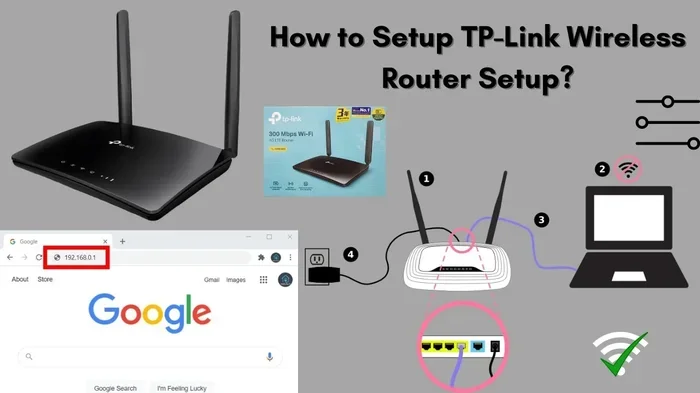
For example, if you type 192.168.1.1 into your browser, you may see a list of every domain your household has visited. This is not something most people know about. And it is not something most routers hide either. The logs are there by default, waiting to be reviewed.
Quick Tips
- Check your router’s admin panel regularly to see what is being logged.
- Look for a “Logs” or “System Log” section in your router settings.
- Disable logging if you do not need it for troubleshooting.
Why Would Someone Track Your Wifi Activity?
Not all tracking is malicious. In many cases, tracking serves a legitimate purpose. But it is important to understand who might be watching and why. Let us look at the most common scenarios.
Parents And Family Network Monitoring
Many parents use router-level monitoring to keep their children safe online. By tracking which websites kids visit, parents can set boundaries and block inappropriate content. This is a common and often responsible use of router tracking features.
Most modern routers come with parental controls built in. These tools let you set time limits, filter content, and view activity reports. If you are a parent, this can be a valuable tool. Just make sure everyone in the household knows the monitoring is in place.
Employers And Office Networks
If you use a work network, your employer may be tracking your activity. Office routers often log browsing data to ensure company resources are used appropriately. They may also monitor for security threats like malware or unauthorized access.
This is legal in most cases, especially if you signed an acceptable use policy when you joined the company. However, it is still important to be aware of this. Never assume your work network is private.
Internet Service Providers
Your internet service provider, or ISP, has access to even more data than your router. ISPs can see every unencrypted request you make. They may use this data for targeted advertising or share it with third parties. In some regions, ISPs are legally required to retain browsing logs for a set period.
This is one of the biggest privacy concerns for internet users today. Even if you secure your home network, your ISP can still see a great deal of your activity. Using a VPN for privacy is one of the best ways to limit what your ISP can see.
Can Wifi Routers See Your Browsing History?
The answer depends on a few factors, but the short version is yes, they can see a significant amount. Let us break down exactly what a router can and cannot see.
How Browsing Data Gets Exposed
When you visit a website, your device sends a request to a DNS server. The DNS server translates the website name into an IP address. Your router handles this request first. This means the router knows exactly which domain you are trying to reach.
Even if the website itself uses encryption, the DNS request is often visible to the router. So while the router may not see the specific pages you read, it knows you visited that website. Over time, this builds a detailed picture of your browsing habits.
HTTPS And Encryption Limits
Many websites now use HTTPS, which encrypts the data between your browser and the website. This is great for security. But it does not hide everything from your router.
Your router can still see the domain name you visited. It can also see how much data was transferred and at what times. The actual page content remains hidden, but the metadata is still exposed. This is why people say HTTPS protects content but not behavior.
| What The Router Can See | What The Router Cannot See |
|---|---|
| Domain names you visit | Specific pages within those domains |
| Time and duration of visits | Content of encrypted pages |
| Data transfer amounts | Search queries on HTTPS sites |
| Connected device names and MAC addresses | Passwords entered on HTTPS forms |
| DNS requests and IP addresses | Encrypted messaging content |
As you can see from the table above, there is still a lot of information exposed even with HTTPS. This is why additional privacy measures are so important.
How To Protect Yourself From Router Tracking
The good news is that you have more control than you might think. There are several practical steps you can take to reduce tracking on your network. Let us go through the most effective methods.
Use A VPN For Encryption
A virtual private network, or VPN, is one of the most powerful tools for protecting your privacy. A VPN encrypts all the data leaving your device before it reaches your router. This means your router can no longer see which websites you are visiting.
Instead of seeing the actual domain, your router only sees an encrypted connection to the VPN server. The VPN server then handles your request and sends the data back to you. This effectively creates a private tunnel through your network.
Not all VPNs are created equal, though. Look for a provider with a strict no-logs policy, fast speeds, and strong encryption. Some free VPNs actually track your data themselves, which defeats the purpose. Always choose a reputable paid service for real protection.
Change Your Router Settings
You can take several steps directly in your router settings to improve privacy:
- Disable Logging: Turn off your router’s logging feature if you do not need it.
- Change DNS Servers: Switch from your ISP’s default DNS to a privacy-focused one like Cloudflare (1.1.1.1) or NextDNS.
- Enable WPA3 Encryption: Use the strongest encryption available on your router.
- Disable Remote Management: Turn off remote access to your router admin panel.
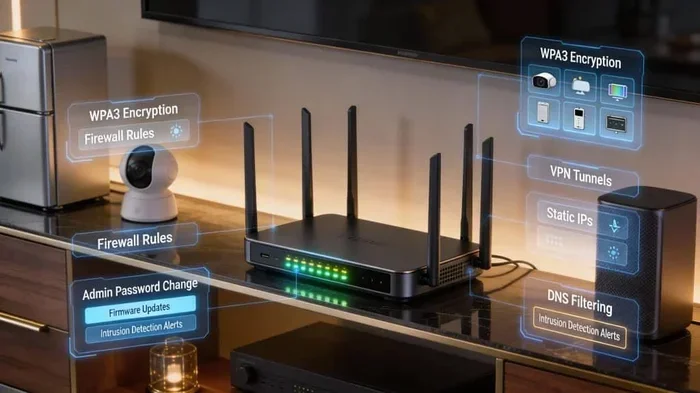
- Update Firmware Regularly: Keep your router software up to date for the latest security patches.
These changes are simple but effective. They take just a few minutes and can significantly boost your network security.
Browse With Privacy Tools
In addition to a VPN, you can use privacy-focused browsers and tools. Browsers like Brave or Firefox with privacy extensions can block trackers and reduce the data your router sees. You can also enable DNS-over-HTTPS, which encrypts your DNS requests so even your router cannot read them.
Another great tool is a private search engine like DuckDuckGo. Unlike Google, these engines do not track your searches or build a profile on you. Small changes like these add up over time.
Quick Tips
- Use a browser with built-in tracker blocking.
- Enable DNS-over-HTTPS in your browser or router settings.
- Clear your DNS cache regularly.
- Use private browsing mode for sensitive searches.
- Consider a privacy-focused operating system for high-security needs.
Common Mistakes That Leave You Exposed
Many people unknowingly make choices that increase their exposure to tracking. Here are the most common mistakes and how to avoid them.
Using Default Router Passwords: Most routers come with simple default login credentials. Anyone on your network can access the admin panel and view logs. Change your admin password immediately after setup.
Ignoring Firmware Updates: Outdated router firmware often has security vulnerabilities. Hackers can exploit these to gain access to your network and tracking data. Check for updates at least once a month.
Connecting To Open Wifi Networks: Public or open wifi networks are a goldmine for trackers. Anyone with basic tools can see your browsing activity on these networks. Always use a VPN when connecting to public wifi.
Not Using Encryption: Older routers may still use WEP or WPA encryption. These are outdated and easily cracked. Always use WPA2 or WPA3 for your home network.
Trusting Your ISP Fully: Many people assume their internet provider is looking out for their privacy. In reality, ISPs have financial incentives to collect and sell browsing data. Taking your own privacy steps is essential.
Expert Insights
Cybersecurity experts recommend a layered approach to privacy. No single tool can protect you completely. Instead, combine a VPN, encrypted DNS, a privacy browser, and strong router settings for the best results. Think of it like locking your doors, windows, and garage — each layer adds protection.
Comparing Privacy Tools For Router Protection
Not sure which tool to use? Here is a quick comparison of popular privacy solutions:
| Tool | What It Does | Pros | Cons |
|---|---|---|---|
| VPN | Encrypts all traffic between your device and the VPN server | Strong protection, hides activity from router and ISP | May slow down speeds, costs money for quality services |
| DNS-over-HTTPS | Encrypts DNS queries so routers cannot see them | Easy to enable, free, no speed loss | Only protects DNS requests, not all traffic |
| Privacy Browser | Blocks trackers and third-party scripts | Free, easy to use, reduces data exposure | Does not encrypt traffic, only limits tracking within the browser |
| Router Firmware Update | Patches security vulnerabilities in your router | Free, essential for baseline security | Does not prevent tracking, only fixes known exploits |
| NextDNS Or Custom DNS | Replaces ISP DNS with a privacy-focused alternative | Blocks ads and trackers at the DNS level, free options available | Requires setup, some features may need paid plans |
The best approach is to use a combination of these tools. Each one addresses a different part of the tracking problem. Together, they create a strong privacy shield around your network.
Final Thoughts
Can Wifi Routers Track You? Yes, they absolutely can. Your router sees your browsing activity, connected devices, and network behavior. Your ISP can see even more. But you are not powerless. With the right tools and settings, you can take control of your internet privacy and significantly reduce what others can see.
Start with the basics. Change your router password, update your firmware, and enable strong encryption. Then add a VPN for real traffic protection. Finally, use privacy-focused browsing tools to limit what your router can see at the application level.
Privacy is not about having something to hide. It is about having the right to control your own data. Every step you take toward better online privacy matters. Start today, and make your network work for you, not against you.
Frequently Asked Questions
Can my wifi router see my passwords?
If you are visiting a website with HTTPS encryption, your router cannot see your password. The encryption protects the data between your browser and the website. However, on unencrypted or HTTP sites, your router can potentially see everything you type, including passwords. Always look for the padlock icon in your browser to confirm a site is secure.
Does using incognito mode stop router tracking?
No, incognito mode only prevents your browser from saving your history locally. Your router can still see every domain you visit while using incognito mode. Incognito is useful for keeping your device clean, but it does nothing to hide your activity from the network level.
Can my ISP see what I do on a VPN?
When you use a reputable VPN, your ISP cannot see your browsing activity. The VPN encrypts all your traffic, so your ISP only sees a connection to the VPN server. However, your ISP can still see that you are using a VPN and how much data you are transferring. This is why choosing a no-logs VPN provider is so important.
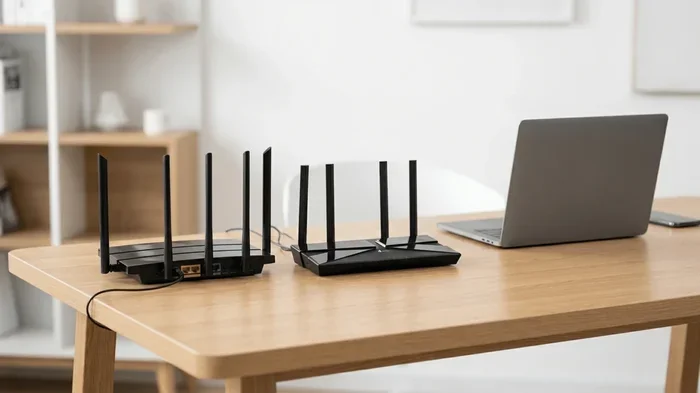
Are mesh wifi systems better for privacy?
Mesh wifi systems offer better coverage and often include more advanced security features than traditional routers. However, they can still track your activity in the same way. The privacy benefits come from the settings you configure, not the system itself. Always check the privacy settings on any mesh system you use.
How do I know if my router is logging my activity?
You can check by logging into your router’s admin panel and looking for a Logs or System Log section. If you see entries with website domains, timestamps, and device names, your router is actively logging. You can also check your router’s settings for any logging or history features that are enabled.
Is it legal for someone to track wifi activity?
The legality depends on who is doing the tracking and where. Employers can generally monitor work networks if employees have agreed to the terms. Parents can monitor their own home networks for their children. But unauthorized tracking of someone else’s network activity is illegal in most countries. Always check your local laws and regulations.
=== CONCLUSION ===
Can Wifi Routers Track You? The answer is a clear yes, but now you know exactly how and why. From DNS queries to browsing logs, your router collects more data than most people realize. The good news is that you have the power to change this. By using a VPN, adjusting your router settings, and browsing with privacy tools, you can protect yourself from unwanted tracking. Take action today, and enjoy a safer, more private internet experience.