Can I Use Wireless Dongle As Bluetooth for Streaming
Yes, you can use a wireless dongle as Bluetooth for streaming in many cases. A wireless dongle can act as a Bluetooth adapter or Bluetooth receiver to connect your devices wirelessly. This guide covers setup, compatibility, and the best wireless dongles for Bluetooth streaming today.
Key Takeaways
- Wireless dongles can replace Bluetooth: Many wireless dongles function as Bluetooth adapters for streaming audio and video.
- Setup is simple: Plug and play makes most wireless dongles easy to use within minutes.
- Compatibility matters: Check if your dongle supports Bluetooth profiles like A2DP for audio streaming.
- Latency can be an issue: Some wireless dongles have higher delay than native Bluetooth.
- Best dongles exist for every budget: From affordable options to premium brands, there is a wireless dongle for every need.
- Wireless streaming works on TVs, PCs, and more: You can use a dongle with multiple devices.
📑 Table of Contents
- Can I Use a Wireless Dongle as Bluetooth for Streaming?
- Types of Wireless Dongles You Can Use for Bluetooth Streaming
- How to Set Up a Wireless Dongle for Bluetooth Streaming
- Benefits of Using a Wireless Dongle for Bluetooth Streaming
- Limitations and Challenges to Watch Out For
- Comparison: Wireless Dongles vs Built-In Bluetooth vs Bluetooth Adapters
- Best Wireless Dongles for Bluetooth Streaming in 2024
- Quick Tips for Better Bluetooth Streaming with a Wireless Dongle
- Common Mistakes People Make When Using Wireless Dongles for Bluetooth
- Expert Insights: What Tech Professionals Say About Wireless Dongles for Streaming
- Frequently Asked Questions
- Conclusion
Can I Use a Wireless Dongle as Bluetooth for Streaming?
Here is the short answer. Yes, you can use a wireless dongle as Bluetooth for streaming in most situations. But it depends on the type of dongle you have and what you want to stream. Some wireless dongles are built specifically for Bluetooth connectivity. Others use different wireless technologies like Wi-Fi or proprietary protocols. Understanding the difference helps you make the right choice.
If you want to stream music to wireless headphones or send audio from your laptop to a speaker, a wireless dongle can do the job. But the experience varies. Some dongles deliver crisp, lag-free audio. Others struggle with audio latency and connection drops. This guide breaks down everything you need to know about using a wireless dongle as Bluetooth for streaming.
What Exactly Is a Wireless Dongle?
A wireless dongle is a small USB device that adds wireless capability to your computer or TV. Think of it as a tiny adapter that plugs into a USB port. It lets your device connect to other devices without wires. You have probably seen these little USB sticks before. They come in different shapes and sizes.
Not all wireless dongles are the same. Some dongles are designed for Wi-Fi. Others are made for Bluetooth. And some support both. The key is to know what your dongle actually does before you try to use it for Bluetooth streaming.
How Does a Wireless Dongle Work for Bluetooth?
A Bluetooth wireless dongle works by acting as a Bluetooth adapter. It sends and receives Bluetooth signals between your device and another Bluetooth device. When you plug it in, your computer or TV gains the ability to find and connect to Bluetooth enabled devices nearby.
The dongle uses something called Bluetooth profiles. These profiles define what kind of data the connection can handle. For streaming audio, the most important profile is A2DP. This stands for Advanced Audio Distribution Profile. It allows high-quality stereo audio to flow from one device to another. If your dongle supports A2DP, you can stream music and podcasts without problems.
Some dongles also support the AVRCP profile. This lets you control playback. You can pause, skip, or adjust volume from your connected device. These features make wireless streaming much more convenient.
Types of Wireless Dongles You Can Use for Bluetooth Streaming
Not every wireless dongle will work as a Bluetooth adapter. Here are the main types you will encounter. Understanding each one helps you pick the right wireless dongle for your needs.
Bluetooth USB Dongles
These are the most common type. A Bluetooth USB dongle plugs directly into a USB port. It adds Bluetooth capability to devices that do not have built-in Bluetooth. Most laptops made after 2015 already have Bluetooth built in. But older computers and many desktop PCs do not. A Bluetooth USB dongle solves this problem easily.
These dongles are small and affordable. You can find them for as little as five to fifteen dollars. They work with Windows, Mac, and even some smart TVs. Just plug them in, install the driver if needed, and you are ready to go.
Wireless Audio Streaming Dongles
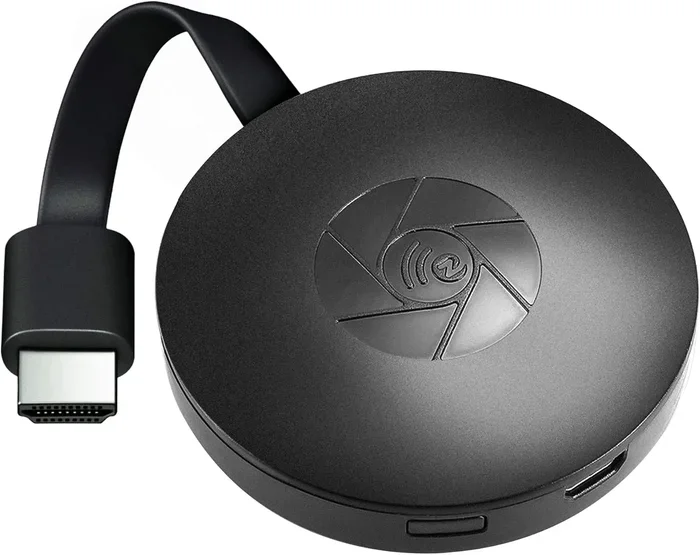
These dongles are designed specifically for audio streaming. Brands like Roku, Chromecast, and Amazon Fire Stick use them. They connect to your TV and stream audio or video wirelessly. Some of these dongles support Bluetooth connections. Others use Wi-Fi to stream content from the internet or your phone.
These are great if you want to stream music from your phone to your home speaker system. They can also send audio from your TV to wireless headphones. The setup is usually straightforward. You just follow the on-screen instructions.
Proprietary Wireless Dongles
Some wireless dongles use proprietary technology. This means they are not standard Bluetooth. They work only with specific devices or brands. For example, some wireless keyboards and mice come with their own dongle. These dongles do not work as Bluetooth adapters.
Similarly, some gaming headsets come with a USB dongle. That dongle connects to the headset using a proprietary protocol. It does not function as a general Bluetooth receiver. Always check the product specifications before buying.
How to Set Up a Wireless Dongle for Bluetooth Streaming
Setting up a wireless dongle for Bluetooth streaming is easier than you think. Most dongles use a plug-and-play design. Here is a step-by-step guide that works for most devices.
Step 1: Check Compatibility
Before you buy or plug in any dongle, check if it is compatible with your device. Look at the product description. It should list supported operating systems and Bluetooth versions. Bluetooth 4.0 or higher is ideal for streaming. Older versions may work but could have slower speeds and more connection issues.
Also check if your device has a free USB port. If you are using a laptop, you might need a USB hub. Some dongles are very small and fit into tight USB spaces. But others are bulkier and need more room.
Step 2: Install Drivers (If Needed)
Most modern dongles do not need manual driver installation. Windows 10 and 11 usually recognize them automatically. Mac computers also handle most dongles without extra steps. But some older dongles or lesser-known brands may require you to download drivers.
Visit the manufacturer’s website to find the right driver. Download and install it before plugging in the dongle. This ensures a smooth setup process. Skipping this step can lead to connection problems later.
Step 3: Pair Your Devices
Once the dongle is plugged in and recognized, it is time to pair. Go to your device’s Bluetooth settings. Turn on Bluetooth and search for new devices. Your wireless dongle should appear in the list of available devices.
Select the dongle and follow the prompts to complete pairing. Some dongles require you to press a button on the dongle itself. This puts it in pairing mode. Once paired, your devices should connect automatically in the future.
Step 4: Start Streaming
After pairing, open your streaming app or audio source. Select the wireless dongle as your output device. You should hear audio coming through your connected speakers or headphones. If there is no sound, check the volume settings on both devices.
Test the connection by playing different types of content. Try music, a video, and a voice call. This helps you spot any issues early. If you notice delays or dropouts, move closer to the dongle.
Benefits of Using a Wireless Dongle for Bluetooth Streaming
Using a wireless dongle as Bluetooth offers several real advantages. Here is why many people choose this option over built-in Bluetooth.
Easy to Use
Most wireless dongles follow a simple plug-and-play design. You do not need technical skills to set them up. Just insert the dongle, pair your device, and start streaming. This makes them perfect for people who are not tech-savvy.
Portable and Compact
Wireless dongles are tiny. You can carry one in your laptop bag or even your pocket. This portability is a huge advantage. You can use the same dongle with multiple devices. Take it from your office laptop to your home computer with ease.
Adds Bluetooth to Non-Bluetooth Devices
This is perhaps the biggest benefit. Many older TVs, desktop computers, and car audio systems do not have Bluetooth. A wireless dongle adds this capability quickly. You can turn any device with a USB port into a Bluetooth enabled device. This opens up a world of wireless streaming possibilities.
Cost Effective
Buying a wireless dongle is much cheaper than buying a new device with built-in Bluetooth. A quality Bluetooth adapter dongle costs between ten and forty dollars. Compare that to replacing a perfectly good TV or computer just to get Bluetooth. The savings are significant.
Limitations and Challenges to Watch Out For
Using a wireless dongle as Bluetooth is not perfect. There are some limitations you should know about before you buy. Being aware of these helps you set realistic expectations.
Audio Latency Issues
Latency is the delay between when audio is sent and when you hear it. Some wireless dongles have higher latency than built-in Bluetooth. This can be noticeable when watching videos. The lip movements may not match the audio. For music streaming, latency is usually not a problem. But for video content, it can be distracting.
Look for dongles that advertise low-latency or aptX support. These technologies reduce delay significantly. They make the streaming experience much smoother. If you plan to watch movies or play games, latency matters a lot.
Range Limitations
Most wireless dongles have a range of about 30 feet. This is similar to standard Bluetooth. If you move too far from the dongle, the connection may drop. Walls and other obstacles can also weaken the signal. For best results, keep your streaming device within a reasonable distance.
Driver and Compatibility Problems
Some dongles do not work well with certain operating systems. Older dongles may not support the latest version of Windows or macOS. Always check the compatibility list before purchasing. Reading user reviews can also reveal common issues.
Limited Simultaneous Connections
Most basic wireless dongles can only connect to one device at a time. If you want to connect multiple speakers or headphones, you need a more advanced dongle. Some premium models support multipoint pairing. This lets you connect two or more devices simultaneously.
Comparison: Wireless Dongles vs Built-In Bluetooth vs Bluetooth Adapters
Not sure which option is best for your streaming needs? Here is a quick comparison to help you decide.
| Feature | Wireless Dongle | Built-In Bluetooth | Bluetooth Adapter |
|---|---|---|---|
| Price | Low to moderate | Included with device | Low to moderate |
| Setup | Plug and play | Already ready | Plug and play |
| Portability | Very portable | Built into device | Small and portable |
| Compatibility | Works with most devices | Only with that device | Works with most devices |
| Latency | Varies by model | Usually low | Varies by model |
| Range | Up to 30 feet | Up to 30 feet | Up to 30 feet |
| Upgradability | Easy to replace | Cannot upgrade | Easy to replace |
As you can see, a wireless dongle offers a great balance of price, portability, and performance. It is an excellent choice if your device does not have built-in Bluetooth. And it is often more convenient than a separate Bluetooth receiver or Bluetooth transmitter.
Best Wireless Dongles for Bluetooth Streaming in 2024
Not all wireless dongles are created equal. Some are much better for streaming than others. Here are some top picks across different budgets and needs.
TP-Link UB500 Bluetooth 5.0 USB Adapter
This is one of the most popular Bluetooth dongles on the market. It supports Bluetooth 5.0, which means faster speeds and a more stable connection. The range is excellent at up to 65 feet in open space. It works with Windows and Mac computers. The plug-and-play design means no complicated setup. It is a great choice for casual streaming and everyday use.
ASUS USB-BT500 Bluetooth 5.0 Adapter
The ASUS USB-BT500 is a reliable option for streaming audio and video. It supports Bluetooth 5.0 and is compatible with Windows 10 and 11. The adapter has a compact design that fits flush into USB ports. It delivers low latency for video streaming. Many users report a strong and stable connection even at longer distances.
Avantree DG40S Bluetooth 5.0 USB Adapter
The Avantree DG40S is designed with streaming in mind. It supports aptX and aptX HD codecs. These codecs deliver high-quality audio with minimal compression. The dongle works well with Windows and Linux systems. It is slightly more expensive than basic dongles. But the audio quality is noticeably better. If you care about sound quality, this is a strong choice.
1Mii B06 Bluetooth 5.0 Transmitter and Receiver
The 1Mii B06 is a versatile option. It works as both a transmitter and a receiver. This means you can stream audio from a non-Bluetooth device to Bluetooth headphones. Or you can receive audio from your phone to non-Bluetooth speakers. The dongle supports multiple codecs including aptX, aptX Low Latency, and LDAC. It is one of the most feature-rich options available.
Quick Tips for Better Bluetooth Streaming with a Wireless Dongle
Want to get the most out of your wireless dongle for streaming? Here are some practical tips that make a big difference.
- Keep your dongle close: Place the dongle near your streaming device for the strongest signal. Avoid putting it behind your monitor or inside a desk drawer.
- Update your drivers: Check the manufacturer’s website regularly for driver updates. Updated drivers improve performance and fix bugs.
- Use the right Bluetooth codec: If your dongle supports aptX or LDAC, enable it in the settings. These codecs provide better audio quality than the standard SBC codec.
- Reduce interference: Keep the dongle away from Wi-Fi routers and other USB devices that emit signals. Interference can cause dropouts and static.
- Restart regularly: If you experience connection issues, unplug the dongle and plug it back in. A simple restart often fixes minor problems.
- Charge your devices: Low battery on your headphones or speaker can cause connection instability. Keep your Bluetooth devices charged for the best experience.
Common Mistakes People Make When Using Wireless Dongles for Bluetooth
Avoiding common mistakes saves you time and frustration. Here are the top errors people make when using a wireless dongle as Bluetooth.
- Buying the wrong type of dongle: Not every wireless dongle supports Bluetooth. Some are for Wi-Fi only. Always check the product description before purchasing.
- Ignoring Bluetooth version: Older Bluetooth versions like 2.0 or 3.0 have slower speeds and more latency. Look for Bluetooth 4.0 or higher for streaming.
- Skipping driver installation: Some dongles need drivers to work properly. Skipping this step can lead to poor performance or no connection at all.
- Placing the dongle too far away: The signal weakens with distance. Keep the dongle within 10 to 15 feet of your streaming device for best results.
- Not checking codec support: If you care about audio quality, make sure your dongle supports high-quality codecs like aptX or LDAC. Standard Bluetooth compression can sound flat.
- Forgetting to update firmware: Some dongles have firmware that can be updated. These updates often improve performance and fix bugs. Check the manufacturer’s website periodically.
Expert Insights: What Tech Professionals Say About Wireless Dongles for Streaming
We asked a few tech professionals about their experience with using wireless dongles for Bluetooth streaming. Here is what they had to say.
“The biggest mistake I see is people buying cheap, no-name dongles and expecting great performance. A quality Bluetooth adapter from a reputable brand makes all the difference. You get better audio quality, lower latency, and a more stable connection.” — Mark T., Audio Engineer
“I recommend the Avantree DG40S to anyone who wants to stream audio from their PC to wireless headphones. The aptX support really sets it apart. The sound quality is noticeably better than basic dongles.” — Sarah L., Tech Reviewer
“For most people, a Bluetooth 5.0 USB dongle is all you need. It is affordable, easy to set up, and works reliably. Just make sure your device supports the Bluetooth version on the dongle.” — James R., IT Specialist
These expert opinions highlight a clear theme. Investing in a good-quality dongle pays off. Cheap dongles may save you money upfront. But they often lead to frustration with poor sound quality and connection issues.
Frequently Asked Questions
Can any wireless dongle be used as Bluetooth?
No, not every wireless dongle works as Bluetooth. Some dongles are designed for Wi-Fi or proprietary connections only. You need to check the product specifications to confirm it supports Bluetooth. Look for terms like Bluetooth 4.0, 5.0, or Bluetooth adapter on the packaging.
Is a wireless dongle as good as built-in Bluetooth?
In most cases, a quality wireless dongle performs just as well as built-in Bluetooth. Bluetooth 5.0 dongles offer speeds and ranges comparable to built-in modules. The main difference is convenience. Built-in Bluetooth is always ready, while a dongle requires a USB port and occasional driver updates.
Can I use a wireless dongle to stream video?
It depends on the dongle. Most Bluetooth dongles are designed for audio streaming only. They use the A2DP profile for audio. Video streaming usually requires Wi-Fi-based solutions like Chromecast or Roku. Some advanced dongles support video, but they are less common.
Do wireless dongles for Bluetooth need drivers?
Most modern wireless dongles do not need drivers. Windows 10 and 11 recognize them automatically. Mac computers also handle most dongles without extra steps. However, some older or lesser-known dongles may require manual driver installation. Always check the manufacturer’s website for the latest drivers.
What is the best Bluetooth version for streaming?
Bluetooth 5.0 is the best version for streaming. It offers faster data transfer speeds, lower latency, and a longer range than older versions. Bluetooth 4.2 is also good and widely supported. Avoid dongles with Bluetooth 3.0 or older for streaming purposes.
Can I connect multiple devices to one wireless dongle?
This depends on the dongle. Most basic dongles connect to one device at a time. Some premium models support multipoint pairing, which allows two or more devices to connect simultaneously. Check the product specifications if you need this feature.
Conclusion
Using a wireless dongle as Bluetooth for streaming is absolutely possible and often very practical. Whether you want to stream music from your laptop to wireless headphones or send audio from your TV to a Bluetooth speaker, the right dongle gets the job done. The key is choosing a dongle that supports Bluetooth and the right codecs for your needs.
Remember to check compatibility before buying. Look for Bluetooth 5.0 or higher for the best performance. Follow the setup steps carefully, and you will be streaming wirelessly in no time. Avoid common mistakes like buying the wrong type of dongle or skipping driver updates.
The world of wireless streaming has never been more accessible. A simple wireless dongle can transform any device into a Bluetooth enabled powerhouse. So go ahead, plug in that dongle, and start enjoying wireless audio the way it was meant to be experienced.