How Do I Choose A Good Digital Photo Frame For Beginners
Choosing the right digital photo frame doesn’t have to be hard. This guide walks you through everything you need to know, from screen resolution and frame size to smart features and budget options. You’ll learn how to pick a digital photo frame that fits your style, your photos, and your space.
So you want to buy a digital photo frame. Maybe you’ve seen one at a friend’s house and thought it looked really cool. Or maybe you want to display your favorite memories without printing out physical copies. Whatever the reason, picking the right frame can feel a bit overwhelming at first.
There are so many options out there. Different sizes, different screen types, different features. And the prices range from very affordable to surprisingly expensive. But here’s the good news. Once you know what to look for, the decision gets a lot easier. This guide breaks everything down in simple terms.
By the end of this article, you’ll know exactly what features matter most and how to avoid common mistakes. Let’s dive in.
Key Takeaways
- Screen quality matters most: Resolution and brightness determine how sharp and clear your photos look on the frame.
- Size and orientation count: Choose a frame size that matches where you’ll place it and the orientation of your photos.
- Smart features add value: WiFi, cloud sync, and app control make managing your slideshow much easier.
- Storage options vary: Some frames use SD cards, while others rely on cloud or app-based photo uploads.
- Budget-friendly options exist: You can find a solid digital photo frame without breaking the bank.
📑 Table of Contents
What Is a Digital Photo Frame?
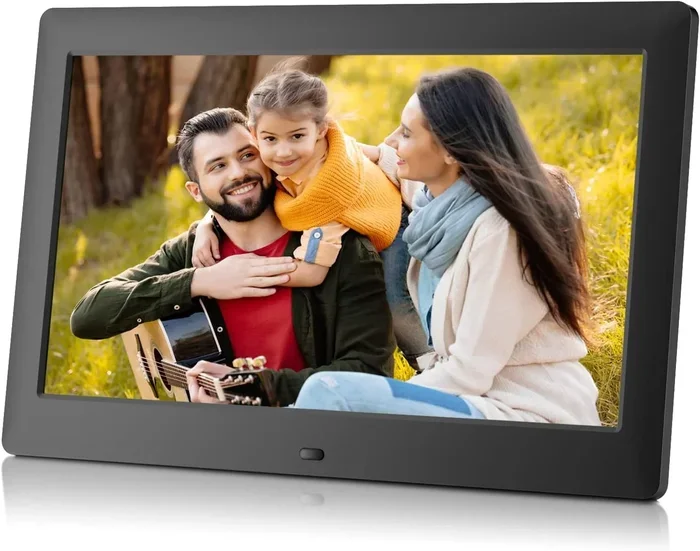
A digital photo frame is a device that displays digital images on a screen. Think of it like a regular picture frame, but instead of holding a printed photo, it shows images on a liquid crystal display or LCD screen. Most frames cycle through a collection of photos automatically. They create a slideshow that changes every few seconds.
Some frames are basic. They just read photos from a memory card or USB drive. Others are smart. They connect to your WiFi, sync with cloud services, and let you control everything from a phone app. The range is wide, and that’s exactly what makes this guide so useful.
If you’re new to this world, don’t worry. You don’t need to be tech-savvy to find a great option. The key is knowing what features actually matter for your needs.
Choose the Right Screen Resolution
The screen resolution is one of the most important things to consider. It determines how sharp and clear your photos will look. A low resolution makes photos appear pixelated and blurry. A high resolution makes them pop with detail.
Understanding Resolution Basics
Resolution is measured in pixels. The more pixels, the sharper the image. For a digital photo frame, look for at least 1024 by 768 pixels for smaller frames. For frames 10 inches and larger, aim for 1920 by 1080 pixels or higher. This is known as Full HD, and it makes a big difference.
Here’s a simple way to think about it. If you’ve ever tried to zoom in on a low-quality photo on your phone, you know how grainy it gets. You want to avoid that on a frame. A higher resolution means your photos stay crisp even when you fill a large screen.
Why Brightness Matters
Brightness is measured in nits or cd/m². A brighter screen looks better in well-lit rooms. If you plan to place the frame near a window or in a bright living room, go for at least 300 nits. Dimmer screens work fine in darker rooms, but they can be hard to see during the day.
Some frames also offer adjustable brightness. This lets you set the screen to dim at night so it doesn’t disturb your sleep. That’s a nice feature if the frame will live in a bedroom or bedroom hallway.
Pick the Right Frame Size
Frame size affects both the viewing experience and where you can place it. Digital photo frames come in many sizes, from small 7-inch models to large 15-inch and even bigger displays.
Small Frames (7 to 10 Inches)
Small frames are perfect for a desk, nightstand, or small shelf. They’re compact and often more affordable. A 7 or 8-inch frame works great for a workspace or a small apartment. Just keep in mind that the photos will be smaller, so resolution still matters.
Medium Frames (10 to 13 Inches)
This is the sweet spot for most people. A 10 to 13-inch frame is large enough to look impressive on a mantelpiece or side table. It’s also versatile enough to fit in most rooms. Many of the best-selling frames fall in this range, and for good reason.
Large Frames (15 Inches and Up)
Large frames make a statement. They work well in living rooms or as a centerpiece on a console table. But they do take up more space and cost more. Make sure you have a good spot picked out before you go big.
Also think about orientation. Some frames are portrait-oriented, while others are landscape. A few models let you switch between both. If your photos are mostly vertical, a portrait frame makes more sense.
Smart Features Worth Considering
Not all frames are created equal when it comes to features. Some are simple and straightforward. Others come loaded with smart capabilities. Here’s what to look for.
WiFi and Cloud Sync
WiFi-enabled frames let you send photos directly from your phone or computer. You don’t need to remove a memory card or plug in a USB drive. Just upload through an app, and the photos appear on the frame. This is incredibly convenient.
Some frames also sync with cloud services like Google Photos or Dropbox. This means your photos are always up to date without any manual effort. If you want a digital photo frame that stays current with minimal work, this is the way to go.
App Control
Most smart frames come with a companion app. The app lets you select which photos to display, change the slideshow speed, and adjust settings. Some apps even let you schedule when the frame turns on and off. This is handy if you don’t want the screen glowing all night.
Remote Sharing
Here’s a feature that’s often overlooked. Some frames allow multiple family members to send photos to the same device. So grandparents, parents, and kids can all contribute. It becomes a shared family album that everyone can enjoy. If you’re interested in this, look for frames that support multi-user sharing.
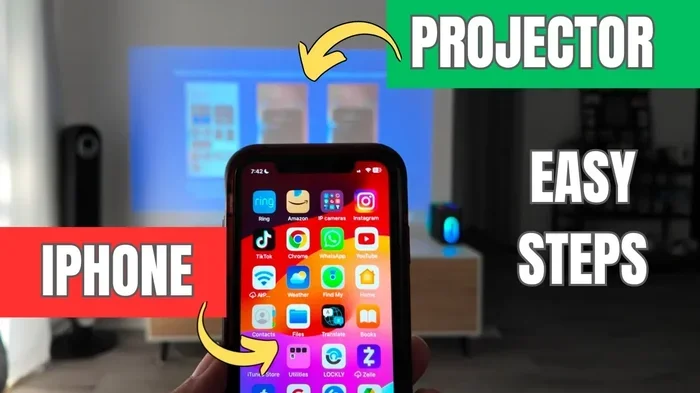
And if you enjoy projecting photos on a bigger surface, you might also enjoy learning how to turn your iPhone into a projector for a more immersive photo display experience.
Storage and Connectivity Options
How the frame stores and receives photos is another key factor. There are a few common methods, and each has its pros and cons.
SD Card and USB Drive
Many frames accept SD cards or USB drives. You load photos onto the card or drive, plug it in, and the frame displays them. This is simple and doesn’t require WiFi. It’s also a great option if you don’t want to deal with apps or cloud accounts.
The downside is that updating photos means physically swapping out the card or drive. It’s not a big deal, but it does add a small step to the process.
Internal Memory
Some frames come with built-in storage. This is convenient because you don’t need any extra accessories. But internal memory is usually limited. You might only be able to store a few hundred photos before you need to offload them.
WiFi and App-Based Upload
As mentioned above, WiFi frames let you upload photos wirelessly. This is the most seamless experience. But it does depend on a stable internet connection. If your WiFi is unreliable, you might run into delays or failed uploads.
Also, keep in mind that some frames let you pair your phone directly to a projector for displaying photos on a wall, which can be a fun alternative to a traditional frame setup.
Common Mistakes to Avoid
Buying a digital photo frame is exciting, but it’s easy to make mistakes. Here are some common pitfalls to watch out for.
- Ignoring aspect ratio: If your photos don’t match the frame’s aspect ratio, they may be cropped or stretched. Always check the ratio before you buy.
- Skipping brightness settings: A frame that’s too dim in a bright room will be hard to see. Always check the nit rating.
- Overlooking the app experience: A clunky app can make managing your frame frustrating. Read reviews before you commit.
- Buying the cheapest option: Ultra-budget frames often have low resolution and poor build quality. You get what you pay for.
- Not checking the power source: Some frames are battery-powered while others need to stay plugged in. Make sure the setup works for your space.
Avoiding these mistakes will save you time, money, and disappointment. It’s worth taking a few extra minutes to research before you buy.
Budget and Price Expectations
The price of digital photo frames varies a lot. Here’s what you can expect at different price points.
- Budget ($30 to $60): Basic frames with lower resolution and fewer features. Good for simple slideshow displays.
- Mid-Range ($60 to $150): Better resolution, adjustable brightness, and often WiFi connectivity. This is where most people find the best value.
- Premium ($150 and up): High-resolution screens, smart features, cloud sync, and premium build quality. Great for gifting or for people who want the best experience.
You don’t need to spend a lot to get a good frame. A mid-range option often hits the sweet spot between price and features. Think about what matters most to you and set a budget accordingly.
Final Thoughts
Choosing a good digital photo frame comes down to a few key decisions. Screen resolution, frame size, smart features, storage options, and budget. When you consider all of these factors, the right choice becomes much clearer.
Start by thinking about where you’ll place the frame. Then decide what features matter most to you. If you want simplicity, go with an SD card model. If you want convenience, choose a WiFi frame with app control.
Whatever you pick, a digital photo frame is a wonderful way to keep your favorite memories front and center. It brings life to a room and smiles to faces. And that’s really what it’s all about.
Take your time, compare a few options, and trust your instincts. You’ll find the perfect frame for your home and your memories.
Frequently Asked Questions
What is the best screen resolution for a digital photo frame?
For most users, 1920 by 1080 pixels (Full HD) is the sweet spot. It delivers sharp, clear images on frames 10 inches and larger. Smaller frames can work well with 1024 by 768 pixels or higher.
Can I use a digital photo frame without WiFi?
Yes, many frames work without WiFi. You can load photos onto an SD card or USB drive and plug it into the frame. This is a great option if you prefer a simple setup without internet dependency.
How long do digital photo frames last?
Most quality frames last between 3 to 5 years with regular use. The LCD screen is the main component that can wear out over time. Keeping the frame in a cool, dry place helps extend its lifespan.
Are smart photo frames worth the extra cost?
If you value convenience and ease of use, yes. Smart frames let you send photos wirelessly from your phone and sync with cloud services. They save you the hassle of manually updating photos on a memory card.
What size digital photo frame is best for a desk?
A 7 to 10-inch frame works best for a desk setup. It’s compact enough to fit on a small surface while still displaying photos clearly. Make sure the resolution is high enough for the screen size.
Can I display videos on a digital photo frame?
Some frames support video playback in addition to photos. However, video support varies by model. If this matters to you, check the product specifications before purchasing. Look for frames that explicitly list video file support.
=== INTERNAL LINKS ===
For those interested in displaying photos on larger surfaces, you might also enjoy learning how to use blackout curtains as a projector screen for an immersive gallery-style display.
If you love sharing photos wirelessly, check out how to pair your phone to a projector for a dynamic photo-sharing setup.
Another fun option is exploring how to turn your iPhone into a projector to display your favorite photos on any wall.