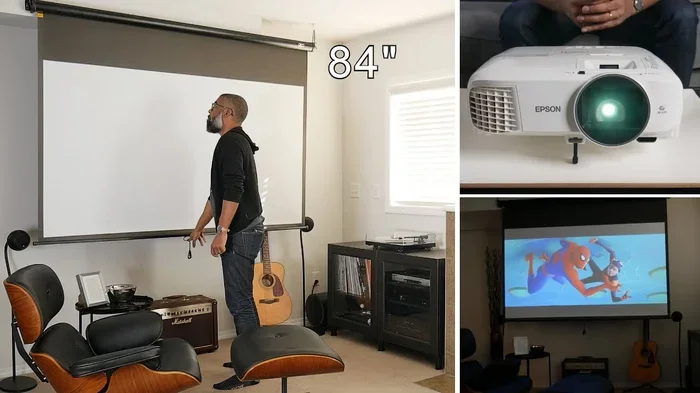
How Big Of A Room Do You Need For A Projector Setup
The room size you need for a projector depends on the throw distance, screen size, and projector type. A short throw projector works great in small rooms, while a long throw setup needs more space. This guide covers everything from room dimensions to brightness and placement tips so you can create the perfect home theater or presentation setup.
This is a comprehensive guide about How Big Of A Room Do You Need For A Projector.
Key Takeaways
- Room size matters: The distance between your projector and screen directly affects image size and quality.
- Short throw vs. long throw: Short throw projectors need less space, making them ideal for smaller rooms.
- Ambient light control: A darker room produces a sharper, more vibrant projected image.
- Screen size determines space needs: Larger screens require greater throw distances and bigger rooms.
- Mounting position is key: Ceiling mount, table top, and rear projection all have different space requirements.
- Brightness and resolution play a role: Higher lumens let you use projectors in brighter rooms.
[FEATURED_IMAGE_PLACEHOLDER]
How Big Of A Room Do You Need For A Projector Setup
Setting up a projector can transform any space into a home theater or a powerful presentation room. But one question keeps popping up: how big of a room do you actually need? The answer isn’t one-size-fits-all. It depends on the projector type, screen size, throw distance, and even the lighting in your room.
Whether you are building a backyard movie night station or a proper home cinema, knowing your room requirements saves time, money, and frustration. This guide walks you through everything you need to consider when deciding on projector room size. We will cover throw distances, screen dimensions, placement tips, and much more.
By the end, you will know exactly what space you need and how to get the best image quality from your setup. Let us dive in.
Understanding Throw Distance And Room Size
The most important factor in determining how big of a room you need is the throw distance. This is the measurement between the projector lens and the projection screen. Different projectors have different throw ratios, which dictate how far the device needs to sit from the wall or screen.
What Is Throw Distance?
Throw distance is simply the space the light travels from the projector to the wall or screen. A longer throw distance means the projector sits farther away, producing a larger image. A shorter throw distance means the projector can sit closer and still deliver a big picture.
You can calculate throw distance using this simple formula:
- Throw Distance = Throw Ratio × Screen Width
For example, if your projector has a throw ratio of 1.5 and you want a 100-inch screen (which is about 87 inches wide), your throw distance would be roughly 130 inches, or about 11 feet.
Short Throw vs. Long Throw Projectors
Not all projectors are the same. Here is a quick breakdown of the two main types:
- Short throw projectors: These need only 3 to 6 feet of distance to produce a 100-inch image. They are perfect for small rooms or apartments.
- Long throw projectors: These require 10 to 15 feet or more for the same screen size. They work best in larger rooms or dedicated home theaters.
- Ultra-short throw projectors: These can sit just a few inches from the wall and still produce a massive image. They are great for tiny spaces.
If you have limited space, a short throw or ultra-short throw model is your best friend. You can get a huge image without needing a deep room. On the other hand, if you have a big basement or a dedicated media room, a long throw projector gives you more flexibility in placement.
How Room Dimensions Affect Image Quality
Room dimensions do more than just determine where you place the projector. They also affect image quality, brightness, and overall viewing comfort. Let us break down the key dimensions that matter.
Ceiling Height Matters
If you are mounting the projector on the ceiling, you need enough vertical clearance. Most projectors work best when mounted about 12 to 18 inches from the ceiling. This allows for proper airflow and prevents the projector from overheating.
Low ceilings can make ceiling mounting tricky. In these cases, a tabletop placement works well. Just make sure the projector sits on a stable surface and is level with the screen for the best results.
Wall Space For The Screen
The wall space you have available directly impacts the screen size you can use. A standard 100-inch screen takes up about 87 inches wide by 49 inches tall. That is a significant footprint on any wall.
If you do not have a dedicated wall for a screen, you might want to consider using a sheet as a projector screen or even a blank wall. Both options work well, but a proper projection screen delivers better color accuracy and contrast.
Depth Of The Room
The depth of the room determines how far the projector can sit from the screen. For a comfortable viewing experience, you want viewers to sit at least 1.5 times the screen width away. So for a 100-inch screen, the ideal seating distance is about 13 feet.
Smaller rooms can still work if you use a short throw projector. The key is matching the projector type to the available space.
Lighting And Ambient Light Control
One thing many people overlook is ambient light. The amount of light in your room plays a huge role in how your projected image looks. Even the best projector will struggle in a bright room.
Why Ambient Light Matters
Projectors work by projecting light onto a surface. When there is too much ambient light, the projected image gets washed out and loses contrast. Dark rooms produce the sharpest, most vibrant images.
If your room has large windows, consider using blackout curtains to block out natural light during movie sessions. This simple trick makes a dramatic difference in image quality.
Projector Brightness: Lumens Rating
Projector brightness is measured in lumens. The higher the lumens, the better the projector performs in bright environments. Here is a quick guide:
- 1,000 to 2,000 lumens: Best for dark rooms. Great for home theaters.
- 2,000 to 3,000 lumens: Works in rooms with some ambient light. Good for living rooms.
- 3,000+ lumens: Handles bright rooms well. Ideal for offices or classrooms.
If you plan to use your projector in a bright room, invest in a model with higher lumens. This gives you more flexibility with room size and lighting conditions.
Projector Placement Options And Space Requirements
Where you place the projector matters just as much as how big the room is. Different placement options have different space needs and setup requirements.
Ceiling Mount
Ceiling mounting is the most popular option for home theaters. It keeps the projector out of the way and provides a clean, professional look. You need enough ceiling height and a sturdy mount. The projector should be centered above the screen for the best alignment.
Ceiling mounts work well in rooms with standard 8-foot ceilings and above. If your ceiling is lower, check the projector’s throw angle to make sure it can reach the screen from a mounted position.
Tabletop Placement
Tabletop placement is the simplest option. You just set the projector on a table or shelf and aim it at the screen. This works well in smaller rooms where ceiling mounting is not practical.
The downside is that tabletop projectors take up floor space and can be bumped or knocked over. A projector screen mounted on the wall helps keep the setup stable and focused.
Rear Projection Setup
Rear projection places the projector behind a translucent screen. This creates a sleek, space-saving setup that works well in offices and small rooms. However, rear projection requires a specific type of screen and enough depth behind the screen for the projector.
Matching Screen Size To Room Size
Choosing the right screen size for your room is critical. A screen that is too large for a small room looks distorted and uncomfortable. A screen that is too small for a large room feels underwhelming.
Recommended Screen Sizes By Room
Here is a general guide to help you match screen size to room size:
- Small rooms (under 100 sq ft): 60 to 80-inch screen. Short throw projector required.
- Medium rooms (100 to 200 sq ft): 80 to 120-inch screen. Short or standard throw projector works.
- Large rooms (200+ sq ft): 120 to 150-inch screen. Long throw projector gives the best results.
These are starting points. Your exact needs depend on the projector model, throw ratio, and personal preference. Always check the projector’s specifications before purchasing.
Aspect Ratio And Its Impact
Aspect ratio refers to the width-to-height ratio of the projected image. The most common ratios are 16:9 (widescreen) and 4:3 (standard). Most modern projectors use 16:9, which matches the format of most movies and TV shows.
Choosing the right aspect ratio ensures your content fills the screen properly without black bars on the sides or top. If you are projecting from a laptop or streaming device, make sure the aspect ratio matches your content source.
Practical Tips For Small Room Projector Setups
Not everyone has a large dedicated room for a projector. The good news is that you can still get excellent results in tight spaces. Here are some practical tips.
Use A Short Throw Projector
This is the single most important tip for small rooms. A short throw projector sits close to the wall and produces a large image without needing deep space. Some ultra-short throw models can sit right against the wall and still deliver a 100-inch picture.
Control The Light
Darkening the room makes a massive difference. Close the blinds, turn off overhead lights, and use blackout curtains if possible. Even a small amount of light control can dramatically improve image quality.
Use The Right Surface
If you do not have a dedicated projection screen, a plain white wall works well. You can also hang a white sheet for a quick and affordable setup. Just make sure the surface is smooth and wrinkle-free for the clearest image.
Consider Portable Projectors
Portable projectors are compact, lightweight, and easy to move around. They are perfect for small rooms, apartments, or anyone who wants flexibility. Many modern portable models offer surprisingly good image quality and built-in speakers.
Keep The Projector Cool
Small rooms can get warm, and projectors generate heat during use. Make sure there is enough airflow around the device. Never place a projector in an enclosed cabinet without ventilation. Overheating can shorten the lifespan of the projector and reduce image quality.
Common Mistakes People Make With Room Sizing
Avoiding common mistakes saves you time and money. Here are some pitfalls to watch out for when planning your projector setup.
- Measuring only the floor space: Room size is three-dimensional. Ceiling height and depth both matter.
- Ignoring throw ratio: Not checking the throw ratio before buying a projector leads to poor placement.
- Oversizing the screen: A huge screen in a tiny room looks blurry and is uncomfortable to watch.
- Forgetting about seating distance: Viewers too close to the screen see pixelation and eye strain.
- Neglecting ambient light: Even the best projector cannot overcome a bright room without proper light control.
Take your time measuring your room before making any purchases. A little planning goes a long way toward a great setup.
Expert Insights On Projector Room Planning
According to home theater experts, the ideal projector room combines the right dimensions, light control, and equipment. A dedicated media room with controlled lighting, proper seating distance, and a quality projection screen delivers the best experience.
If you are converting a living room or bedroom into a projector space, focus on light control first. Then choose a projector that matches the room size. Finally, invest in a good screen. Even a budget projector looks amazing on a proper projection surface.
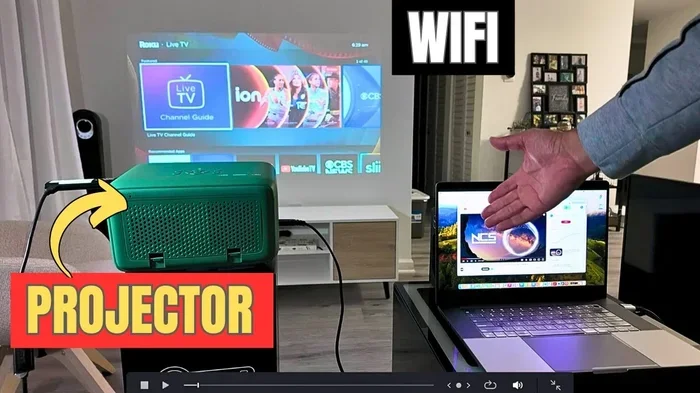
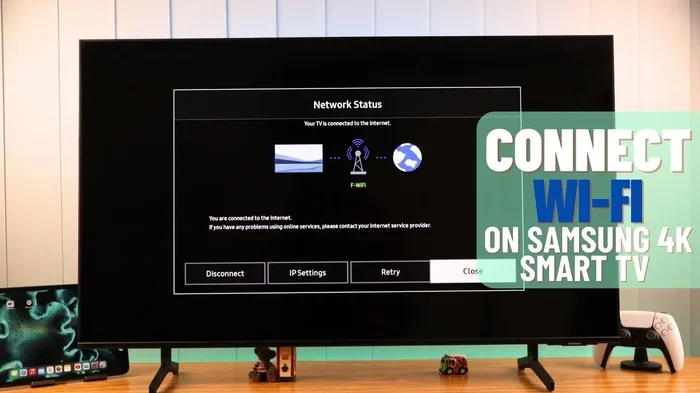
Many people also enjoy streaming content directly from their devices. If you want to project Netflix from your laptop to projector, make sure your room has enough space for the laptop, the projector, and a stable Wi-Fi connection. A seamless setup makes movie nights much more enjoyable.
For those who want flexibility, pairing your phone with the projector opens up even more possibilities. You can easily pair your phone to a projector for presentations, games, or casual movie watching on the go.
Conclusion
So, how big of a room do you need for a projector setup? The honest answer is: it depends on your equipment and goals. A short throw projector can work beautifully in a small room, while a long throw setup shines in larger spaces. The key is understanding throw distance, screen size, room dimensions, and lighting conditions.
Take the time to measure your space, choose the right projector, and control the ambient light. With the right planning, you can create an incredible viewing experience in any room, big or small. Start with the basics, experiment with placement, and enjoy the process of building your perfect setup.
Whether you are setting up a home theater, a gaming station, or a presentation room, the right room size and projector combination makes all the difference. Happy projecting.
Frequently Asked Questions
What is the minimum room size for a projector setup?
A room as small as 80 square feet can work if you use a short throw or ultra-short throw projector. The key is matching the projector type to the available space so the image fills the screen properly without distortion.
How do I calculate the throw distance for my projector?
Multiply the projector’s throw ratio by the screen width. For example, a throw ratio of 1.5 and a 100-inch screen (about 87 inches wide) requires a throw distance of roughly 11 feet. Check your projector’s manual for the exact ratio.
Can I use a projector in a bright room?
Yes, but you need a projector with higher lumens, typically 3,000 or more. You should also control ambient light with curtains or by dimming the lights. Brighter projectors handle well-lit rooms much better than dim ones.
Do I need a dedicated projection screen?
No, a plain white wall or a white sheet works well for casual use. However, a dedicated projection screen delivers better color accuracy, contrast, and overall image quality. It is worth the investment if you watch movies or presentations regularly.
What is the best projector for a small room?
Short throw and ultra-short throw projectors are best for small rooms. They produce large images from a short distance, saving floor space and making them ideal for apartments, bedrooms, and small home theaters.
How far should I sit from a projector screen?
A good rule of thumb is to sit at least 1.5 times the screen width away. For a 100-inch screen, that means about 13 feet from the screen. This distance provides a comfortable viewing experience without eye strain or pixel visibility.