What You Should Know About Deactivating A Facebook Account
Deactivating a Facebook account is a simple way to take a break from social media without losing your data permanently. When you deactivate, your profile, posts, and photos hide from others, but everything stays safe for your return. This guide covers the full process, what to expect, and how to reactivate when you are ready.
Have you ever felt overwhelmed by Facebook? Maybe your feed is full of noise, or you just need a break from scrolling. Deactivating a Facebook account is the perfect solution. It lets you step away without losing anything you have built over the years.
In this guide, we will walk you through everything you need to know. We will cover what deactivation means, how it differs from deletion, and exactly how to do it on your phone or computer. You will also learn what happens to your data, your friends list, and your Facebook profile while your account is off. Let us dive in.
Key Takeaways
- Deactivation is temporary: Your data stays intact, and you can come back anytime by logging in again.
- Your profile disappears from view: Friends cannot see your timeline, photos, or posts while your account is deactivated.
- Messenger may still work: Depending on your settings, you might still use Messenger even when Facebook is deactivated.
- Deactivation is not deletion: Permanently deleting removes your data forever, while deactivation keeps it stored.
- Reactivation is instant: Simply log back in, and your profile, friends, and content return exactly as they were.
- Download your data first: Always back up your Facebook posts, photos, and messages before deactivating for peace of mind.
- It helps with digital wellbeing: Deactivating gives you a social media break without the stress of losing your online presence.
📑 Table of Contents
- What Does It Mean to Deactivate A Facebook Account?
- Deactivating A Facebook Account vs Deleting It Permanently
- How To Deactivate A Facebook Account on Different Devices
- What Happens When You Deactivate A Facebook Account?
- How To Reactivate A Facebook Account
- Common Mistakes People Make When Deactivating A Facebook Account
- Why People Choose to Deactivate Their Facebook Account
- Final Thoughts on Deactivating A Facebook Account
What Does It Mean to Deactivate A Facebook Account?
Deactivating a Facebook account means you temporarily turn off your presence on the platform. Your profile becomes invisible to other users. Your posts, photos, and timeline disappear from view. But here is the best part — nothing gets deleted.
Think of it like pausing a movie. You are not done watching. You are just taking a break. When you are ready, you press play again by logging back in. All your content, friends, and settings come right back.
Many people choose to deactivate for different reasons. Some want a social media detox. Others feel overwhelmed by notifications. Some just need time to focus on real life. Whatever your reason, deactivation gives you a clean exit without any permanent loss.
Who Can See You When Your Account Is Deactivated?
When you deactivate, almost everyone loses access to your Facebook profile. Here is a quick look at what changes:
- Your name and profile picture disappear from Facebook search results.
- Friends cannot see your timeline or posts.
- Your Facebook friends list becomes hidden.
- People cannot tag you in photos or posts.
- Your Facebook Messenger may still show your name depending on your settings.
However, some messages you sent in Messenger might still appear in other people’s chats. Your name may show up in group conversations too. This is a small trade-off for the peace of mind you gain.
Deactivating A Facebook Account vs Deleting It Permanently
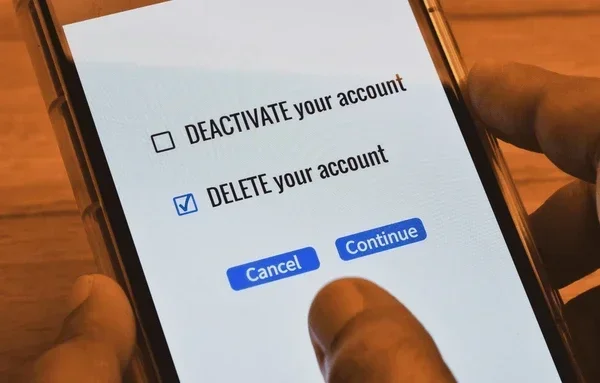
This is one of the most important decisions you will make. Deactivation and deletion are very different. Many people confuse the two and end up making a choice they regret.
What Happens When You Deactivate?
When you deactivate a Facebook account, your profile goes into hiding mode. All your data stays on Facebook servers. Your photos, posts, and messages are saved. You can return whenever you want. Just log in, and everything is back to normal.
What Happens When You Delete?
Permanent deletion is the opposite. Facebook removes your data from its systems. This process can take up to 90 days. Once deleted, you cannot get your profile, posts, or photos back. Your Facebook friends will no longer see you on the platform.
Which Should You Choose?
If you are unsure, go with deactivation. It is the safer option. You get a break without any risk. You can always choose to delete later if you are certain. Here is a quick comparison:
- Deactivation: Temporary, reversible, data stays safe, profile hides from others.
- Deletion: Permanent, irreversible, data is removed, account is gone forever.
Most experts in digital wellbeing recommend deactivation first. It gives you space to think. You can always make the permanent choice later.
How To Deactivate A Facebook Account on Different Devices
The process is simple whether you use a phone or a computer. Let us walk through each method step by step.
On a Computer or Laptop
Follow these steps to deactivate your Facebook account from a web browser:
- Log in to your Facebook account at facebook.com.
- Click your profile picture in the top right corner.
- Select Settings and Privacy from the dropdown menu.
- Click Settings.
- Go to Your Facebook Information on the left sidebar.
- Choose Deactivation and Deletion.
- Select Deactivate Account.
- Follow the on-screen prompts to confirm.
That is it. Your Facebook profile will be hidden within seconds. You will be logged out automatically.
On the Facebook Mobile App
Want to deactivate from your phone? Here is how:
- Open the Facebook app on your iPhone or Android.
- Tap the menu icon (three horizontal lines) in the bottom right.
- Scroll down and tap Settings and Privacy.
- Tap Settings.
- Go to Accounts Center or Your Facebook Information (the path may vary by app version).
- Tap Deactivation and Deletion.
- Choose Deactivate Account.
- Enter your password and confirm.
Quick Tips for Deactivating on Any Device
- Make sure you have your Facebook login credentials handy.
- Download your data first if you want a backup.
- Turn off two-factor authentication temporarily if it blocks your reactivation later.
- Close any open Facebook sessions on other devices after deactivating.
What Happens When You Deactivate A Facebook Account?
Understanding the full impact of deactivation helps you feel confident about your choice. Here is a detailed look at what changes and what stays the same.
Your Profile and Timeline
Your Facebook timeline vanishes from public view. No one can see your posts, photos, or updates. Your name disappears from Facebook search. It is as if you were never on the platform — except your data is still safely stored.
Your Friends and Messenger
Your Facebook friends will not see you in their friends list. However, you may still appear in group chats through Messenger. Some users report that their name stays visible in chat history even after deactivation. This depends on your Facebook settings and the version of Messenger you use.
Your Data and Activity
Facebook keeps all your data stored securely. This includes:
- Your photos and albums
- Your posts and comments
- Your messages in Messenger
- Your Facebook activity log
- Your profile information and preferences
None of this is erased during deactivation. It all waits for you when you return. This is the biggest advantage of deactivating over deleting.
Your Privacy and Security
Deactivation boosts your Facebook privacy significantly. No one can access your profile or see your activity. It is one of the best tools for a social media break. You get relief from the constant noise without sacrificing your digital identity.
How To Reactivate A Facebook Account
Coming back to Facebook after deactivation is incredibly easy. You do not need to create a new account. You simply log in like you normally would.
Steps to Reactivate
- Open the Facebook app or go to facebook.com.
- Enter your email or phone number.
- Type in your password.
- Click Log In.
That is all it takes. Your Facebook profile springs back to life. All your posts, photos, and friends are right where you left them. Your timeline becomes visible again, and your Facebook friends can see you online.
What If You Cannot Log In?
Sometimes people forget their password after a long break. If this happens, use the Forgot Password link on the login page. Facebook will send a reset link to your email or phone. Follow the prompts, and you will be back in no time.
If you used a phone number to log in and have switched numbers, you may need to verify your identity through other means. Facebook security measures are in place to protect your account during this process.
How Long Can You Keep Your Account Deactivated?
There is no time limit. You can keep your Facebook account deactivated for weeks, months, or even years. Facebook will not automatically delete your account just because it has been inactive for a long time. Your data stays safe as long as you want it to.
Common Mistakes People Make When Deactivating A Facebook Account
Avoid these common pitfalls to make sure your deactivation goes smoothly and your data stays safe.
Not Backing Up Your Data First
This is the number one mistake. Before you deactivate a Facebook account, download a copy of your data. Go to Settings, then Your Facebook Information, and select Download Your Information. Save your photos, posts, and messages to your computer or phone. You never know when you might want to look back at old memories.
Confusing Deactivation with Deletion
Many people accidentally click the wrong option. Double-check that you selected Deactivate Account and not Delete Account. The deletion option is further down on the same page and requires you to enter your password again to confirm.
Forgetting About Linked Apps
You may have logged into other apps using your Facebook login. When you deactivate, those apps may no longer work. Make a list of apps connected to your Facebook account and update their login methods before deactivating.
Ignoring Messenger
Your Facebook Messenger status can be tricky after deactivation. Some users find that Messenger still works, while others lose access. If you want full privacy, consider logging out of Messenger separately or adjusting your Facebook settings before deactivating.
Not Telling Close Friends
If you deactivate for an extended period, your close friends might wonder where you went. A quick message or post before deactivating lets people know you are taking a break and are not gone forever.
Why People Choose to Deactivate Their Facebook Account
Deactivating a Facebook account has become increasingly popular. More and more people are realizing the benefits of stepping back from social media.
Mental Health and Wellbeing
Studies show that constant social media use can increase stress and anxiety. Taking a break through deactivation helps improve mental health and promotes better sleep. Many people report feeling happier and more present in their daily lives after a social media break.
Privacy Concerns
With growing concerns about Facebook privacy and data collection, deactivation gives users control. You step away from targeted ads, data tracking, and the constant collection of your Facebook activity. It is a powerful way to reclaim your digital privacy.
Focus and Productivity
Scrolling through Facebook can eat up hours of your day. Deactivating removes the distraction and helps you focus on work, hobbies, and real-world relationships. Many professionals deactivate during busy seasons to stay sharp and productive.
A Simple Social Media Detox
Sometimes you just need a break. A social media detox does not have to be permanent. Deactivating a Facebook account gives you a clean, easy way to unplug for a while and then return when you are ready.
Final Thoughts on Deactivating A Facebook Account
Deactivating a Facebook account is one of the smartest moves you can make for your digital life. It gives you control. It protects your data. And it lets you take a break without any permanent consequences.
Whether you need a week off or a year-long pause, deactivation has you covered. Your Facebook profile, friends, and posts all stay safe and ready for your return. You do not lose anything. You just gain some space.
If you are feeling overwhelmed, burned out, or just tired of the scroll, give deactivation a try. It is simple, it is free, and it is fully reversible. Your future self will thank you for taking that break. Deactivating a Facebook account might just be the best decision you make for your wellbeing this year.
Remember, your Facebook account is always there waiting for you. You are in charge of when and how you use it. Take that power back today.
Frequently Asked Questions
Can people still see my Facebook profile after I deactivate it?
No, your profile becomes completely invisible to other users. Your name, photos, and timeline all disappear from Facebook search results and from your friends’ feeds. However, some messages you sent in Messenger may still appear in other people’s chat windows.
Will I lose my Facebook friends when I deactivate my account?
Not at all. Your Facebook friends list stays intact. When you reactivate your account, all your friends are right there waiting for you. Deactivation only hides your profile from others; it does not remove any connections.
Can I still use Messenger when my Facebook account is deactivated?
This depends on your settings. Some users can still send and receive messages through Messenger while their Facebook account is deactivated. Others may lose access. Check your Messenger settings before deactivating if you want to keep chatting.
How long can I keep my Facebook account deactivated?
There is no time limit at all. You can keep your Facebook account deactivated for as long as you want. Facebook will not delete your data or remove your profile during this time. Simply log back in whenever you are ready.
Will I be able to reactivate my Facebook account easily?
Yes, reactivation is instant and simple. Just go to facebook.com or open the app, enter your login details, and you are back. All your posts, photos, and friends will be exactly as you left them.
What is the difference between deactivating and deleting a Facebook account?
Deactivation is temporary. Your data stays on Facebook’s servers, and you can return anytime. Deletion is permanent. Facebook removes your data over a period of up to 90 days, and you cannot get it back. Choose deactivation if you are unsure about leaving for good.
=== CONCLUSION ===
Deactivating a Facebook account is a smart, simple, and fully reversible way to take control of your social media life. Whether you want a short break or a long pause, deactivation gives you exactly that. Your data stays safe, your friends stay connected, and your profile waits patiently for your return.
Follow the steps in this guide, avoid the common mistakes, and enjoy the peace that comes with stepping back. Your Facebook account will be there whenever you are ready. Take the break. You deserve it.