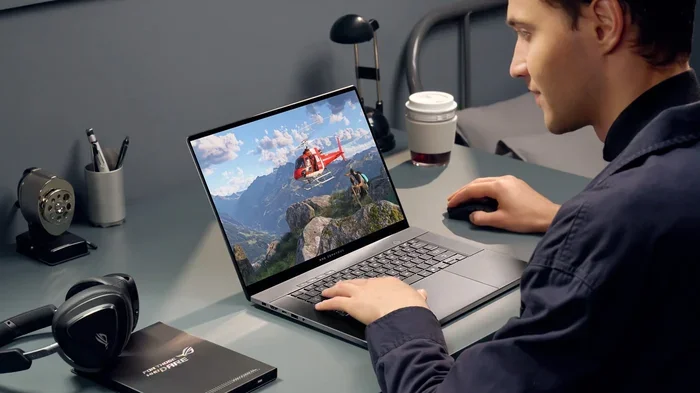
Can You Be A Gamer On A Laptop Find Out Everything Here
Yes, you absolutely can be a gamer on a laptop. Modern gaming laptops deliver stunning performance, smooth frame rates, and vibrant displays that rival desktops. Whether you play casually or compete in esports, a laptop for gaming gives you the freedom to game anywhere. This guide covers everything you need to know.
Key Takeaways
- Laptop gaming is totally viable: Today’s laptops pack serious power for demanding games.
- Know your specs: GPU, CPU, RAM, and storage are the four pillars of a great gaming laptop.
- Budget options exist: You don’t need to spend a fortune to enjoy laptop gaming performance.
- Cloud gaming opens doors: Services like GeForce Now let weaker laptops run AAA titles.
- Cooling matters: A good cooling system keeps your laptop performing at its best.
- Peripheral upgrades help: External keyboards, mice, and monitors transform your setup.
📑 Table of Contents
- Can You Be A Gamer On A Laptop? The Definitive Guide
- Why Laptop Gaming Has Become So Popular
- What Makes A Laptop Good For Gaming
- Best Laptops For Gaming In Different Budgets
- Cloud Gaming: A Game Changer For Laptop Users
- Tips To Maximize Your Laptop Gaming Experience
- Common Mistakes Laptop Gamers Make
- Final Thoughts On Being A Gamer On A Laptop
Can You Be A Gamer On A Laptop? The Definitive Guide
The short answer is yes. You can absolutely be a gamer on a laptop. In fact, laptop gaming has exploded in popularity over the last few years. Millions of players worldwide enjoy their favorite titles on portable machines. Whether you are commuting to school, sitting in a coffee shop, or relaxing on your couch, a gaming laptop lets you play almost anywhere.
The question really is not about whether you can game on a laptop. The real question is what kind of experience you want. A budget machine can handle casual games and older titles with ease. A high-end gaming laptop can run the latest AAA releases at high settings with smooth frame rates. This guide walks you through everything you need to know about gaming on the go. We will cover specs, budget options, cooling tips, and much more.
If you have ever wondered whether a laptop can truly replace a desktop for serious gaming, you are in the right place. Let us dive in and explore the world of portable gaming together.
Why Laptop Gaming Has Become So Popular
The rise of laptop gaming did not happen by accident. Several factors have pushed portable machines into the spotlight. First, technology has improved dramatically. Laptop GPUs and CPUs are now incredibly powerful. Second, gamers want flexibility. Not everyone wants to sit at a desk all day. Third, cloud gaming services have made high-quality gaming accessible on almost any device.
Let us look at some of the biggest reasons gaming on a laptop has become a mainstream choice.
Portability And Convenience
This is the biggest advantage. A gaming laptop fits in your backpack. You can carry it to a friend’s house, a LAN party, or a dorm room. Desktop setups stay in one place. Laptops give you the freedom to game on the go. This flexibility appeals to students, travelers, and anyone who moves around frequently.
All-In-One Design
A laptop includes a screen, keyboard, trackpad, speakers, and battery. You do not need to buy a separate monitor or mouse to start playing. This makes laptop gaming simpler and more accessible. Everything you need is built right into the machine. You just open the lid and start playing.
Improved Hardware Performance
Modern laptop gaming performance has caught up with desktops in many areas. Nvidia’s RTX series and AMD’s Radeon GPUs deliver excellent frame rates in popular titles. Processors from Intel and AMD handle demanding games without breaking a sweat. The gap between laptops and desktops has narrowed significantly.
What Makes A Laptop Good For Gaming
Not all laptops are created equal. Some machines are built for work and productivity. Others are designed specifically for gaming. Understanding the key components helps you choose the right machine. Here is what matters most when you want to be a gamer on a laptop.
The GPU: The Heart Of Gaming Performance
The graphics processing unit, or GPU, is the most important part of any gaming laptop. It handles all the visual rendering. A powerful GPU means smoother gameplay, better textures, and higher frame rates. Nvidia’s RTX 4060, RTX 4070, and RTX 4080 are popular choices in gaming laptops today. AMD’s Radeon RX 7600S and RX 7700S are strong competitors as well.
If you want to play modern games at 1080p with high settings, aim for an RTX 4060 or better. For 1440p or 4K gaming, you will need an RTX 4070 or higher. The GPU directly impacts your laptop gaming performance more than any other single component.
The CPU: Handling Game Logic And Multitasking
The central processing unit manages game logic, physics, and AI. It also handles background tasks while you play. Intel’s 13th and 14th generation Core processors and AMD’s Ryzen 7 and Ryzen 9 series are excellent for gaming laptops. A strong CPU ensures your games run without stuttering or lag.
For casual gaming, an Intel Core i5 or AMD Ryzen 5 works well. For competitive esports on laptop, an i7 or Ryzen 7 gives you an edge. The CPU works hand in hand with the GPU to deliver a smooth experience.
RAM: Memory For Smooth Gameplay
Random access memory, or RAM, affects how well your laptop handles multiple tasks. For gaming on a laptop, 16GB of RAM is the sweet spot right now. It handles modern games and background applications without issues. 8GB is the bare minimum, but it will limit your experience in newer titles. If you can afford it, go for 32GB to future-proof your setup.
Storage: Speed And Capacity
Solid-state drives, or SSDs, are essential for laptop gaming. They load games much faster than traditional hard drives. A 512GB SSD is a good starting point. However, modern games are large. Many titles take up 50GB to 100GB each. A 1TB SSD gives you plenty of room for multiple AAA games. Some gaming laptops also include a secondary hard drive for extra storage.
Display: Refresh Rate And Resolution
The screen you play on matters a lot. A high refresh rate display makes games feel smoother. Look for laptops with at least a 120Hz screen. 144Hz and 165Hz displays are even better for competitive gaming. Resolution-wise, 1080p (Full HD) is standard for most gaming laptops. 1440p screens offer sharper visuals but require a stronger GPU.
Here is a quick comparison of display options:
| Feature | 1080p / 120Hz | 1080p / 144Hz+ | 1440p / 165Hz |
|---|---|---|---|
| Best For | Casual gaming | Competitive esports | Visual quality |
| GPU Requirement | Entry-level | Mid-range | High-end |
| Price Range | Budget-friendly | Moderate | Premium |
Cooling System
Laptops generate a lot of heat during gaming sessions. A good cooling system prevents thermal throttling. This is when the laptop slows down to protect itself from overheating. Look for machines with multiple heat pipes, large fans, and efficient vapor chambers. Some gaming laptops even feature manual fan controls. You can adjust cooling performance based on what you are playing.
Best Laptops For Gaming In Different Budgets
Not everyone has the same budget. That is why we have broken down the best gaming laptops by price range. This helps you find the right machine no matter your budget.
Budget Tier (Under $700)
Budget gaming laptops can still deliver a great experience. They handle indie games, older titles, and less demanding games smoothly.
- Acer Nitro 5: A popular choice with an RTX 3050 GPU and solid performance.
- Lenovo IdeaPad Gaming 3: Offers good laptop gaming performance at an affordable price.
- ASUS VivoBook Pro 15: A compact machine with decent specs for casual gaming.
These machines are perfect for players who want to dip their toes into gaming on a laptop without spending too much.
Mid-Range Tier ($700 – $1,200)
This is the sweet spot for most gamers. You get strong performance without breaking the bank.
- ASUS TUF Gaming A15: Features an RTX 4060 and excellent build quality.
- Lenovo Legion Slim 5: A sleek design with powerful specs for portable gaming.
- HP Victus 15: Great value with solid gaming laptop performance.
Mid-range laptops can handle 1080p gaming at high settings. Many can also run some titles at 1440p with adjusted settings.
Premium Tier ($1,200+)
Premium machines deliver the best laptop gaming performance available today. They feature top-tier GPUs, bright high-refresh displays, and premium build quality.
- Lenovo Legion Pro 7i: One of the most powerful gaming laptops on the market.
- ASUS ROG Zephyrus G14: A compact powerhouse perfect for gaming on the go.
- MSI Raider GE78 HX: A desktop replacement with desktop-level performance.
Premium gaming laptops can handle 4K gaming, ray tracing, and the most demanding titles. They are ideal for serious gamers and content creators.
Cloud Gaming: A Game Changer For Laptop Users
Cloud gaming has changed the game for laptop users. It lets you stream games from powerful remote servers instead of relying on your laptop’s hardware. This means even older or weaker laptops can run demanding titles. You just need a stable internet connection.
How Cloud Gaming Works
Cloud gaming services run games on remote servers. These servers have powerful GPUs and CPUs. The game video streams to your laptop over the internet. Your inputs travel back to the server in real time. The whole process happens in milliseconds. It feels like you are playing locally on a powerful machine.
Top Cloud Gaming Services
- NVIDIA GeForce Now: One of the most popular services. It supports thousands of games and offers free and paid tiers.
- Xbox Cloud Gaming: Part of Game Pass Ultimate. It gives you access to hundreds of Xbox titles.
- Amazon Luna: Amazon’s streaming service with a growing library of games.
- Boosteroid: A solid option for PC game streaming with competitive pricing.
Cloud gaming is a fantastic option if you want to be a gamer on a laptop but cannot afford a high-end machine. It opens up a world of possibilities for laptop gaming performance that would otherwise be impossible.
Tips To Maximize Your Laptop Gaming Experience
Once you have your gaming laptop, you want to get the most out of it. Here are practical tips to improve your experience.
Keep Your Drivers Updated
GPU manufacturers regularly release driver updates. These updates improve gaming laptop performance and fix bugs. Nvidia’s GeForce Experience and AMD’s Adrenalin software make this easy. Set them to auto-update so you always have the latest drivers.
Optimize Your In-Game Settings
You do not always need to run games at maximum settings. Lowering certain options can dramatically improve frame rates. Turn down shadows, anti-aliasing, and volumetric fog first. Keep texture quality high for the best visual impact. This balance gives you smooth laptop gaming performance without sacrificing too much visual quality.
Use A Cooling Pad
A cooling pad is an affordable accessory that boosts airflow under your laptop. It helps keep temperatures down during long gaming sessions. Lower temperatures mean better performance and a longer lifespan for your machine. This is one of the simplest upgrades you can make for gaming on a laptop.
Invest In Gaming Peripherals
While your laptop has a built-in keyboard and trackpad, external peripherals make a huge difference. A gaming keyboard with mechanical switches gives you faster response times. A gaming mouse offers better precision and comfort. An external monitor with a high refresh rate can transform your visual experience. These upgrades are especially helpful for competitive esports on laptop players.
Manage Your Battery Settings
Gaming drains laptop batteries quickly. When plugged in, your laptop runs at full power. On battery, it conserves energy and reduces performance. Always plug in when gaming for the best frame rates and stability. If you must game on battery, lower your settings to extend playtime.
Keep Your Laptop Clean
Dust builds up inside your laptop over time. It clogs fans and blocks vents. This leads to overheating and poor laptop gaming performance. Use compressed air to clean your vents every few months. Keep your laptop on a hard, flat surface while gaming. Avoid using it on beds or couches where fabric can block airflow.
Common Mistakes Laptop Gamers Make
Even experienced gamers make mistakes that hurt their laptop gaming performance. Here are some common pitfalls to avoid.
Ignoring Thermals
Many gamers do not pay attention to their laptop’s temperature. Over time, heat buildup causes thermal throttling. Your GPU and CPU slow down to prevent damage. This leads to stuttering, low frame rates, and poor gameplay. Monitor your temperatures with software like HWMonitor or MSI Afterburner. Take action if your laptop gets too hot.
Skipping Updates
Outdated drivers and operating systems can cause performance issues and crashes. Always keep your gaming laptop updated. This includes GPU drivers, Windows updates, and game patches. Updates often include performance optimizations that improve your experience.
Overlooking Storage Management
Full storage slows down your laptop. When your SSD is nearly full, read and write speeds drop. This affects game load times and overall performance. Keep at least 20% of your storage free. Regularly uninstall games you no longer play. Consider upgrading to a larger SSD if you run out of space.
Using Default Power Settings
Windows power settings can limit your laptop’s performance. Switch to the “High Performance” or “Ultimate Performance” mode when gaming. This allows your GPU and CPU to run at their full potential. It is a simple change that can noticeably boost laptop gaming performance.
Not Using A Surge Protector
Power surges can damage your gaming laptop. This is especially true during thunderstorms or in areas with unstable electricity. Plug your laptop into a surge protector or uninterruptible power supply. It is a small investment that protects your expensive equipment.
Final Thoughts On Being A Gamer On A Laptop
Can you be a gamer on a laptop? Absolutely. The answer has never been clearer. Modern gaming laptops deliver performance that rivals desktops in many scenarios. Whether you play casually after work or compete in competitive esports on laptop, there is a machine for you. Budget options let you start small and upgrade over time. Premium machines offer desktop-level power in a portable package.
Cloud gaming has also expanded what is possible. Even older laptops can run demanding titles through streaming services. This makes gaming on a laptop more accessible than ever before.
The key is knowing what to look for. Focus on the GPU, CPU, RAM, and display. Keep your machine cool and updated. Invest in the right peripherals. Follow these tips and your laptop gaming performance will shine. You will be able to enjoy your favorite games wherever life takes you.
So go ahead. Pick up a gaming laptop and start your gaming journey today. The world of portable gaming is waiting for you.
Frequently Asked Questions
Do gaming laptops last long enough for serious gaming?
Yes, a quality gaming laptop can last four to six years for serious gaming. Proper care and maintenance extend that lifespan. Keeping your drivers updated and managing heat are key factors. Upgrading RAM or storage can also refresh an older machine.
Can a budget laptop handle modern games?
Budget laptops can handle many modern games at lower settings. They work well for indie games, older titles, and esports titles like Fortnite and Valorant. For the latest AAA releases at high settings, you will need a mid-range or premium gaming laptop. Cloud gaming is another option for budget machines.
Is laptop gaming as good as desktop gaming?
Laptop gaming has come a long way. High-end gaming laptops deliver excellent frame rates and visuals. However, desktops still offer more raw power and upgradability. For most gamers, a gaming laptop provides more than enough performance. The trade-off is portability versus maximum power.
How important is the refresh rate on a gaming laptop?
Refresh rate matters a lot for smooth gameplay. A 144Hz or 165Hz display makes movements feel much smoother than a 60Hz screen. This is especially important for competitive esports on laptop. Casual gamers will still notice the difference in visual fluidity.
Do I need a cooling pad for my gaming laptop?
A cooling pad is not strictly necessary, but it helps. It improves airflow and keeps temperatures lower during long sessions. Lower temperatures mean better laptop gaming performance and longer hardware life. It is a simple and affordable accessory that every gaming laptop user should consider.
Can cloud gaming replace a powerful gaming laptop?
Cloud gaming can replace a powerful laptop for many players. If you have a fast and stable internet connection, services like GeForce Now can stream demanding games to any laptop. The experience depends on your internet speed and latency. For the best results, a wired connection works better than Wi-Fi.