Does Bluetooth Need Wifi Or Cellular to Stay Connected
Bluetooth is a short-range wireless technology that does not need WiFi or cellular data to connect devices. It uses its own radio frequency to pair and communicate between devices. You can use Bluetooth for file transfers, audio streaming, and device control even with zero internet access. However, some Bluetooth features like smart home control or online streaming may require an internet connection through WiFi or cellular.
Have you ever tried to connect your phone to a speaker or your headphones to a laptop and wondered if you need WiFi or cellular data for Bluetooth to work? The short answer is no. Bluetooth is a standalone wireless technology that connects devices directly to each other. It does not rely on the internet, cellular networks, or any router to function.
But the full story is a bit more nuanced. While Bluetooth itself does not need WiFi or cellular, some of the things you do with Bluetooth might. For example, streaming music from Spotify over Bluetooth still needs an internet connection, but that connection comes from your phone’s WiFi or cellular data, not from Bluetooth itself. Understanding this difference can save you a lot of frustration when your devices are not connecting the way you expect.
In this article, we will break down exactly how Bluetooth works, when it needs WiFi or cellular, and when it does not. We will also cover common Bluetooth problems and share quick tips to keep your devices paired and working smoothly. Whether you are setting up a new speaker or troubleshooting a connection issue, this guide has you covered.
Key Takeaways
- Bluetooth works independently: It does not need WiFi or cellular to pair and transfer data between devices.
- Bluetooth uses its own radio frequency: It operates on the 2.4 GHz band, separate from WiFi and cellular networks.
- Bluetooth range is limited: Standard Bluetooth works up to about 30 feet, while Bluetooth Low Energy can reach similar distances.
- Some Bluetooth features need internet: Smart home devices, streaming services, and cloud-connected gadgets may require WiFi or cellular.
- Bluetooth pairing is simple: You can pair devices quickly without any network connection at all.
- Bluetooth and WiFi serve different purposes: They are not the same, even though both are wireless technologies.
- You can troubleshoot Bluetooth issues: Simple steps like resetting devices and checking distance can fix most problems.
📑 Table of Contents
- How Bluetooth Actually Works
- Does Bluetooth Need WiFi to Function
- Does Bluetooth Need Cellular Data to Stay Connected
- When Bluetooth Works Without Any Internet at All
- When You Do Need WiFi or Cellular with Bluetooth
- Common Bluetooth Connectivity Issues and How to Fix Them
- Expert Insights on Bluetooth Connectivity
- Conclusion
How Bluetooth Actually Works
Bluetooth is a short-range wireless technology that lets devices talk to each other without wires. It uses radio waves to send and receive data between two devices. This is called wireless pairing, and it happens over a specific radio frequency band.
Here is how the process works in simple terms:
- One device acts as the sender and the other as the receiver.
- Both devices switch on their Bluetooth radios and start searching for compatible devices nearby.
- When they find each other, they pair up using a secure connection.
- Once paired, they can share data, audio, or commands directly.
Bluetooth operates on the 2.4 GHz radio frequency. This is the same general frequency range that WiFi uses, but Bluetooth and WiFi are not the same thing. They use different protocols and serve different purposes. Bluetooth is designed for low-power, close-range connections, while WiFi is built for higher-speed, longer-range internet access.
Bluetooth Frequency and Radio Waves
The Bluetooth frequency is 2.4 GHz, which is part of the industrial, scientific, and medical (ISM) radio band. This frequency is shared by many wireless devices, including WiFi routers and microwave ovens. Because so many devices use this band, Bluetooth uses a technique called frequency-hopping spread spectrum. This means it rapidly switches between different channels within the 2.4 GHz range to avoid interference.
This is also why Bluetooth and WiFi can sometimes interfere with each other. They share the same general frequency space. If you have ever noticed your Bluetooth connection dropping when your WiFi is busy, this is likely why. The good news is that modern Bluetooth devices are very good at managing this overlap.
Bluetooth Low Energy and Bluetooth Classic
There are two main types of Bluetooth. The first is Bluetooth Classic, which is the original version used for things like wireless headphones and speakers. It uses more power but offers faster data transfer speeds. The second is Bluetooth Low Energy, or BLE. BLE uses much less power and is ideal for devices like fitness trackers, smart locks, and sensors that need to run for months or even years on a small battery.
Both types of Bluetooth work the same way when it comes to not needing WiFi or cellular. They both create a direct Bluetooth connection between two devices without any internet required.
Does Bluetooth Need WiFi to Function
The answer is a clear no. Bluetooth does not need WiFi to function. It creates its own direct, point-to-point connection between two devices. You do not need a router, an internet service provider, or any network at all to pair Bluetooth devices together.
Think of it this way. Bluetooth is like a private walkie-talkie between two devices. WiFi is like a phone call that connects you to the whole world. Your walkie-talkie works perfectly fine on its own, even if there is no phone network available.
When Bluetooth Works Without WiFi
There are many everyday situations where Bluetooth works just fine without any WiFi connection:
- Pairing wireless earbuds to your phone for offline music listening.
- Connecting a Bluetooth keyboard to a tablet for typing without internet.
- Transferring files between two phones using Bluetooth sharing.
- Linking a fitness tracker to your phone to sync workout data locally.
- Connecting a game controller to a console or PC for offline gaming.
- Using a Bluetooth speaker at a picnic or camping trip with no internet.
In all of these cases, the Bluetooth connection is direct and independent. No WiFi, no cellular data, no router. The devices communicate using their own built-in Bluetooth radios.
Bluetooth vs WiFi: Key Differences
It is easy to confuse Bluetooth and WiFi because both are wireless technologies. But they are designed for very different purposes. Here is a quick comparison:
- Range: Bluetooth works over short distances, usually up to 30 feet. WiFi can reach much farther, often across an entire home or building.
- Power Use: Bluetooth uses very little power, especially BLE. WiFi uses more power because it handles higher data speeds and longer ranges.
- Data Speed: WiFi is much faster than Bluetooth. WiFi can handle streaming video and large file downloads, while Bluetooth is better for audio, small files, and sensor data.
- Connection Type: Bluetooth connects two devices directly. WiFi connects devices to a router and through that router to the internet.
So when you are asking yourself if Bluetooth needs WiFi, just remember that they are two separate wireless technologies with different jobs. Bluetooth handles device-to-device connections, while WiFi handles device-to-internet connections.
Does Bluetooth Need Cellular Data to Stay Connected
Just like WiFi, Bluetooth does not need cellular data to work. Bluetooth creates a direct link between two devices using radio waves. It does not send data through cell towers or use your mobile data plan.
This is why you can still connect your wireless headphones to your phone even when you are in airplane mode or in a remote area with no cell signal. The Bluetooth connection stays alive because it does not depend on any cellular network.
Real-World Examples of Bluetooth Without Cellular
Let us look at some real-world situations where Bluetooth works without any cellular connection:
- Road trips with offline music. You can pair your phone to a car stereo via Bluetooth and play music stored on your phone. No cellular data needed. This is a great way to save data while driving long distances.
- Outdoor adventures. If you are hiking or camping in an area with no cell service, you can still use a Bluetooth speaker to play music or take calls if your phone is within range.
- Smart home devices in offline mode. Some smart home gadgets can be controlled directly via Bluetooth even if your internet is down. You can still turn lights on and off or adjust a smart thermostat.
However, there is one thing to keep in mind. If you use a Bluetooth adapter in your car, it is worth knowing that Bluetooth itself will not drain your battery. But the Bluetooth adapter and the connected device might use a small amount of power, which could slowly affect your car battery if the engine is off for a long time.
When Cellular Data and Bluetooth Work Together
While Bluetooth does not need cellular data, there are times when both work together to give you a better experience. For example:
- Bluetooth tethering: You can share your phone’s cellular data connection with a laptop or tablet over Bluetooth. In this case, Bluetooth is the bridge, but cellular data is the actual internet source.
- Streaming with Bluetooth: If you stream music or video from an app that needs the internet, Bluetooth carries the audio to your speaker or headphones, but your phone needs WiFi or cellular to get the content in the first place.
- Cloud-connected devices: Some smart devices use Bluetooth to connect to your phone, and your phone uses cellular data to sync with the cloud. Both technologies work together here.
The key takeaway is that Bluetooth and cellular are partners in some scenarios, but Bluetooth never depends on cellular to create its own direct connection between devices.
When Bluetooth Works Without Any Internet at All
One of the best things about Bluetooth is that it works completely offline. You do not need an internet connection of any kind to pair devices, transfer files, or stream local content. This makes Bluetooth incredibly useful in many situations.
Offline Bluetooth Use Cases
Here are some common ways people use Bluetooth without any internet connection:
- Offline audio playback. Listen to music stored on your phone or MP3 player through Bluetooth headphones or speakers. No streaming, no internet needed.
- File sharing. Send photos, documents, or videos between two phones or between a phone and a computer using Bluetooth transfer.
- Offline gaming. Connect Bluetooth controllers to consoles or PCs for local multiplayer gaming without any internet.
- Presentations. Use a Bluetooth clicker or presenter to control slides on a laptop during a meeting or classroom session.
- Car audio. Play music from your phone through your car’s Bluetooth system while driving through areas with no cell coverage.
In every one of these cases, the Bluetooth connection is self-contained. The devices talk directly to each other using radio waves, and no internet is involved at any point.
The Role of WiFi in Bluetooth Setup
While Bluetooth does not need WiFi to work, WiFi can sometimes help during the initial setup of a Bluetooth device. For example, some smart Bluetooth speakers need you to connect to their WiFi setup mode through your phone’s WiFi settings before you can pair them via Bluetooth. Once the setup is complete, the Bluetooth connection works independently of WiFi.
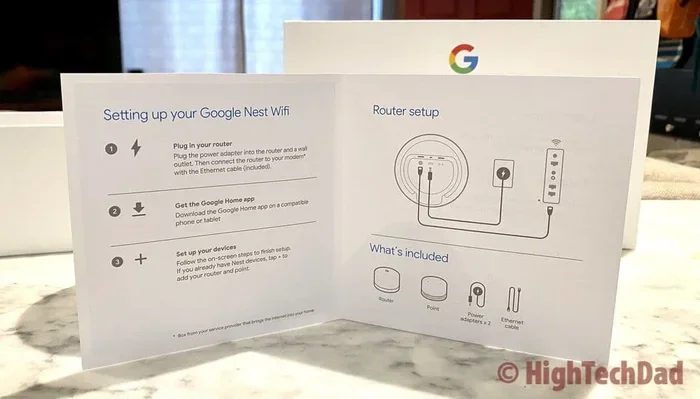
Similarly, if you are setting up a mesh WiFi system and want to connect a Bluetooth device to your smart home network, you might need WiFi first to configure the device. But after that, the Bluetooth connection stands on its own. This is a common point of confusion, so it is worth understanding that WiFi is only involved in setup, not in the ongoing Bluetooth connection.
When You Do Need WiFi or Cellular with Bluetooth
While Bluetooth itself does not need WiFi or cellular, many of the things you do with Bluetooth do require an internet connection. Understanding when you need that extra connection can help you troubleshoot issues and plan your usage better.
Streaming Content Over Bluetooth
If you want to stream music from Spotify, Apple Music, YouTube, or any other online service, you need an internet connection. Bluetooth simply carries the audio signal from your device to your speaker or headphones. The actual content comes from the internet through WiFi or cellular data.
For example, if you are at a hotel and you connect to the hotel WiFi, your Bluetooth headphones can stream music from the internet. But if the hotel WiFi requires you to log in through a browser first, you need to complete that step before Bluetooth streaming will work. This is where hotel WiFi settings can sometimes cause confusion, because the login page may block other connections until you authenticate.
Smart Home and IoT Devices
Many smart home devices use Bluetooth as one of their connection methods, but they also need WiFi or cellular to access cloud services. For example:
- A Bluetooth smart lock might work locally to lock and unlock your door, but it needs WiFi or cellular to send you a notification on your phone when someone enters.
- A Bluetooth temperature sensor might pair directly with your phone, but to view historical data or get alerts, it needs an internet connection to sync with the cloud.
- Smart speakers with Bluetooth support need WiFi to access voice assistants like Alexa or Google Assistant, even though the Bluetooth connection itself works offline.
In these cases, Bluetooth handles the local device-to-device connection, while WiFi or cellular handles the internet-based features. Both technologies work together to give you a complete experience.
Firmware Updates and App-Based Bluetooth Devices
Many modern Bluetooth devices need to be updated through an app. These updates require an internet connection to download. Without WiFi or cellular data, you may not be able to update the firmware of your Bluetooth devices. This can lead to outdated software, which sometimes causes connection problems or missing features.
So while the Bluetooth connection itself does not need the internet, maintaining and updating your Bluetooth devices often does.
Common Bluetooth Connectivity Issues and How to Fix Them
Even though Bluetooth does not need WiFi or cellular, it can still have connection problems. Here are some of the most common issues and simple fixes.
Bluetooth Devices Not Pairing
If your devices will not pair, try these steps:
- Make sure Bluetooth is turned on for both devices.
- Turn Bluetooth off and back on again on both devices.
- Move the devices closer together, ideally within 10 feet.
- Remove the device from your paired list and try pairing again.
- Check if the device is in pairing mode. Many devices need to be held in a specific button combination to enter pairing mode.
Bluetooth Connection Drops Frequently
If your Bluetooth connection keeps dropping, the issue might be interference or distance:
- Move closer to the connected device.
- Remove other wireless devices from the area that might cause interference.
- Check if a microwave oven or other 2.4 GHz device is nearby, as it can interfere with Bluetooth signals.
- Restart both the sending and receiving devices.
- Check for firmware updates for your Bluetooth device.
Bluetooth Works but No Sound
If your Bluetooth connects but you hear no audio:
- Check the volume on both the sending and receiving devices.
- Make sure the correct Bluetooth audio profile is selected. Some devices support both music and call audio profiles.
- Try disconnecting and reconnecting the Bluetooth device.
- Check if the audio app is routing sound through the Bluetooth device and not the phone speaker.
Quick Tips for Better Bluetooth Performance
- Keep your Bluetooth devices updated with the latest firmware.
- Avoid placing Bluetooth devices near thick walls or metal objects, which can block the signal.
- Turn off Bluetooth on devices you are not currently using to save battery and reduce interference.
- If you use a Bluetooth adapter in your car, make sure your car battery is healthy. A weak battery can cause Bluetooth adapter issues.
- For the best experience, keep your Bluetooth devices within the recommended range, usually about 30 feet.
Expert Insights on Bluetooth Connectivity
Bluetooth technology has come a long way since its early days. Modern Bluetooth versions offer better range, faster speeds, and lower power consumption than ever before. Bluetooth 5.0 and later versions have significantly improved the Bluetooth range and stability of connections.
One thing that surprises many people is that Bluetooth and WiFi, while both wireless, operate quite differently. WiFi connects you to the internet through a router, while Bluetooth connects devices directly to each other. Understanding this distinction is key to getting the most out of both technologies.
Another expert tip is to always check if your Bluetooth device supports the latest Bluetooth version. Newer versions not only offer better performance but also improved security. If your device only supports older Bluetooth versions, you might experience weaker connections or compatibility issues with newer devices.
When setting up a home network, it is also worth considering how your WiFi and Bluetooth devices coexist. If you have a lot of WiFi devices and Bluetooth devices in the same space, you might notice interference. Using a WiFi mesh system like a WiFi 6 mesh setup can help reduce this interference by providing a more stable WiFi connection, which in turn can improve the overall wireless experience in your home.
For those who extend their WiFi coverage to outbuildings or garages, keep in mind that extending WiFi does not directly affect Bluetooth range. However, a stronger overall wireless environment can reduce interference and improve the performance of all your wireless devices, including Bluetooth ones.
Conclusion
Does Bluetooth need WiFi or cellular to stay connected? The answer is no. Bluetooth is a self-contained wireless technology that connects devices directly to each other using radio waves. It does not need the internet, a router, or a cellular network to pair and transfer data between devices.
That said, many of the things you do with Bluetooth do benefit from or require an internet connection. Streaming music, using smart home features, and updating device firmware all need WiFi or cellular data. But the Bluetooth connection itself remains independent and works without any internet at all.
The next time you pair your headphones, connect a speaker, or share files between devices, remember that Bluetooth is doing its job all on its own. It is one of the most convenient and reliable wireless technologies we have, and understanding how it works can help you get the most out of every device you own.
Keep your Bluetooth devices updated, keep them within range, and enjoy the freedom of wireless connections that do not depend on WiFi or cellular. With Bluetooth, your devices stay connected wherever you go, no internet required.