Do I Need A Router And A Modem For Gaming Right Now
Yes, you need both a router and a modem for gaming if you want a reliable, fast, and lag-free experience. A modem connects your home to your internet service provider, while a router distributes that connection to your gaming devices. Using both devices together gives you better speed, lower ping, and stronger Wi-Fi coverage than a modem alone.
Let’s talk about something every gamer thinks about but rarely asks out loud. Do you really need both a router and a modem for gaming? It sounds like a simple question, but the answer has more layers than most people expect.
If you have ever experienced lag during a crucial match, you know how frustrating bad networking can be. Your gaming setup is only as good as your internet connection. And that connection starts with two key pieces of hardware. Let’s break it all down.
We will walk through exactly what each device does, why they matter for gaming, and how to set up your network for the best possible experience. By the end, you will know exactly what you need and why.
Key Takeaways
- A modem connects you to the internet; a router shares that connection with your devices.
- You need both for gaming if you play on multiple devices or use Wi-Fi.
- A gaming router reduces latency, improves packet loss, and prioritizes gaming traffic.
- A wired Ethernet connection through a router is always better than Wi-Fi for competitive gaming.
- Your ISP may provide a modem-router combo, but a separate setup gives you more control.
- Wi-Fi 6 routers offer the best wireless gaming performance right now.
- Setting up QoS (Quality of Service) can make a huge difference in your gaming experience.
📑 Table of Contents
- What Does A Modem Do For Gaming?
- What Does A Router Do For Gaming?
- Do You Need Both A Router And A Modem For Gaming?
- Gaming Router Vs Regular Router: What Makes The Difference?
- How To Set Up Your Network For The Best Gaming Experience
- Common Mistakes Gamers Make With Their Network Setup
- Expert Insights On Gaming Network Setup
- Key Takeaways
- Frequently Asked Questions
- Final Thoughts
What Does A Modem Do For Gaming?
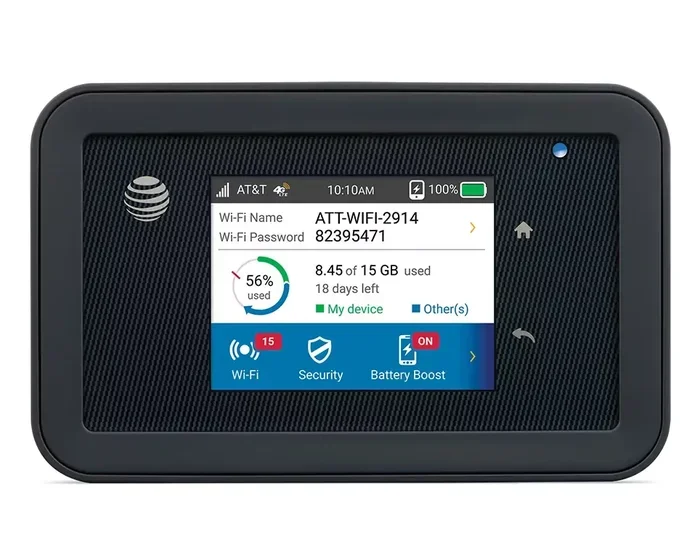
A modem is the device that connects your home to your internet service provider, or ISP. Think of it as the gateway between the outside world and your home network. Without a modem, none of your devices can reach the internet.
How A Modem Works
Your ISP sends data through cables, phone lines, or fiber lines to your home. The modem takes that signal and translates it into something your devices can understand. It does not create a Wi-Fi network. It does not share your connection with multiple devices. Its only job is to establish and maintain the internet link.
When you game, your console, PC, or mobile device sends data packets to game servers. The modem handles the incoming and outgoing traffic on that single connection. If your modem is slow or outdated, your gaming performance will suffer.
Types Of Modems
Not all modems are the same. Here are the main types you will encounter:
- DSL modems use phone lines and are common in rural areas.
- Cable modems use coaxial cables and are widely available in cities.
- Fiber modems (called ONTs) use fiber-optic cables for the fastest speeds.
- Dial-up modems are obsolete and should not be used for gaming.
For gaming, a cable or fiber modem is the best choice. They offer the low latency and high bandwidth that modern games demand.
What Does A Router Do For Gaming?
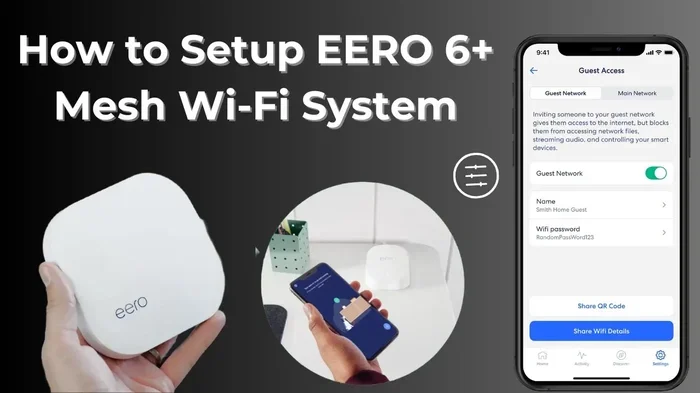
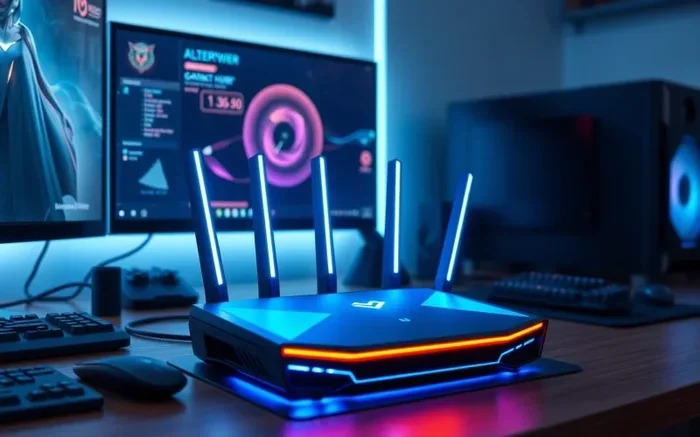
If the modem is the gateway, the router is the traffic director. It takes the internet connection from your modem and shares it with all your devices. But for gaming, a router does much more than just provide access.
How A Router Improves Your Gaming Setup
A router assigns local IP addresses to your devices. It manages the flow of data between your devices and the internet. More importantly for gamers, it can prioritize certain types of traffic over others.
This is called Quality of Service, or QoS. With QoS enabled, your router can give gaming data priority over things like streaming videos or downloads. This means less lag and smoother gameplay during peak usage hours.
A good router also provides better Wi-Fi coverage and stronger signal strength. If you game wirelessly, the quality of your router directly impacts your connection stability.
Router vs Modem: What Is The Difference?
People often confuse these two devices. Here is a simple way to think about it:
- A modem brings the internet into your home from your ISP.
- A router distributes that internet to your devices.
- A modem-router combo does both jobs in one device.
For serious gaming, separating these two devices is usually better. A standalone gaming router offers more features, better performance, and more control over your network.
Do You Need Both A Router And A Modem For Gaming?
This is the big question, and the answer depends on your situation. Let us look at the different scenarios.
Scenario 1: You Only Have A Modem
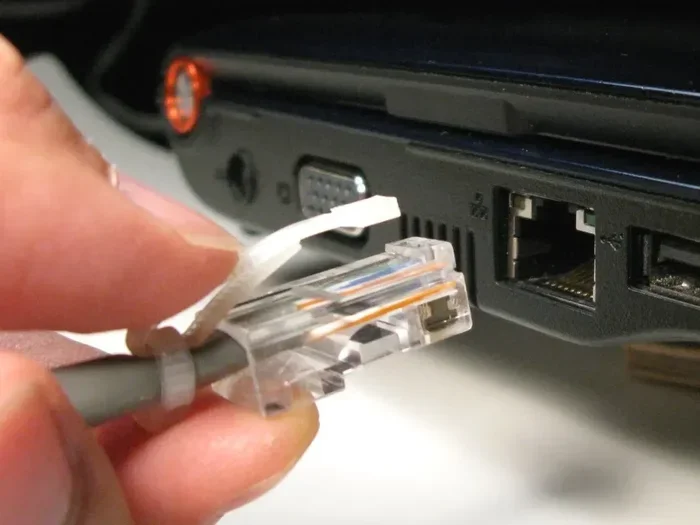
If you use only a modem, you can connect one device directly via an Ethernet cable. This works for basic gaming. Your connection will be stable and fast because there is no router bottleneck. But you can only game on one device at a time.
Also, a modem alone does not provide Wi-Fi. If you game on a laptop or mobile device, you will need a router for wireless access.
Scenario 2: You Have A Modem-Router Combo
Many ISPs provide a single device that acts as both a modem and a router. These are convenient and cost-effective. You plug one device in, and you are online.
However, combo devices often have limitations. They may not offer the same Wi-Fi speed, range, or advanced features as a dedicated gaming router. If you are a casual gamer, a combo unit works fine. But competitive gamers may notice the difference.
Scenario 3: You Have A Separate Modem And Router
This is the best setup for serious gaming. A separate modem and gaming router give you the most control and the best performance. You can upgrade each device independently as technology improves.
You also get better security features, stronger signal coverage, and more customization options. If you want the best possible gaming experience, this is the way to go.
Gaming Router Vs Regular Router: What Makes The Difference?
Not all routers are built for gaming. A regular home router handles everyday tasks like browsing, streaming, and video calls just fine. But a gaming router is designed with specific features that benefit gamers.
Features That Matter For Gaming
Here is what to look for in a router built for gaming:
- Low latency processing: Gaming routers prioritize data packets with minimal delay.
- Wi-Fi 6 or Wi-Fi 6E support: These standards offer faster speeds and better handling of multiple devices.
- QoS controls: You can manually set gaming traffic as the top priority.
- Multiple antennas: Better signal range and stability for wireless connections.
- Gigabit Ethernet ports: Wired connections always outperform wireless for gaming.
- Advanced security: Protects your network from DDoS attacks and other threats common in online gaming.
Do You Really Need A Gaming Router?
If you play casual games or single-player titles, a regular router is probably enough. But if you compete in online multiplayer games, a gaming router can give you a real edge. Lower ping, fewer disconnections, and smoother gameplay are all worth the investment.
Think of it this way. A regular router is like a standard car. A gaming router is like a sports car. Both get you from point A to point B. But one gets you there faster and with more precision.
How To Set Up Your Network For The Best Gaming Experience
Having the right hardware is only half the battle. How you set up your network matters just as much. Here is a step-by-step guide to optimizing your setup.
Step 1: Connect Your Modem
Start by connecting your modem to your ISP’s service line. This could be a coaxial cable, a phone line, or a fiber connection. Plug the modem into power and wait for it to fully sync with your ISP.
Step 2: Connect Your Router To The Modem
Use an Ethernet cable to connect the modem’s output port to the router’s WAN (Wide Area Network) port. This creates the link between your internet source and your local network.
Step 3: Connect Your Gaming Device
For the best performance, use a wired connection. Plug an Ethernet cable from one of the router’s LAN ports directly into your PC or console. Wired connections offer the lowest ping and the least packet loss.
If you must use Wi-Fi, make sure your router supports Wi-Fi 6 or newer. Position the router as close to your gaming area as possible for the strongest signal.
Step 4: Configure QoS Settings
Log into your router’s admin panel. Look for the QoS or traffic management section. Set your gaming device or gaming traffic as the highest priority. Save your settings and restart the router if needed.
Step 5: Test Your Connection
Run a speed test and a ping test before you start gaming. You want to see low latency (under 50 ms for most games) and stable speeds. If your results are poor, check your cables, restart your devices, or contact your ISP.
Quick Tips For Better Gaming Performance
- Always use a wired connection when possible for the lowest latency.
- Keep your router firmware updated for the latest performance improvements.
- Place your router in a central, open location away from walls and obstacles.
- Limit the number of devices using bandwidth while you are gaming.
- Use a gaming VPN only if your ISP is causing routing issues.
- Restart your modem and router regularly to clear cached data.
Common Mistakes Gamers Make With Their Network Setup
Even with the best equipment, poor setup choices can ruin your gaming experience. Here are the most common mistakes and how to avoid them.
Using A Modem-Router Combo Without Optimizing It
Many gamers plug in the ISP-provided combo device and never touch the settings. These devices often come with default configurations that are not optimized for gaming. Take a few minutes to adjust the QoS settings and update the firmware.
Ignoring Wired Connections
Wi-Fi is convenient, but it is not ideal for competitive gaming. Wireless interference, distance from the router, and other devices on the network can all increase your ping. An Ethernet cable eliminates these problems almost entirely.
Using Outdated Equipment
Older modems and routers simply cannot keep up with modern gaming demands. If your equipment is more than five years old, consider upgrading. Look for devices that support DOCSIS 3.1 for modems and Wi-Fi 6 for routers.
Overlooking Your ISP’s Role
No matter how good your router is, your internet plan matters. If you have a slow connection from your ISP, no amount of equipment upgrades will fix it. Make sure your plan offers enough bandwidth and low enough latency for gaming.
Not Securing Your Network
An open or weakly secured network invites neighbors and strangers to use your bandwidth. This slows down your connection and increases your ping. Always use WPA3 or WPA2 encryption and a strong password.
Expert Insights On Gaming Network Setup
We spoke with network professionals about what they recommend for serious gamers. The consensus is clear. A dedicated modem and a quality gaming router are the foundation of any serious gaming setup.
“The biggest mistake we see is people trying to game on a modem alone,” says one network technician. “Even if you use a wired connection, you miss out on the traffic management and security features a proper router provides.”
Another expert emphasizes the importance of internet speed tiers. “For competitive gaming, you do not need the fastest plan on the market. But you do need a stable, low-latency connection. Fiber is the gold standard. Cable is a solid second choice.”
The takeaway is simple. Invest in the right equipment. Set it up properly. And never underestimate how much your network affects your gameplay.
Key Takeaways
- A modem connects you to the internet; a router shares that connection with your devices.
- You need both for gaming if you play on multiple devices or use Wi-Fi.
- A gaming router reduces latency, improves packet loss, and prioritizes gaming traffic.
- A wired Ethernet connection through a router is always better than Wi-Fi for competitive gaming.
- Your ISP may provide a modem-router combo, but a separate setup gives you more control.
- Wi-Fi 6 routers offer the best wireless gaming performance right now.
- Setting up QoS (Quality of Service) can make a huge difference in your gaming experience.
Frequently Asked Questions
Can I game with just a modem and no router?
Yes, you can game with just a modem if you connect your device directly using an Ethernet cable. However, you will not be able to share the connection with other devices or use Wi-Fi. A router adds flexibility and improves overall network management for gaming.
Does a gaming router really make a difference?
Yes, a gaming router can make a noticeable difference, especially for competitive online gaming. Features like QoS, lower latency processing, and better traffic prioritization help reduce lag and improve stability compared to a standard router.
Do I need a modem-router combo or separate devices for gaming?
A separate modem and router setup is generally better for gaming. It gives you more control, better performance, and the ability to upgrade each device independently. However, a modem-router combo works fine for casual gamers who do not need advanced features.
What internet speed do I need for online gaming?
Most online games require only 3 to 6 Mbps of download speed. The more important factor is low latency and a stable connection. Fiber internet offers the best balance of speed and low ping for gaming.
Is Wi-Fi good enough for gaming?
Wi-Fi can be good enough for gaming, especially with Wi-Fi 6 or newer routers. However, a wired Ethernet connection is always more stable and has lower latency. For competitive gaming, a wired connection is strongly recommended.
How often should I upgrade my modem and router?
Plan to upgrade your modem every 4 to 5 years and your router every 3 to 4 years. Technology evolves quickly, and newer standards like Wi-Fi 6 and DOCSIS 3.1 offer significant improvements in speed and performance for gaming.
Final Thoughts
So, do you need a router and a modem for gaming? The short answer is yes. Both devices play essential roles in delivering a smooth, lag-free gaming experience. A modem brings the internet into your home, and a router shares it with your gaming devices while managing traffic for the best performance.
If you are serious about gaming, investing in a quality gaming router and a reliable modem is one of the best decisions you can make. The difference in latency, stability, and speed is real and noticeable.
Start by evaluating your current setup. Check your ISP equipment, test your connection speeds, and identify any weak points. Then make the upgrades that make sense for your budget and gaming goals.
Your gaming experience is only as strong as your network. Take control of it today, and you will feel the difference in every match you play.