Can You Trust Starbucks Wi Fi When Working Remotely
Many remote workers rely on Starbucks WiFi for their daily tasks, but the big question is: can you trust it? Starbucks WiFi offers convenience and free internet, but it also comes with real security risks that every remote worker should know about. In this guide, we break down how Starbucks WiFi works, what dangers to watch for, and simple steps you can take to stay safe. Whether you are a digital nomad or a part-time remote worker, this article gives you the honest truth about using Starbucks WiFi for work.
Key Takeaways
- Starbucks WiFi is convenient but not fully secure: public WiFi networks can expose your data to potential threats.
- Using a VPN is essential: a VPN encrypts your connection and keeps your work data safe on public networks.
- Starbucks WiFi speed varies by location: some stores offer fast connections while others can be slow and unreliable.
- Password-protected networks are safer: stores that require a password add a basic layer of protection.
- Avoid sensitive tasks without protection: banking and confidential work should only be done on secure networks.
- A mobile hotspot is a great alternative: it gives you full control over your connection security.
- Starbucks has improved its network setup: the company has made updates to enhance WiFi security over the years.
📑 Table of Contents
- Why Starbucks WiFi Is a Go-To Spot for Remote Workers
- How Starbucks WiFi Actually Works
- Security Risks of Using Starbucks WiFi for Work
- How to Stay Safe When Using Starbucks WiFi
- Speed and Reliability of Starbucks WiFi
- Starbucks WiFi vs. Other Remote Work Options
- When to Avoid Starbucks WiFi for Work
- Expert Tips for a Better Starbucks Work Session
- Conclusion
Why Starbucks WiFi Is a Go-To Spot for Remote Workers
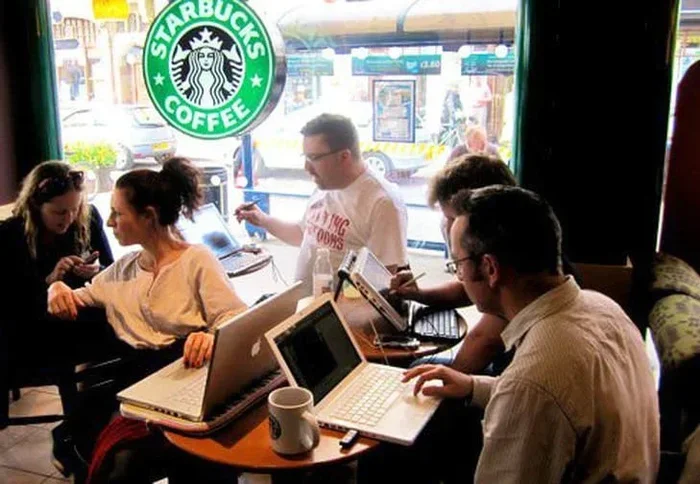
Working from Starbucks has become a lifestyle for many people. The smell of coffee, the background hum of conversations, and the free WiFi make it a perfect spot to get things done. But here is the real question: can you trust Starbucks WiFi when working remotely?
The answer is not a simple yes or no. Starbucks WiFi is popular because it is free and widely available. You can walk into almost any Starbucks location and connect to their network. This makes it very appealing for freelancers, students, and remote employees who need a change of scenery.
However, popularity does not mean safety. Public WiFi networks like the one at Starbucks are known to have vulnerabilities. Many people do not think about the risks until something goes wrong. That is why it is so important to understand what you are connecting to and how to protect yourself.
In this article, we will look at how Starbucks WiFi works, what the security risks really are, and what you can do to stay safe. By the end, you will know exactly whether Starbucks WiFi is right for your work needs.
The Rise of Remote Work and Coffee Shop WiFi
Remote work has grown a lot in recent years. More people are choosing to work from cafes, co-working spaces, and home offices. Starbucks positioned itself early as a remote work-friendly spot. The company offered free WiFi long before it became the norm.
This move helped Starbucks build a loyal customer base. People came in, ordered a coffee, and stayed for hours to work. The Starbucks WiFi became a part of the brand identity. Today, many remote workers see Starbucks as an extension of their office.
But convenience comes with trade-offs. When you connect to any public network, you are sharing that network with dozens or even hundreds of other people. This shared environment is where the risks start to appear.
How Starbucks WiFi Actually Works
Understanding how the network works helps you understand the risks. Starbucks WiFi is a public wireless network. This means anyone within range can try to connect to it. The network is managed by Starbucks and typically requires a simple login process.
In most locations, you need to visit a Starbucks website or use the Starbucks app to get connected. You might see a splash screen asking you to agree to terms of service. Once you do that, you are online. Some locations offer a password-protected network, while others are open.
Starbucks WiFi Network Types
Starbucks has used different network setups over the years. The most common setup involves a captive portal. This is the page you see when you first connect. It asks for your email or requires you to accept terms before giving you access.
Here is how the connection process usually works:
- You select the Starbucks WiFi network on your device.
- Your browser opens a login or splash page automatically.
- You enter your email or accept the terms of use.
- You get access to the internet for a set period.
The network is shared among all customers in the store. This means your data travels through the same router and network as everyone else’s. In a busy Starbucks, that could be dozens of devices at once.
Is Starbucks WiFi Password Protected?
The answer depends on the location. Some Starbucks stores use a password for their WiFi, while others do not. Even when a password is required, it does not mean the network is fully secure. A shared password only keeps casual users out. It does not stop a determined attacker from accessing the network.
The password also changes frequently in some stores. This can be annoying for regular customers but does add a small layer of protection. Overall, the security level of Starbucks WiFi is basic at best.
Security Risks of Using Starbucks WiFi for Work
This is where things get serious. Using public WiFi for remote work comes with real risks. You need to know what could go wrong so you can take steps to prevent it.
Man-in-the-Middle Attacks
A man-in-the-middle attack is one of the biggest threats on public WiFi. In this type of attack, a hacker positions themselves between your device and the internet. They can intercept data you send and receive without you knowing.
Imagine you are logging into your work email on Starbucks WiFi. A hacker could potentially see your username and password. This is a scary thought, but it is a real possibility on unsecured networks.
Packet Sniffing
Packet sniffing is another risk. Hackers use tools to capture data packets traveling over the network. If the data is not encrypted, they can read it easily. This includes emails, messages, and any files you upload or download.
Starbucks WiFi does not encrypt all traffic by default. This means your data could be visible to others on the same network. This risk is higher in crowded stores where many people are connected.
Rogue Hotspots and Evil Twin Attacks
An evil twin attack happens when a hacker sets up a fake WiFi network that looks like the real Starbucks WiFi. You might connect to a network called “Starbucks WiFi Free” without realizing it is not the official network.
Once connected, the hacker can monitor all your online activity. This type of attack is sneaky because the fake network can look identical to the real one. Even experienced users can fall for it.
Malware Distribution
Public networks can also be used to spread malware. If another device on the network is infected, it could try to spread the malware to other connected devices. This is less common but still a risk you should be aware of.
How to Stay Safe When Using Starbucks WiFi
The good news is that you can take steps to protect yourself. You do not have to give up working from Starbucks altogether. Here are practical tips to keep your data safe.
Use a VPN
A VPN is the single best tool for staying safe on public WiFi. A VPN for Starbucks WiFi encrypts all the data leaving your device. This means even if someone intercepts your traffic, they cannot read it.
When you use a VPN, your data travels through a secure tunnel. Hackers on the same network cannot access your information. There are many affordable VPN services available. Some popular options include NordVPN, ExpressVPN, and Surfshark.
Here is why a VPN is so important:
- It encrypts your internet traffic.
- It hides your IP address from others on the network.
- It protects your login credentials and personal data.
- It gives you peace of mind when working in public spaces.
Turn Off File Sharing
Before you connect to Starbucks WiFi, make sure file sharing is turned off on your device. File sharing allows other devices on the same network to access your files. You do not want strangers seeing your work documents.
On Windows, go to Network and Sharing Center and turn off file and printer sharing. On Mac, go to System Preferences and disable file sharing. On your phone, turn off AirDrop or similar features.
Enable Your Firewall
Your device’s firewall is your first line of defense. Make sure it is turned on before you connect to any public network. The firewall blocks unauthorized access attempts from other devices on the network.
Most operating systems come with a built-in firewall. On Windows, it is called Windows Defender Firewall. On Mac, it is called the macOS Firewall. Both are easy to enable and provide good baseline protection.
Only Visit HTTPS Websites
Look for the padlock icon in your browser’s address bar. This means the website uses HTTPS encryption. HTTPS encrypts the data between your browser and the website.
Avoid entering sensitive information on HTTP websites while using Starbucks WiFi. HTTPS websites are much safer than HTTP ones, but they are not foolproof. A VPN adds an extra layer of protection on top of HTTPS.
Forget the Network When You Leave
This is a simple habit that many people forget. When you are done working at Starbucks, go into your WiFi settings and forget the network. This prevents your device from automatically connecting the next time you walk by.
Auto-connecting to public networks can be dangerous. Your device might connect without you realizing it, exposing your data to potential threats. Make it a habit to forget the network after each session.
Speed and Reliability of Starbucks WiFi
Security is not the only concern. Speed and reliability matter too when you are trying to get work done. So how does Starbucks WiFi perform when you need it most?
What to Expect from Starbucks Internet Speed
Starbucks WiFi speeds vary widely depending on the location and time of day. In general, the speed is good enough for email, video calls, and light browsing. However, during peak hours, the connection can slow down significantly.
A typical Starbucks WiFi connection offers speeds between 10 and 50 Mbps. This is enough for most remote work tasks. But if you need to upload large files or join high-definition video calls, you might run into issues.
Factors That Affect Starbucks WiFi Speed
Several factors influence how fast your connection will be:
- Number of users: A crowded Starbucks means slower speeds for everyone.
- Time of day: Morning and lunch hours tend to be the busiest.
- Store layout: The distance from the router affects signal strength.
- Network equipment: Older stores may have outdated routers and equipment.
- Your device: Older laptops and phones may not connect as fast.
Is Starbucks WiFi Reliable Enough for Video Calls?
For basic video calls, Starbucks WiFi is usually reliable. But if you are in a busy location during peak hours, you might experience lag or dropped calls. This can be frustrating during important meetings.
If video calls are a regular part of your work, consider these tips:
- Choose a seat close to the store entrance or the back wall where routers are often placed.
- Use a mobile hotspot as a backup option.
- Turn off video and use audio only when the connection is weak.
- Test the speed before joining an important call using a WiFi speed test tool.
Starbucks WiFi vs. Other Remote Work Options
Starbucks is not the only option for remote work locations. Let us compare it with other common choices to help you decide what works best for you.
Starbucks WiFi vs. Home Office WiFi
Your home WiFi is always going to be more secure and reliable than Starbucks WiFi. At home, you control the network, the password, and the router settings. You can also get faster speeds with a wired ethernet connection.
However, working from home every day can feel isolating. Starbucks offers a change of environment that can boost your creativity and focus. The key is to use Starbucks WiFi safely when you do go out.
Starbucks WiFi vs. Co-Working Spaces
Co-working spaces offer dedicated work environments with secure WiFi. They also provide professional amenities like meeting rooms and printing services. The downside is the cost, which can range from $100 to $300 per month.
Starbucks WiFi is free, but it lacks the reliability and security of a co-working space. If you work remotely full-time, a co-working space might be a better long-term investment.
Starbucks WiFi vs. Mobile Hotspot
A mobile hotspot uses your phone’s cellular data to create a WiFi network. This gives you full control over your connection. It is more secure than any public WiFi, including Starbucks.
Here is a quick comparison:
- Security: Mobile hotspot wins easily. Starbucks WiFi is public and shared.
- Speed: Depends on your cellular signal, but usually consistent.
- Cost: Starbucks WiFi is free. A mobile hotspot uses your data plan.
- Convenience: Starbucks WiFi is available almost anywhere. A hotspot requires cell service.
Starbucks WiFi vs. Library WiFi
Public libraries also offer free WiFi, and they tend to be quieter than Starbucks. Library WiFi is often less crowded, which means better speeds. Libraries also have IT staff who manage the network, which can mean better security practices.
Both Starbucks and library WiFi are public networks and carry similar risks. You should use a VPN on either network to protect your data.
When to Avoid Starbucks WiFi for Work
There are times when you should skip Starbucks WiFi altogether. Knowing when to avoid it is just as important as knowing how to use it safely.
Handling Sensitive Financial Information
If you need to access your bank account, enter credit card details, or handle any financial transactions, do not do it on Starbucks WiFi. The risk of data interception is too high, even with a VPN.
Wait until you are on a secure network at home or in the office. Financial transactions require the highest level of security, and public WiFi simply cannot provide that.
Working on Confidential Client Data
If your work involves confidential client information, think twice before using Starbucks WiFi. Client data is protected by privacy laws and professional ethics. Exposing it on a public network could have serious consequences.
This is especially true for healthcare workers, lawyers, and financial advisors who handle sensitive information daily. Always use a secure, private network for this type of work.
During Peak Hours When the Network Is Crowded
A crowded network is a slower and less secure network. When Starbucks is packed, the WiFi slows down and the risk of interception increases. If you need to get important work done, try visiting during off-peak hours instead.
Early mornings and mid-afternoons tend to be quieter at most Starbucks locations. These are better times to work if you rely on the store’s WiFi.
Expert Tips for a Better Starbucks Work Session
Want to get the most out of your Starbucks work sessions? Here are some expert tips that make a big difference.
Bring Your Own Power Bank
Not every Starbucks seat has a convenient outlet. A portable power bank keeps your laptop and phone charged throughout the day. This is especially helpful if you plan to stay for several hours.
Use Noise-Canceling Headphones
Starbucks can get noisy, especially during busy hours. Noise-canceling headphones help you focus on your work without getting distracted by conversations and background noise.
Set a Time Limit
It is easy to lose track of time when you are in the zone. Set a timer so you do not end up staying for hours and spending more on coffee than you planned. A focused work session of two to three hours is usually plenty.
Order Something to Support the Business
Starbucks WiFi is free, but it is not a right. The business provides this service to customers who purchase items. Be respectful and order at least a coffee or a snack if you plan to work there for an extended period.
Have a Backup Plan
Always have a backup plan in case Starbucks WiFi is down or too slow. Your phone’s mobile hotspot is a great backup option. You can also identify a nearby co-working space or library as an alternative.
Conclusion
So, can you trust Starbucks WiFi when working remotely? The honest answer is: it depends. Starbucks WiFi is convenient and free, which makes it attractive for remote workers. But it is a public network, and public networks always carry some level of risk.
You can absolutely use Starbucks WiFi for work if you take the right precautions. A VPN is the most important tool you can use. It encrypts your data and keeps your connection private. Turning off file sharing, using HTTPS websites, and forgetting the network when you leave are all simple habits that add up to better security.
Speed and reliability are good enough for most tasks, but they are not guaranteed. If you need a stable connection for important video calls or large file uploads, consider using a mobile hotspot instead.
The bottom line is that Starbucks WiFi is a useful tool for remote workers, but it should be used wisely. Know the risks, take precautions, and always prioritize the security of your data. With the right approach, you can enjoy the Starbucks work experience without putting your information at risk.
Stay safe, stay productive, and enjoy your coffee while you work.
Frequently Asked Questions
Is Starbucks WiFi safe for online banking?
No, it is not recommended to do online banking on Starbucks WiFi without a VPN. Public WiFi networks are vulnerable to interception, and banking transactions involve sensitive financial data. Always use a secure, private network for banking activities.
Do I need a VPN for Starbucks WiFi?
Yes, a VPN is strongly recommended when using Starbucks WiFi. It encrypts your internet traffic and protects your data from hackers on the same network. A VPN is one of the simplest and most effective ways to stay safe on public WiFi.
Can someone hack my phone through Starbucks WiFi?
It is possible, though not common. Hackers can exploit vulnerabilities on public WiFi networks to access devices. The risk increases if your device has weak security settings or outdated software. Using a VPN and keeping your device updated greatly reduces this risk.
Why is Starbucks WiFi so slow sometimes?
Starbucks WiFi slows down when many people are connected to the same network. Peak hours, such as lunch time and weekends, tend to be the busiest. The distance from the router and the age of the store’s equipment also affect speed.
Can I use Starbucks WiFi without buying anything?
Technically yes, but it is not encouraged. Starbucks provides WiFi as a courtesy to paying customers. If you plan to work there for a long time, it is polite to order a drink or snack. Some stores may also limit WiFi access to customers only.
What is the password for Starbucks WiFi?
The password varies by location and is often printed on receipts or available at the register. Some stores use an open network that does not require a password at all. Regardless of the setup, always use a VPN for protection.