Are Xbox HDMI Cables Different From Regular Cables
Xbox HDMI cables are not the same as regular HDMI cables. They are built with higher bandwidth, better shielding, and support for advanced features like 4K resolution, 120Hz refresh rates, and HDR. Choosing the right cable can make a huge difference in your gaming performance and display quality.
You just unboxed your shiny new Xbox. You plug in the HDMI cable, turn it on, and… the picture looks okay. But is it the best it can be? Maybe not. The truth is that Xbox HDMI cables are different from the standard cables you might have lying around from an old TV or a streaming box.
Understanding this difference matters more than most people realize. The right cable unlocks features like 4K resolution, high refresh rates, and HDR. The wrong one can hold your console back. Let’s break down exactly how Xbox HDMI cables differ from regular cables and what you need to know before buying one.
Key Takeaways
- Xbox HDMI cables are different from regular cables: They offer higher bandwidth and support for advanced gaming features like 4K and 120Hz.
- HDMI 2.1 is the standard for Xbox Series X and S: It delivers the best gaming experience with Ultra HD resolution and variable refresh rate.
- Using the wrong cable can limit your console’s performance: You may miss out on high frame rates and stunning visuals.
- Not all HDMI cables are created equal: Speed ratings, cable length, and build quality matter for gaming.
- You don’t always need to buy the official Xbox cable: Many certified third-party HDMI 2.1 cables work just as well.
- Common mistakes include using old cables or too-long runs: These can cause signal loss and poor picture quality.
📑 Table of Contents
What Makes Xbox HDMI Cables Different
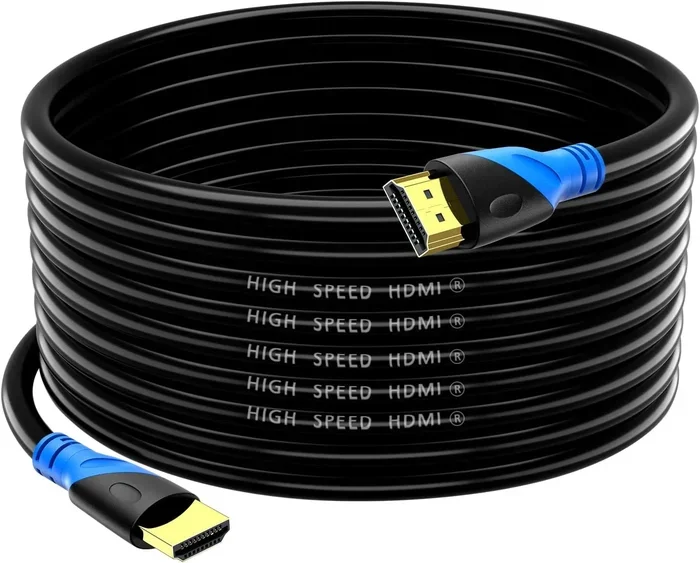
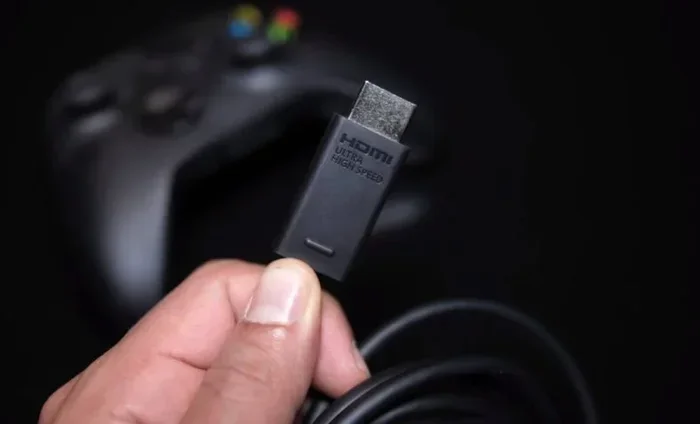
At first glance, an Xbox HDMI cable looks just like any other HDMI cable. It has the same rectangular connector on both ends. But inside, there are some big differences. Xbox HDMI cables are designed specifically for gaming. They handle more data, transfer signals faster, and support features that regular cables simply cannot.
Regular HDMI cables are built for basic tasks. Think streaming movies or connecting a laptop to a monitor. They work fine for those jobs. But gaming demands much more. Modern consoles push massive amounts of data every second. They need a cable that can keep up without dropping frames or reducing quality.
Bandwidth and Data Transfer
The biggest difference is bandwidth. Xbox HDMI cables, especially those rated for HDMI 2.1, offer significantly higher bandwidth than standard cables. Bandwidth is the amount of data the cable can carry at one time. More bandwidth means better picture quality and smoother gameplay.
Here is a simple way to think about it. A regular HDMI cable is like a two-lane road. An Xbox HDMI 2.1 cable is like a highway with multiple lanes. Both get you to the destination. But one handles traffic much better. When you are gaming, that extra capacity makes a real difference.
Xbox Series X and Xbox Series S both require HDMI 2.1 cables to reach their full potential. These consoles support 4K gaming at 120 frames per second. That is a lot of data moving every second. A regular HDMI cable simply cannot handle that kind of load.
Build Quality and Shielding
Xbox HDMI cables also tend to have better build quality. They use thicker shielding to protect the signal from interference. This is important because gaming setups often have lots of electronic devices nearby. Without proper shielding, you can experience signal loss or visual artifacts on your screen.
Regular cables often use thinner materials. They might work fine for casual use. But in a gaming setup with multiple devices, they can cause problems. You might notice flickering, color issues, or dropped signals during intense gameplay.
Understanding HDMI Versions for Xbox
Not all HDMI cables are the same, and not all are compatible with Xbox consoles. Understanding HDMI versions is key to getting the best experience from your gaming setup. Let us look at what each version offers and which ones work with Xbox consoles.
HDMI 2.0 vs HDMI 2.1
HDMI 2.0 is the older standard. It supports 4K resolution at 60Hz. That is fine for many people. But if you want the full Xbox experience, HDMI 2.1 is what you need. HDMI 2.1 supports 4K at 120Hz, which means smoother and more responsive gameplay.
HDMI 2.1 also introduces several gaming-specific features. These include variable refresh rate, auto low latency mode, and enhanced audio return channel. Regular HDMI 2.0 cables do not support these features. This is one of the main reasons Xbox HDMI cables are different from regular cables.
What Each Version Supports
Here is a quick look at what each HDMI version can do for your Xbox console.
- HDMI 1.4: Supports 1080p at 60Hz. Good for older Xbox One models. Not ideal for modern gaming.
- HDMI 2.0: Supports 4K at 60Hz. Works with Xbox One X and Xbox One S. Decent for casual gaming.
- HDMI 2.1: Supports 4K at 120Hz and 8K at 60Hz. Required for Xbox Series X and Xbox Series S. Unlocks the full gaming potential.
As you can see, the version of your HDMI cable directly affects what your console can do. Using an older cable with a newer console means you will miss out on features. This is why Xbox HDMI cables are built to the HDMI 2.1 standard.
Xbox HDMI Cable vs Regular HDMI Cable: Key Differences
Now let us compare Xbox HDMI cables side by side with regular HDMI cables. This will help you understand exactly what you are paying for and why it matters for your gaming setup.
Speed and Performance
Regular HDMI cables are rated for standard speeds. They handle basic 1080p and 4K at 60Hz just fine. But they struggle with the higher refresh rates and resolutions that modern gaming demands. Xbox HDMI cables are rated for ultra-high speeds. They can handle 4K at 120Hz and even 8K resolution in some cases.
For gamers, this difference is huge. A higher refresh rate means smoother motion on screen. It makes fast-paced games feel more responsive. If you are playing a competitive shooter, that extra smoothness can give you a real edge.
Feature Support
Xbox HDMI cables support features that regular cables do not. These include:
- Variable Refresh Rate (VRR): Reduces screen tearing and stuttering during gameplay.
- Auto Low Latency Mode (ALLM): Automatically switches your TV to low-latency mode for gaming.
- Enhanced Audio Return Channel (eARC): Delivers high-quality audio to soundbars and receivers.
- Dynamic HDR: Adjusts HDR settings scene by scene for better contrast and color.
Regular HDMI cables simply cannot provide these features. If you want to take full advantage of your Xbox console, you need a cable that supports them.
Cable Length and Signal Quality
Another difference is signal quality over distance. Regular HDMI cables can lose signal strength if they are too long. Xbox HDMI cables are designed to maintain a strong signal even at greater lengths. This matters if your TV is far from your console or if you are using an AV receiver in between.
That said, longer cables of any type can experience some signal degradation. The key is to use a high-quality cable rated for the distance you need. For most gaming setups, a cable between 3 and 6 feet works perfectly.
Comparison Table
| Feature | Regular HDMI Cable | Xbox HDMI Cable (HDMI 2.1) |
|---|---|---|
| Max Resolution | 4K at 60Hz | 4K at 120Hz / 8K at 60Hz |
| Bandwidth | Up to 18 Gbps | Up to 48 Gbps |
| VRR Support | No | Yes |
| ALLM Support | No | Yes |
| eARC Support | Limited | Full Support |
| Dynamic HDR | Basic HDR | Full Dynamic HDR |
| Build Quality | Standard | Enhanced Shielding |
| Gaming Optimized | No | Yes |
As the table shows, Xbox HDMI cables offer a clear advantage for gaming. They are built to handle the demands of modern consoles. Regular cables are fine for basic use, but they will hold back your Xbox.
Which HDMI Cable Do You Need for Your Xbox
Choosing the right HDMI cable for your Xbox depends on which console you own and what TV or monitor you are using. Let us walk through the options so you can make the best choice for your setup.
For Xbox Series X Users
If you have an Xbox Series X, you should absolutely use an HDMI 2.1 cable. This console is designed to take full advantage of the HDMI 2.1 standard. Without an HDMI 2.1 cable, you will be limited to 4K at 60Hz instead of 4K at 120Hz.
The good news is that Xbox Series X comes with an HDMI 2.1 cable in the box. You might not even need to buy a separate one. But if your current cable is old or damaged, replacing it with a certified HDMI 2.1 cable can make a noticeable difference.
For Xbox Series S Users
The Xbox Series S is a more affordable console. It targets 1440p resolution at 120Hz. It still benefits from an HDMI 2.1 cable. While it does not push 4K, the 120Hz refresh rate still requires the higher bandwidth that HDMI 2.1 provides.
Xbox Series S also comes with an HDMI 2.1 cable included. So again, you may not need to buy a new one right away. But if you want to upgrade or replace your cable, look for one that is certified HDMI 2.1.
For Xbox One Users
Older Xbox models like the Xbox One and Xbox One X work fine with HDMI 2.0 cables. You do not need the full HDMI 2.1 standard for these consoles. An HDMI 2.0 cable will support 4K at 60Hz, which is more than enough for Xbox One gaming.
However, if you plan to upgrade to a newer Xbox in the future, investing in an HDMI 2.1 cable now is a smart move. It ensures your setup is ready when you make the switch.
Quick Tips for Choosing the Right Cable
- Check your console: Xbox Series X and S need HDMI 2.1. Xbox One works with HDMI 2.0.
- Check your TV: Make sure your display supports the resolution and refresh rate you want.
- Buy certified cables: Look for cables certified by HDMI Licensing. This ensures they meet the official standards.
- Consider cable length: Keep it as short as possible for the best signal quality. 3 to 6 feet is ideal for most setups.
- Do not overspend: You do not need the most expensive cable. Many affordable HDMI 2.1 cables perform just as well as premium ones.
Common Mistakes People Make with Xbox HDMI Cables
Even experienced gamers can make mistakes when it comes to HDMI cables. Avoiding these common errors can save you frustration and help you get the most out of your Xbox console.
Using an Old or Outdated Cable
This is the most common mistake. Many people grab whatever HDMI cable they have on hand. If it is an older cable, it might not support the features your Xbox offers. You could be playing at lower resolution or missing out on high refresh rates without even knowing it.
If your cable is more than a few years old, it is worth checking what version it supports. Upgrading to a certified HDMI 2.1 cable is an easy and affordable way to improve your gaming experience.
Ignoring Cable Certification
Not all cables labeled as “4K” or “High Speed” are created equal. Some cheap cables make claims they cannot back up. Always look for cables that are certified by the HDMI Licensing organization. Certified cables have been tested to meet specific standards for bandwidth and performance.
Using Too Long of a Cable
Longer cables can cause signal degradation. This is especially true for high-bandwidth connections like HDMI 2.1. If you need a longer cable, invest in a high-quality one that is rated for the length you need. A cheap 20-foot cable may not deliver the same quality as a shorter premium one.
Plugging Into the Wrong Port
Some TVs have multiple HDMI ports, and not all of them support the same features. Make sure you plug your Xbox into an HDMI port that supports HDMI 2.1 if you want to use features like 120Hz refresh rate and VRR. Check your TV manual or settings to confirm which ports are HDMI 2.1 compatible.
Expert Tips for the Best Xbox HDMI Setup
Getting the most out of your Xbox HDMI cable is about more than just plugging it in. A few expert tips can help you optimize your setup and ensure you are getting the best possible picture and performance.
Keep Your Cables in Good Condition
Inspect your HDMI cables regularly. Look for frayed ends, bent pins, or damage to the cable itself. A damaged cable can cause a range of issues, from poor picture quality to complete signal loss. Replacing a worn cable is cheap and easy compared to troubleshooting other problems.
Update Your Console and TV Firmware
Keeping your Xbox and your TV updated ensures they can communicate properly. Firmware updates often include improvements to HDMI compatibility and performance. Check for updates regularly to make sure everything is running smoothly.
Use an AV Receiver Wisely
If you use an AV receiver or soundbar between your Xbox and your TV, make sure it supports HDMI 2.1. Some older receivers only support HDMI 2.0. This can bottleneck your setup and prevent you from using features like 4K at 120Hz.
Experiment with Settings
Your Xbox has several display settings that can affect performance. Try different refresh rates and resolution settings to find what works best for your TV. Use the Xbox Game Bar to monitor your frame rate and adjust settings accordingly.
Buy from Reputable Brands
When shopping for an Xbox HDMI cable, stick with reputable brands. Look for well-known manufacturers that specialize in audio and video cables. They are more likely to produce reliable, high-quality products that deliver on their promises.
Conclusion
So are Xbox HDMI cables different from regular cables? The answer is a clear yes. Xbox HDMI cables are built for gaming. They offer higher bandwidth, better build quality, and support for advanced features that regular cables simply cannot match. If you want the best possible experience from your Xbox console, using the right HDMI cable is essential.
Whether you have an Xbox Series X or an Xbox Series S, an HDMI 2.1 cable unlocks the full potential of your console. You get smoother gameplay, sharper visuals, and access to features like variable refresh rate and auto low latency mode. These are not just nice-to-have features. They are game-changers for serious gamers.
The good news is that you do not need to spend a fortune on a premium cable. Many affordable HDMI 2.1 cables deliver excellent performance. Just make sure your cable is certified and compatible with your console and TV. Take a few minutes to check your setup today. The difference it makes in your gaming experience is well worth the effort.
Do not let an old or wrong cable hold back your Xbox. Upgrade to the right HDMI cable and enjoy your games the way they were meant to be played. Your eyes and your gameplay will thank you.
Frequently Asked Questions
Can I use any HDMI cable with my Xbox?
You can use any HDMI cable, but the experience will vary. For Xbox Series X and Xbox Series S, you need an HDMI 2.1 cable to unlock features like 4K at 120Hz. Using an older HDMI 2.0 cable will limit your console’s performance. Always check your cable’s specifications before buying one for your Xbox.
Do Xbox consoles come with an HDMI cable?
Yes, both Xbox Series X and Xbox Series S come with an HDMI 2.1 cable in the box. You do not need to buy a separate cable unless you want to upgrade or replace the included one. Xbox One models come with an HDMI 2.0 cable.
Will an expensive HDMI cable improve my Xbox gaming experience?
Not necessarily. The price of a cable does not always reflect its performance. Many affordable HDMI 2.1 cables perform just as well as expensive ones. What matters most is the cable’s certification and specifications, not its price tag. Look for certified cables from reputable brands.
Can I use a regular HDMI cable for 4K gaming on Xbox?
It depends on the cable version. A regular HDMI 2.0 cable supports 4K at 60Hz, which is fine for casual gaming. But for 4K at 120Hz, you need an HDMI 2.1 cable. Regular cables cannot handle the higher bandwidth required for 120Hz refresh rates.
How long should my Xbox HDMI cable be?
Shorter cables generally provide better signal quality. A cable between 3 and 6 feet is ideal for most gaming setups. If you need a longer cable, invest in a high-quality HDMI 2.1 cable rated for the length you need. Avoid very long cables from unknown brands, as they may cause signal loss.
What happens if I use an HDMI 2.0 cable with Xbox Series X?
Your Xbox Series X will still work fine, but you will be limited to 4K at 60Hz instead of 4K at 120Hz. You will also miss out on features like variable refresh rate and auto low latency mode. Upgrading to an HDMI 2.1 cable unlocks the full potential of your console.
=== CONCLUSION ===
Xbox HDMI cables are different from regular cables, and understanding this difference can transform your gaming experience. The right cable delivers better picture quality, smoother gameplay, and access to advanced features that make modern gaming more immersive. Whether you are upgrading from an older console or setting up a brand new Xbox, choosing the correct HDMI cable is one of the simplest and most impactful decisions you can make.
Take the time to evaluate your current setup. Check your cable version, your TV capabilities, and your gaming goals. A small investment in the right Xbox HDMI cable can pay off in huge ways. Your games will look better, feel smoother, and perform at their best. Do not settle for less when the right cable is just a purchase away.