How Do I Add Bluetooth To My Factory Stereo Step By Step
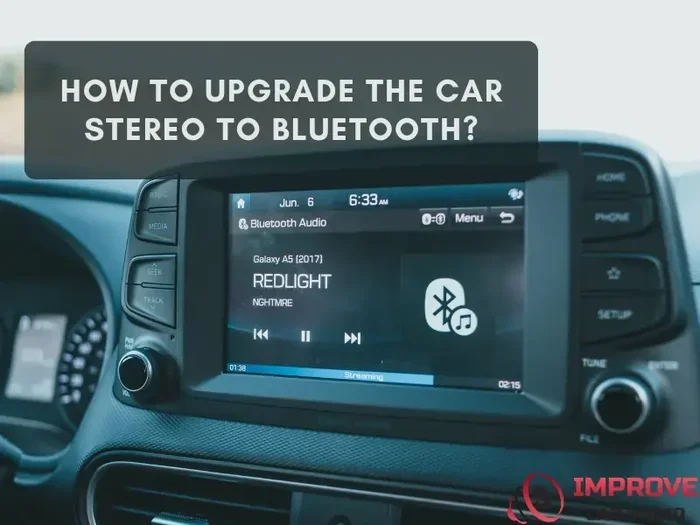
Adding Bluetooth to your factory stereo is easier than you think. You can use a Bluetooth adapter, FM transmitter, or aftermarket head unit to get wireless streaming in your car. This guide walks you through every method so you can choose the best option for your setup and budget.
There is nothing quite like streaming your favorite playlists while driving. But if your car came with a factory stereo that lacks Bluetooth, every trip feels stuck in the past. You are not alone in this struggle. Many drivers still rely on cables and CDs when wireless audio is just a tap away.
The good news is that adding Bluetooth to a factory stereo does not mean you need to replace your entire system. Whether you drive a sedan, truck, or SUV, there are straightforward solutions that work with almost any factory audio setup. This guide will show you exactly how to do it, step by step, so you can enjoy wireless car audio without the hassle.
We will cover every method from budget-friendly adapters to full head unit replacements. You will learn what works best for your car, what to watch out for, and how to get great sound every time you turn the key. Let us dive in.
Key Takeaways
- Bluetooth adapters are the simplest and most affordable way to add wireless capability to your factory stereo without replacing it.
- FM transmitters offer a no-wire solution but may introduce slight audio interference in some vehicles.
- Replacing the head unit gives the best sound quality and the most features, but costs more upfront.
- Compatibility matters — always check your stereo’s inputs before buying any Bluetooth device.
- Installation is DIY-friendly for most methods, taking under 30 minutes with basic tools.
- Pairing and connectivity tips can make a huge difference in your daily listening experience.
📑 Table of Contents
- What Is a Factory Stereo and Why Does It Lack Bluetooth?
- Methods to Add Bluetooth to Your Factory Stereo
- How to Choose the Right Bluetooth Adapter for Your Car
- Step-by-Step Installation Guide
- Tips for Getting the Best Bluetooth Performance
- Common Mistakes to Avoid
- Expert Insights on Adding Bluetooth to Factory Systems
- Final Thoughts
What Is a Factory Stereo and Why Does It Lack Bluetooth?
A factory stereo is the original audio system installed in your car by the manufacturer. These systems were designed years ago when Bluetooth was not yet standard in most vehicles. Many factory stereos still rely on CD players, AM/FM radio, and basic aux inputs. They were built to last, but they were not built for wireless streaming.
Car manufacturers often keep the same stereo platform across multiple model years. This saves money on production. But it also means that even newer vehicles sometimes ship with stereos that do not support Bluetooth connectivity. If your car has an aux input or a USB port, you are in luck. If not, do not worry — there are workarounds for every situation.
Why Factory Stereos Still Matter
Factory stereos are designed specifically for your vehicle. They integrate with your dashboard, steering wheel controls, and sometimes even your safety systems. Replacing them can be complicated and expensive. That is why so many car owners prefer to upgrade their factory stereo with Bluetooth rather than swap it out entirely.
Keeping your factory stereo also preserves your resale value. A clean, original dashboard looks better to buyers than one with aftermarket parts everywhere. Adding Bluetooth lets you have the best of both worlds: modern convenience and factory reliability.
Methods to Add Bluetooth to Your Factory Stereo
There are several ways to bring wireless audio into your car. Each method has its own advantages depending on your budget, your car model, and your audio needs. Here are the most popular options.
Method 1: Bluetooth Adapter (AUX or USB)
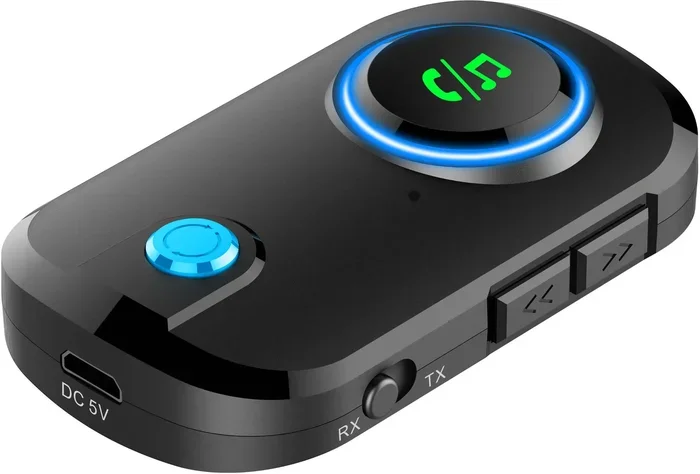
A Bluetooth adapter is the simplest and most popular way to add wireless streaming to your factory stereo. These small devices plug directly into your stereo’s aux input or USB port. They act as a bridge between your phone and your car audio system.
Most Bluetooth adapters are compact and plug-and-play. You pair your phone with the adapter, and it streams audio through your car speakers. Some adapters also include a built-in microphone so you can take calls hands-free. This is a great option if you want a quick fix without any permanent changes to your car.
One thing to keep in mind: if your factory stereo does not have an aux input, a Bluetooth adapter alone will not work. In that case, you may need an FM transmitter or a different approach. But for most cars made after 2005, an aux input is standard.
Method 2: FM Transmitter with Bluetooth
An FM transmitter is another popular option, especially for older vehicles. This device plugs into your car’s cigarette lighter or USB port and broadcasts your phone’s audio over an open FM frequency. Your factory stereo picks up the signal like a radio station.
FM transmitters are wireless and do not require any cables running to your stereo. They are also very affordable. However, they can sometimes pick up interference from other radio signals. If you live in a crowded urban area with many FM stations, you might notice some static or audio quality issues.
Still, for many drivers, an FM transmitter is the easiest and most cost-effective way to add Bluetooth to factory stereo systems that lack any aux or USB input. It is a great temporary solution too.
Method 3: Aftermarket Head Unit Replacement
If you want the best possible sound quality and the most features, replacing your factory head unit with an aftermarket Bluetooth stereo is the way to go. Aftermarket head units come with built-in Bluetooth, touchscreen displays, backup cameras, and smartphone integration.
This method requires more effort and a higher budget. You will need to purchase a compatible head unit and possibly a wiring harness adapter to fit your car’s existing wiring. Many car owners find this a rewarding DIY project, but it does require some basic knowledge of car electronics.
The benefit is undeniable. A new head unit transforms your entire audio experience. You get clearer sound, better bass response, and seamless wireless connectivity. If your factory stereo is old or damaged, this is often the best long-term solution.
Method 4: Bluetooth Kit with Built-In Amplifier
For audiophiles who want premium sound, a Bluetooth kit with a built-in amplifier is worth considering. These kits connect to your factory stereo’s existing inputs and boost the audio signal before it reaches your speakers. The result is louder, clearer, and more detailed sound.
These kits are more complex to install than simple adapters. They often require running wires behind your dashboard. But if you care deeply about audio quality, the upgrade is well worth the effort. Some kits also include features like equalizer controls and multi-device pairing.
How to Choose the Right Bluetooth Adapter for Your Car
Not all Bluetooth adapters are created equal. Choosing the right one depends on your car’s inputs, your budget, and your listening habits. Here is what to look for before you buy.
Check Your Stereo’s Inputs
First, look at the back of your factory stereo or the dashboard area. Do you see an aux input? A USB port? Both? The inputs you have will determine which type of adapter you need.
- Aux input: Use a Bluetooth AUX adapter that plugs directly into the 3.5mm jack.
- USB input: Use a Bluetooth USB adapter that connects via USB cable.
- No inputs at all: Use an FM transmitter that broadcasts wirelessly.
Knowing what your stereo supports makes the decision much easier. If you are unsure, check your car’s manual or look up your model online.
Consider Sound Quality
Most Bluetooth adapters support the A2DP profile, which handles high-quality audio streaming. Look for adapters that support aptX or AAC codecs for the best sound. Basic adapters work fine for casual listening, but if you are particular about audio fidelity, invest in a higher-quality adapter.
Think About Hands-Free Calling
If you want to make and receive calls through your car speakers, choose an adapter with a built-in microphone. Many adapters focus only on audio streaming and do not support calling. Check the product specifications before purchasing to make sure it meets your needs.
Budget Considerations
Bluetooth adapters range from under $15 to over $100. A basic AUX Bluetooth adapter costs around $15 to $30 and handles streaming just fine. FM transmitters are similarly priced. More advanced kits with amplifiers or built-in microphones cost more but deliver noticeably better performance.
| Adapter Type | Price Range | Sound Quality | Ease of Install |
|---|---|---|---|
| Bluetooth AUX Adapter | $15 – $40 | Good | Very Easy |
| FM Transmitter Bluetooth | $10 – $35 | Fair to Good | Very Easy |
| Bluetooth USB Adapter | $20 – $50 | Good | Easy |
| Bluetooth Kit with Amp | $50 – $150 | Excellent | Moderate |
| Aftermarket Head Unit | $100 – $400+ | Excellent | Advanced |
Step-by-Step Installation Guide
Now that you have chosen your method, let us walk through the installation process. Each method is different, so follow the section that matches your choice.
Installing a Bluetooth AUX Adapter
This is the easiest method and takes less than five minutes.
- Locate the aux input on your factory stereo. It is usually a 3.5mm jack on the front panel or behind the stereo.
- Plug the Bluetooth adapter into the aux input.
- Turn on your car stereo and set it to aux mode.
- Power on the Bluetooth adapter and put it in pairing mode.
- On your phone, go to Bluetooth settings and find the adapter in the list of available devices.
- Tap to pair. Once connected, your phone audio will stream through your car speakers.
That is it. No tools needed. No wiring required. You are listening to wireless music in minutes.
Installing an FM Transmitter
FM transmitters are also very simple to set up.
- Plug the FM transmitter into your car’s cigarette lighter or USB charging port.
- Turn on your car stereo and tune to an empty FM frequency. Something like 88.1 or 107.9 often works well.
- Set the FM transmitter to the same frequency.
- On your phone, connect to the transmitter via Bluetooth.
- Start playing music. It will broadcast through your car speakers on the FM frequency you selected.
If you hear static, try a different FM frequency. The key is finding a frequency that is clear in your area. Rural drivers usually have an easier time with this because there are fewer competing signals.
Installing a Bluetooth Head Unit
Replacing your factory head unit is a bigger project. Here is a general overview.
- Purchase a head unit that fits your car’s dashboard and wiring setup.
- Buy a wiring harness adapter that matches both your car and the new head unit.
- Disconnect your car battery to ensure safety.
- Remove the factory stereo using a removal kit or dash panel tools.
- Disconnect the wiring harness and antenna cable from the old stereo.
- Connect the wiring harness adapter to your car’s wiring.
- Connect the new head unit to the adapter.
- Slide the new unit into the dash and secure it.
- Reconnect your battery and test the system.
If you are not comfortable with any of these steps, consider having a professional install the head unit. Many car audio shops offer affordable installation services. This is especially true if your car has a complex dashboard or integrated safety features.
Tips for Getting the Best Bluetooth Performance
Once you have your Bluetooth setup running, a few simple tips can make a big difference in your daily experience.
Keep Your Devices Close
Bluetooth works best when your phone is within a few feet of the adapter. If you leave your phone in the back seat or in your bag, the signal may weaken. Keep your phone in a cupholder or on the dash for the strongest connection.
Update Your Devices
Just like your car software needs updates sometimes, Bluetooth adapters and phones benefit from keeping their firmware and software current. Updates often fix connectivity issues and improve performance. Check for updates regularly on both your phone and your adapter.
Minimize Interference
Other wireless devices can interfere with your Bluetooth signal. If you notice dropouts or static, try turning off nearby devices or moving your phone closer to the adapter. USB 3.0 ports on some cars can also cause Bluetooth interference, so keep that in mind.
Pair Only Trusted Devices
For security and performance, only pair devices you trust. If you share your car frequently, unpair devices you no longer use. This keeps your connection clean and prevents unauthorized access to your audio stream.
Clean Your Connections
Dust and debris can build up in aux ports and USB ports over time. Use a compressed air can or a soft brush to keep your connections clean. A dirty port can cause dropouts and poor sound quality.
Common Mistakes to Avoid
Even with a simple setup, people make mistakes that cause frustration. Here are the most common ones and how to avoid them.
- Buying the wrong adapter type. If your stereo has no aux input, an AUX adapter will not work. Always check your stereo’s inputs first.
- Ignoring firmware updates. Outdated firmware on your adapter can cause pairing issues. Always keep it updated.
- Placing the adapter in a hidden spot. Bluetooth adapters need to be close to your phone for a strong signal. Do not bury it behind the stereo.
- Skipping the pairing process. Some adapters require you to hold a button to enter pairing mode. Read the instructions carefully before assuming it is broken.
- Expecting perfect sound from an FM transmitter. FM transmitters are convenient but they are not perfect. Some static is normal, especially in urban areas with many radio stations.
Avoiding these mistakes will save you time and ensure a smooth setup from day one.
Expert Insights on Adding Bluetooth to Factory Systems
We spoke with several car audio specialists to get their take on the best ways to add Bluetooth to factory stereo setups. Their advice was consistent across the board.
First, they all agreed that a Bluetooth AUX adapter is the best starting point for most drivers. It is affordable, easy to install, and delivers solid sound quality. For older cars without aux inputs, an FM transmitter is the go-to recommendation.
Second, experts emphasized that the quality of the adapter matters. Cheap adapters from unknown brands often have weak Bluetooth chips that disconnect frequently. Spending a little more on a reputable brand pays off in reliability and sound quality.
Third, they noted that adding Bluetooth to your factory stereo is similar in concept to adding Bluetooth to other factory devices. The principles of wireless pairing, signal strength, and audio routing apply whether you are upgrading a stereo, a speaker system, or even a home entertainment setup. The same logic applies to adding Bluetooth to existing audio equipment like a Bose Wave radio or making your TV Bluetooth-capable. The adapter-based approach works across many devices.
Finally, the experts reminded us that Bluetooth technology keeps improving. Newer adapters support the latest Bluetooth versions, which means faster pairing, stronger connections, and better audio quality. If you buy an adapter today, it should serve you well for years to come.
Final Thoughts
Adding Bluetooth to your factory stereo is one of the best upgrades you can make for your daily driving experience. It is convenient, affordable, and does not require replacing your entire audio system. Whether you choose a simple Bluetooth adapter, an FM transmitter, or a full head unit replacement, the process is straightforward and well within the reach of most car owners.
Start by checking what inputs your factory stereo has. Then pick the method that fits your budget and needs. Follow the installation steps carefully, and do not skip the pairing process. With the right setup, you will be streaming music, taking calls, and enjoying hands-free audio in no time.
The beauty of these solutions is that they work with almost any vehicle. Sedan, SUV, truck — it does not matter. As long as your factory stereo has an input or can accept an FM signal, you can bring Bluetooth into your car. So go ahead, make the upgrade, and leave the cables behind.
And if you are exploring other ways to enhance your car’s audio or connectivity, you might also want to look into using Alexa as a Bluetooth speaker for broader audio streaming ideas, or check out how to connect external speakers to your laptop for at-home audio setups that complement your car upgrades.
Frequently Asked Questions
Can I add Bluetooth to any factory stereo?
Most factory stereos can be upgraded with Bluetooth, but the method depends on what inputs your stereo has. If your stereo has an aux input or USB port, a Bluetooth adapter will work. If it has no inputs at all, an FM transmitter is your best option. Very old stereos without any external inputs may require a head unit replacement.
How much does it cost to add Bluetooth to a factory stereo?
The cost varies widely depending on the method. A basic Bluetooth AUX adapter costs between $15 and $40. FM transmitters range from $10 to $35. More advanced Bluetooth kits with amplifiers cost $50 to $150. A full aftermarket head unit replacement can range from $100 to $400 or more including installation.
Will adding a Bluetooth adapter affect my car’s warranty?
In most cases, using a plug-in Bluetooth adapter will not void your car’s warranty because it does not require any permanent modifications to your vehicle. However, if you are replacing the head unit or modifying wiring, it is a good idea to check with your dealer first. Some manufacturers have specific policies about aftermarket electronics.
How do I pair my phone with a Bluetooth car adapter?
First, plug the adapter into your stereo and turn it on. Put the adapter into pairing mode, usually by holding a button for a few seconds. On your phone, go to Bluetooth settings and look for the adapter in the list of available devices. Tap on it to connect. Once paired, your phone will automatically reconnect the next time you get in the car.
Why does my Bluetooth connection keep dropping?
Bluetooth dropouts can happen for several reasons. Your phone may be too far from the adapter. Other wireless devices or USB 3.0 ports can cause interference. A low battery on either device can also weaken the connection. Try moving your phone closer, turning off other wireless devices, and making sure both devices are fully charged.
Can I use Bluetooth with my factory stereo if it only has a CD player?
If your factory stereo only has a CD player and no aux or USB input, you will need an FM transmitter or a Bluetooth adapter that replaces the CD unit. An FM transmitter broadcasts your phone’s audio over an FM frequency that your stereo can pick up. Alternatively, some Bluetooth adapters are designed to fit into the CD player slot and act as a dummy receiver.
=== CONCLUSION ===
Adding Bluetooth to your factory stereo is a smart, affordable upgrade that transforms how you listen to music and take calls in your car. You do not need to be a tech expert or spend a fortune to get wireless audio. A simple Bluetooth adapter or FM transmitter can get you streaming in minutes. If you want a more permanent and premium solution, replacing your head unit with a Bluetooth-enabled unit delivers outstanding sound and features.
Follow the steps in this guide, avoid the common mistakes, and you will enjoy seamless wireless audio every time you drive. The days of tangled cables and limited choices are over. Your factory stereo just got a whole lot smarter.