How Do Carriers Detect Tethering On Your Data Plan
Carriers use deep packet inspection, traffic analysis, and device fingerprinting to detect tethering on your data plan. Understanding how they catch you helps you make informed choices about mobile hotspot usage. This guide breaks down every detection method in simple terms.
Have you ever wondered how your carrier knows when you are sharing your phone’s internet connection? Maybe you have been using your phone as a mobile hotspot and suddenly noticed your speeds dropping. Or you got a warning text about excessive data usage. Either way, the question on your mind is probably simple: how do carriers detect tethering?
The truth is, carriers have become very sophisticated at spotting tethering. They use a mix of technology, monitoring tools, and data analysis to catch people who share their connection. Understanding how this works can help you stay informed and make better decisions about your data plan.
In this article, we will walk you through every major method carriers use to detect tethering. We will also cover what happens if they catch you, whether you can hide it, and practical tips to avoid surprises on your bill. Let us get into it.
Key Takeaways
- Deep Packet Inspection (DPI): Carriers analyze data packets to identify tethering patterns and distinguish phone traffic from shared connections.
- Traffic Pattern Analysis: Unusual data flow from a single device signals to carriers that tethering may be happening.
- Device Fingerprinting: Carriers track MAC addresses and connection signatures to spot unauthorized sharing.
- APN Settings Matter: Your Access Point Name reveals whether traffic is coming from a phone or a tethered device.
- Consequences Vary: Throttling, extra charges, or even plan suspension can result from detected tethering.
- VPNs Help But Don’t Guarantee: A VPN adds a layer of privacy but carriers still have other ways to detect tethering.
- Know Your Plan: Always read your subscriber agreement to understand what tethering is allowed.
📑 Table of Contents
- What Is Tethering And Why Do People Use It
- How Do Carriers Actually Detect Tethering
- The Technology Behind Tethering Detection
- What Happens When Carriers Catch You Tethering
- Can You Hide Tethering From Your Carrier
- How To Use Tethering Without Getting Caught
- Carrier Policies On Tethering: What You Need To Know
- Why Carriers Care About Tethering
- The Future Of Tethering Detection
- Final Thoughts
What Is Tethering And Why Do People Use It
Tethering means connecting another device to your phone’s internet connection. You can do this through Wi-Fi, Bluetooth, or a USB cable. The most common form is turning your phone into a mobile hotspot so your laptop or tablet can go online.
People tether for many reasons. Maybe your home internet is down and you need to work. Perhaps you are traveling and do not want to buy a separate data plan. Some people live in areas with poor Wi-Fi coverage and rely on their phone connection to connect their PC to the internet without Ethernet. Whatever the reason, tethering is a convenient tool when used responsibly.
However, not all data plans allow tethering. Many carriers distinguish between phone data and hotspot data. This is where the detection game begins.
Types Of Tethering
- Wi-Fi Hotspot: Your phone broadcasts a Wi-Fi signal that other devices can connect to.
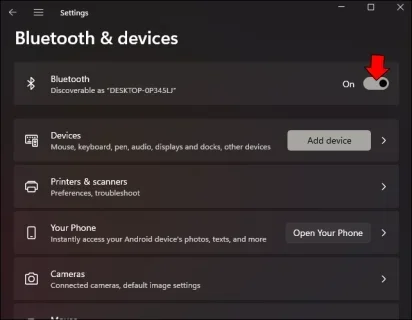
- Bluetooth Tethering: A slower but more private method that pairs your phone with another device.
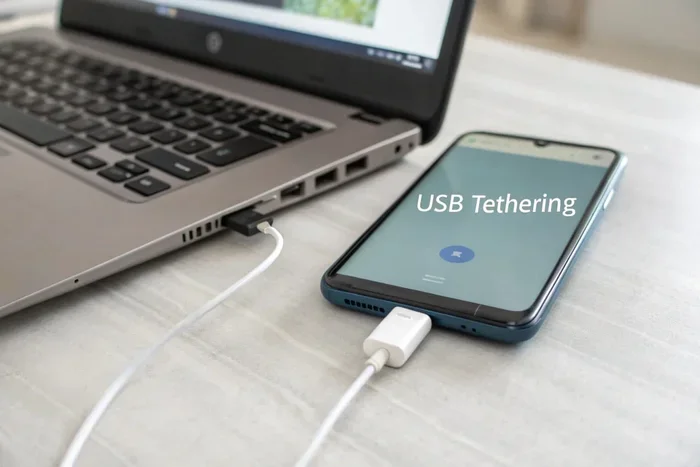
- USB Tethering: You plug your phone into a computer with a cable. This is harder for carriers to detect remotely.
Each type has different detection risks. Wi-Fi hotspot tethering is the easiest for carriers to spot. USB tethering is the hardest. Bluetooth falls somewhere in between.
How Do Carriers Actually Detect Tethering
Carriers have several ways to figure out if you are tethering. They do not always need to physically check your phone. Instead, they monitor network traffic and data patterns from their side. Here are the main methods they use.
Deep Packet Inspection (DPI)
Deep Packet Inspection is the most powerful tool carriers have. It works by looking inside the data packets that travel through the network. Think of it like a mail carrier opening every envelope to see what is inside. DPI lets carriers examine the content, destination, and type of traffic flowing through their network.
When you tether, the data packets look different than when you use your phone directly. For example, a laptop browsing the web sends different signals than a phone does. DPI can identify these differences and flag tethering activity. Carriers use this technology to enforce their subscriber agreement and manage network traffic.
DPI also helps carriers spot things like VPN usage, streaming services, and peer-to-peer file sharing. It is a very detailed form of network traffic analysis that gives carriers deep visibility into what is happening on their network.
Traffic Pattern Analysis
Carriers monitor data usage patterns closely. When you use your phone normally, your traffic comes and goes in a predictable way. You browse social media, check email, stream short videos. The data flow is relatively small and varied.
But when you tether, the pattern changes. A laptop tends to use more data continuously. It might download large files, stream long videos, or keep multiple tabs open. This kind of sustained, heavy traffic stands out. Carriers use bandwidth monitoring tools to spot these unusual spikes and patterns.
For example, if your phone usually uses about 2 gigabytes a month and suddenly jumps to 15 gigabytes with long hours of continuous activity, that is a red flag. The carrier’s system automatically flags this as potential tethering.
Device Fingerprinting
Every device that connects to a network has a unique identifier called a MAC address. Carriers can track these addresses to build a device fingerprint. When your phone connects normally, the carrier sees your phone’s fingerprint. But when a new device connects through your hotspot, the carrier sees a different fingerprint requesting data.
This is how carriers can tell that a second device is using your connection. Even if the traffic looks normal, the fact that two distinct devices are sharing one phone number’s data connection is suspicious. Some carriers also track connection duration, data volume per device, and timing patterns to build a clearer picture.
Interestingly, if you want to understand more about how devices interact on shared networks, you might find it helpful to learn about what others can see when they are on the same network. The principles of network visibility are similar.
APN And Connection Signature Detection
Every device that connects to a carrier’s network uses specific APN settings (Access Point Names). These settings tell the network how to route data. Carriers can identify what type of device is connecting based on these settings. A phone has different APN signatures than a laptop or tablet.
When you tether, the carrier sees traffic coming through your phone but destined for a device with different APN characteristics. This mismatch helps carriers identify tethering. Some carriers also look at the user agent strings in web traffic, which reveal the type of device making the request.
The Technology Behind Tethering Detection
Now that you know the main methods, let us look at the technology behind them in more detail. This is where things get interesting.
How Deep Packet Inspection Works In Practice
DPI systems sit at key points in a carrier’s network infrastructure. They inspect every packet of data that passes through. The system looks at headers, payload content, and metadata. It categorizes traffic by type, source, and destination.
Modern DPI tools use machine learning to improve detection over time. They learn what normal phone usage looks like and what tethering looks like. The more data they collect, the better they become at spotting unusual activity. This is a form of traffic shaping that carriers use to manage their networks efficiently.
Network Management Systems
Carriers deploy large-scale network management systems that aggregate data from millions of connections. These systems run real-time analysis and generate alerts when something looks off. They track metrics like data volume, connection time, number of devices per account, and traffic type.
These systems are designed to maintain network quality. When too many users tether, it can slow down the network for everyone. So detection is not just about enforcement. It is also about keeping the network running smoothly for all users.
Machine Learning And AI In Detection
Artificial intelligence plays a growing role in tethering detection. AI models can analyze thousands of variables simultaneously. They can detect subtle patterns that human analysts would never notice. For instance, AI might flag a user whose data usage spikes every night between 2 AM and 5 AM, which could indicate overnight tethering while the user sleeps.
These smart systems reduce false positives and improve accuracy over time. They adapt to new tethering methods as users find creative ways to bypass detection.
What Happens When Carriers Catch You Tethering
So what actually happens if your carrier discovers you are tethering without permission? The consequences depend on your carrier, your plan, and how much you have been tethering. Here are the most common outcomes.
Throttling Your Speeds
The most common punishment is speed throttling. Your carrier may slow down your connection significantly. What was once a fast hotspot becomes painfully slow. This makes tethering impractical and discourages continued use.
Throttling usually kicks in after the carrier detects repeated tethering. Some carriers apply it immediately. Others give you a warning first. Either way, it is frustrating and can seriously impact your productivity.
Extra Charges And Overage Fees
Some carriers charge additional fees for tethering. They may add a hotspot add-on to your plan or bill you for the extra data you used. These charges can add up quickly, especially if you have been tethering heavily without realizing it.
If you are on an unlimited data plan, you might think extra charges are not possible. But many unlimited plans have fair use policies that limit tethering. Going over those limits can trigger overage fees or data prioritization, where your speeds are reduced during peak hours.
Plan Suspension Or Termination
In extreme cases, carriers may suspend or terminate your account. This usually happens when users repeatedly violate their subscriber agreement. It is rare but it does happen, especially for users who tether extensively and ignore warnings.
Before you panic, know that most carriers prefer to throttle or charge rather than cancel a customer. They want your business. But repeated violations can push them to take stronger action.
Warning Letters And Notifications
Many carriers start with a warning. You might receive a text message or email telling you that your account has been flagged for tethering. This is your chance to stop or adjust your behavior before more serious consequences kick in.
If you receive a warning, take it seriously. Review your plan terms and consider whether you should upgrade to a plan that allows tethering.
Can You Hide Tethering From Your Carrier
This is the million-dollar question. Can you use your phone as a hotspot without your carrier knowing the answer is complicated. Let us look at what works and what does not.
Using A VPN
A VPN (Virtual Private Network) encrypts your traffic and hides your browsing activity from your carrier. It can make it harder for DPI systems to see what you are doing. However, a VPN does not hide the fact that tethering is happening. The carrier can still see that data is flowing from your phone to another device.
Think of it this way: a VPN hides what you are looking at, but not that you are looking at something. Your carrier can still detect the tethering connection itself.
Also, if you want to learn more about how carriers monitor activity, you might want to read about how to check your Wi-Fi signal strength as a related network monitoring topic.
USB Tethering As A Stealth Option
USB tethering is harder for carriers to detect because the connection is physical. Your phone is plugged directly into your computer with a cable. There is no Wi-Fi hotspot broadcasting a signal that carriers can monitor.
However, carriers can still detect USB tethering through traffic analysis. The data patterns from a tethered laptop are different from normal phone usage. So while USB tethering is more private, it is not invisible.
Using A Separate Mobile Hotspot Device
Some people use dedicated mobile hotspot devices instead of their phones. These devices have their own data plans and are not tied to a phone number. Carriers cannot detect tethering because there is no phone involved. This is a legal and straightforward way to share internet without violating your phone plan.
Why Hiding Tethering Is Risky
Trying to hide tethering from your carrier is not a good long-term strategy. It violates most subscriber agreements and can lead to serious consequences. If you need more data or want to tether regularly, the best approach is to upgrade your plan or switch to one that allows it.
How To Use Tethering Without Getting Caught
Let us be clear: we do not encourage breaking your carrier’s rules. But if you are curious about how people try to avoid detection, here is what is commonly discussed.
Keep Tethering Light And Occasional
The less you tether, the less likely you are to trigger detection. Quick checks of email or light browsing on a laptop are less noticeable than hours of continuous streaming. If you only tether occasionally, your data usage patterns may not stand out.
Match Your Phone’s Usage Pattern
Try to keep your tethered usage similar to your normal phone usage. If you usually browse for 30 minutes a day, try to keep tethered activity around that same level. Sudden spikes in data usage are what carriers watch for most closely.
Use Bluetooth Instead Of Wi-Fi Hotspot
Bluetooth tethering is slower but harder for carriers to detect remotely. The connection is more private and does not broadcast a Wi-Fi signal. It is not a foolproof method, but it adds a layer of difficulty for carrier monitoring.
Just remember that if you are deciding between devices for tethering, your phone is usually the most convenient option. But always check your plan terms first.
Carrier Policies On Tethering: What You Need To Know
Every carrier has different rules about tethering. Understanding these policies can save you from surprises. Here is a quick look at how major carriers handle tethering.
| Carrier | Tethering Policy | Detection Method |
|---|---|---|
| Verizon | Allowed on most plans, some require add-on | DPI and traffic analysis |
| AT&T | Allowed on unlimited plans, may throttle | APN and device fingerprinting |
| T-Mobile | Included on most plans, fair use applies | Traffic pattern monitoring |
| Sprint (merged with T-Mobile) | Now under T-Mobile policy | Same as T-Mobile |
The key takeaway is that most modern plans allow some form of tethering. But there are usually limits. Always check your specific plan details. If you are unsure, call your carrier and ask directly. It is better to know than to risk unexpected charges.
Carriers also update their policies regularly. What was true last year may not be true today. Stay informed by reviewing your plan terms periodically.
Why Carriers Care About Tethering
You might wonder why carriers put so much effort into detecting tethering. The answer comes down to network management and revenue.
When users tether heavily, they consume more bandwidth. This can slow down the network for other users. Carriers invest billions in infrastructure and need to manage traffic efficiently. Tethering detection helps them balance network load.
From a revenue perspective, tethering eats into carrier profits. Many plans charge extra for hotspot data or offer limited tethering allowances. When users tether without paying for it, carriers lose money. Detection helps them recover that revenue through throttling, fees, or plan upgrades.
Understanding this perspective can help you make better decisions. If you need tethering regularly, pay for it. It is cheaper and less stressful than dealing with throttling or overage charges.
The Future Of Tethering Detection
As technology evolves, so do detection methods. Carriers are investing in AI and machine learning to make detection even more accurate. Here is what we can expect in the coming years.
- Smarter AI Models: Future systems will detect tethering with even greater precision and fewer false positives.
- Real-Time Monitoring: Carriers will be able to flag tethering instantly rather than after the fact.
- Behavioral Analysis: AI will learn your personal usage patterns and detect anomalies more effectively.
- 5G Network Insights: The shift to 5G gives carriers even more tools to monitor and manage traffic.
These advances mean that hiding tethering will become increasingly difficult. If you rely on tethering, the smartest move is to use a plan that supports it openly.
Final Thoughts
Carriers detect tethering through a combination of deep packet inspection, traffic pattern analysis, device fingerprinting, and APN monitoring. These methods work together to create a detailed picture of your network activity. While no method is perfect, carriers have become very effective at spotting tethering.
If you use tethering, the best approach is transparency. Check your plan, understand the rules, and pay for what you use. Trying to hide tethering is risky and often not worth the hassle. A good data plan that includes hotspot usage gives you peace of mind and avoids unnecessary stress.
Stay informed, use your data wisely, and always read the fine print. Your carrier has the tools to watch what is happening on their network. Understanding how they do it empowers you to make smarter choices about your mobile data.
Frequently Asked Questions
Can my carrier see what I am doing when I tether?
Yes, carriers can see that tethering is happening through traffic analysis and DPI. They may not see every specific website you visit if you use a VPN, but they can detect that your connection is being shared with another device.
Will my carrier throttle my data if they detect tethering?
It depends on your plan and carrier. Many carriers will throttle speeds or charge extra fees for unauthorized tethering. Some plans include tethering allowances, so check your terms first.
Is tethering illegal?
No, tethering is not illegal. However, it may violate your carrier’s subscriber agreement if your plan does not include it. Always review your plan terms to stay compliant.
Can a VPN prevent carriers from detecting tethering?
A VPN encrypts your browsing data but does not hide the fact that tethering is occurring. Carriers can still see that a second device is connected and using data through your phone.
What is the difference between tethering and a mobile hotspot?
Tethering is the general term for sharing your phone’s internet connection. A mobile hotspot is a specific type of tethering that uses Wi-Fi to broadcast your connection to other devices.
How can I avoid tethering detection on my data plan?
The most reliable way is to use a plan that includes tethering. If your plan does not allow it, consider upgrading or switching to a carrier with more flexible data policies. Trying to hide tethering carries risks like throttling and extra charges.
=== CONCLUSION ===
How carriers detect tethering is a fascinating mix of technology and data science. From deep packet inspection to device fingerprinting, carriers have built a robust system to monitor network activity. Understanding these methods helps you use your data plan wisely and avoid unpleasant surprises.
Whether you tether occasionally or rely on it daily, knowing the rules and the technology behind them puts you in a better position. Choose a plan that fits your needs, respect your carrier’s policies, and enjoy your mobile internet with confidence. The more you know, the smarter your choices become.