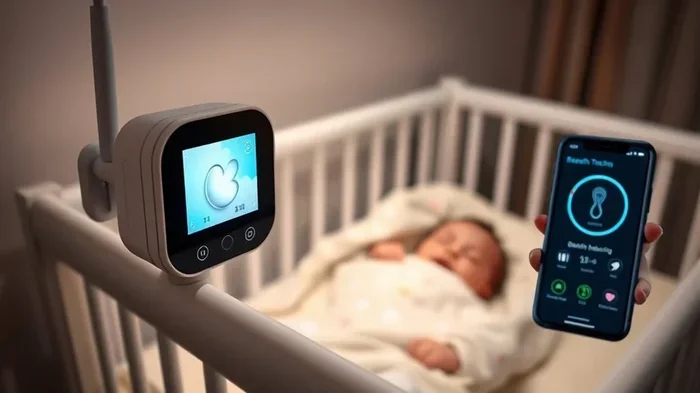
Do Baby Monitors Connect To Phones And Smart Devices
Do baby monitors connect to phones? Yes, most modern baby monitors connect directly to smartphones and smart devices through Wi-Fi or Bluetooth. WiFi baby monitors let parents stream live video, receive motion alerts, and talk to their baby from anywhere with an internet connection. Smart baby monitor technology has made remote monitoring easier, safer, and more reliable than ever before.
If you are a new parent, you have probably asked yourself one question more than any other: do baby monitors connect to phones? The short answer is yes. Today, almost every baby monitor on the market offers some form of phone connection. Whether you want to check on your little one from the kitchen or while you are at work, your smartphone can become your baby monitoring hub.
The world of baby monitoring has changed a lot in just a few years. Old monitors with static-filled screens and short cords are fading fast. Now, parents use smart baby monitors, WiFi baby monitors, and nursery cameras that stream live video straight to their phones. This shift has made parenting easier, calmer, and more connected. In this guide, we will walk you through everything you need to know about how baby monitors connect to phones and smart devices.
Key Takeaways
- Phone connectivity is standard: Most baby monitors sold today connect to phones via apps and Wi-Fi.
- Two main types exist: WiFi monitors and Bluetooth monitors, each with different range and features.
- Setup is simple: Connecting a baby monitor to a phone usually takes under 15 minutes.
- Security matters: Always change default passwords and enable two-factor authentication on your monitor app.
- Features go beyond video: Modern monitors offer two-way audio, room temperature tracking, and lullaby playback.
- Range varies widely: WiFi monitors work anywhere with internet, while Bluetooth monitors have limited range.
- Compatibility check first: Always verify that the monitor works with your specific phone model and operating system.
📑 Table of Contents
- How Do Baby Monitors Connect To Phones?
- Types Of Baby Monitors That Connect To Phones
- Benefits Of Connecting Your Baby Monitor To A Phone
- How To Set Up Your Baby Monitor With Your Phone
- Security And Privacy Concerns With Phone-Connected Monitors
- Comparison Table: WiFi vs Bluetooth vs Hybrid Monitors
- Choosing The Right Baby Monitor For Your Needs
- Key Takeaways
How Do Baby Monitors Connect To Phones?
Understanding the connection process helps you choose the right monitor for your family. Do baby monitors connect to phones in different ways? Yes, they do. The two most common methods are WiFi and Bluetooth. Some monitors even use both at the same time.
WiFi Connection
A WiFi baby monitor connects to your home wireless network. Once set up, the monitor sends video and audio to the cloud. Your phone then pulls that data through the internet. This means you can check on your baby from any location with an internet connection. You are not stuck in the house.
Most WiFi baby monitors come with a free app for iOS and Android. You download the app, create an account, and follow the on-screen prompts. The monitor and your phone pair through your home WiFi network. After that, the connection stays live as long as both devices have power and internet access.
Bluetooth Connection
Bluetooth baby monitors work differently. They do not need WiFi to connect to your phone. Instead, they use a short-range wireless signal. This works well when you are close to your baby, like in the same room or on the same floor.
The downside is clear: Bluetooth range is limited. Most Bluetooth baby monitors work within 30 to 100 feet. If you go too far from the nursery, the signal drops. For parents who stay home most of the time, this is often enough. But for working parents or those who travel, a WiFi baby monitor is a better fit.
Hybrid Monitors
Some modern monitors use both WiFi and Bluetooth. These hybrid baby monitors give you the best of both worlds. You can use Bluetooth for a quick local connection without relying on the internet. You can also switch to WiFi for remote access when you need it. This flexibility makes hybrid monitors very popular among tech-savvy parents.
Types Of Baby Monitors That Connect To Phones
Not all baby monitors are the same. Different types offer different levels of phone connectivity. Here is a look at the main categories you will encounter when shopping.
Video Baby Monitors
A video baby monitor sends live footage to your phone. These monitors include a camera unit placed in the nursery and a parent unit or app on your smartphone. Many video monitors offer high-definition resolution, night vision, and wide-angle lenses. You can see your baby clearly, even in the dark.
Popular brands like Infant Optics, Motorola, and Nanit all offer video baby monitors that connect to phones. These devices often include extra features like zoom, tilt, and pan controls through the app.
Audio Baby Monitors
Audio baby monitors focus on sound only. They do not have a camera. Instead, they pick up noises from the nursery and send them to your phone. These monitors are lighter and simpler than video options. They also tend to cost less.
If you only need to hear your baby, an audio monitor works well. However, many parents find that a video baby monitor offers more peace of mind. Seeing your baby is often more reassuring than just hearing them.
Smart Home Baby Monitors
Smart home baby monitors go beyond basic video and audio. These devices integrate with platforms like Amazon Alexa, Google Home, and Apple HomeKit. You can ask your smart speaker to show you the nursery camera feed. You can also set up routines, like turning on a nightlight when the monitor detects movement.
These monitors connect to phones through their dedicated apps and also through smart home ecosystems. They offer a high level of automation and convenience. If you already use smart home devices, a smart baby monitor fits right into your setup.
Benefits Of Connecting Your Baby Monitor To A Phone
Why should you bother connecting your baby monitor to your phone? The benefits go way beyond convenience. Let us look at the real advantages parents experience every day.
Remote Monitoring From Anywhere
The biggest benefit is remote monitoring. You can check on your baby while you are in the backyard, running errands, or even at the office. As long as you have a phone and internet access, the nursery is just a tap away. This gives parents real freedom and reduces anxiety throughout the day.
Instant Mobile Alerts
Most smart baby monitors send instant alerts to your phone. If the monitor detects sound, motion, or a change in room temperature, you get a notification right away. These mobile alerts help you respond quickly to your baby’s needs. You do not have to sit and stare at a screen waiting for something to happen.
Two-Way Audio Communication
Many monitors include two-way audio. This lets you talk to your baby through your phone. You can soothe a fussy infant, sing a lullaby, or simply reassure them that you are nearby. This feature is especially helpful during nighttime feedings when you do not want to turn on bright lights.
Built-In Baby Monitor Features
Modern phone-connected monitors come packed with useful features:
- Night vision for clear viewing in the dark
- Room temperature monitoring to keep the nursery comfortable
- Lullaby playback directly from your phone
- Zoom and pan controls for a closer look
- Sleep tracking and breathing movement detection
- Video recording and clip sharing with family members
How To Set Up Your Baby Monitor With Your Phone
Setting up a baby monitor WiFi connection is easier than most parents expect. Most brands design their apps to be beginner-friendly. Here is a general walkthrough of the setup process.
Step-By-Step Setup Guide
- Unbox your monitor and place the camera unit in the nursery. Make sure it has a clear view of the crib.
- Download the manufacturer’s app from the App Store or Google Play Store.
- Create an account using your email address. Choose a strong password.
- Power on the camera unit and wait for the LED light to start blinking. This usually means it is ready to pair.
- Open the app and tap “Add Device.” Follow the on-screen instructions to connect the camera to your home WiFi network.
- Test the connection by opening the live feed on your phone. Check the video quality and audio clarity.
- Enable notifications so you receive mobile alerts for motion, sound, and temperature changes.
The entire process usually takes about 10 to 15 minutes. If you run into trouble, most brands offer detailed setup guides and customer support.
Quick Tips For A Smooth Setup
- Place your WiFi router close to the nursery for a stronger signal.
- Use a dedicated 2.4GHz or 5GHz band for the best monitor performance.
- Restart your phone and router before starting the setup.
- Keep your phone and monitor software updated to the latest versions.
- Test the connection from different rooms to check the baby monitor range.
Common Setup Mistakes To Avoid
Many parents make small mistakes during setup that cause connection problems later. Here are a few to watch out for:
- Skipping firmware updates on the camera unit can lead to bugs and security gaps.
- Using weak WiFi passwords that the monitor cannot connect to properly.
- Placing the camera too far from the router, which causes lag and dropped frames.
- Not enabling notifications, which means you miss important alerts about your baby.
- Ignoring the parent app permissions, such as microphone and camera access.
Security And Privacy Concerns With Phone-Connected Monitors
When you connect a baby monitor to your phone, you are sending video and audio data over the internet. This raises important questions about privacy and security. Let us address them honestly.
Are Phone-Connected Monitors Safe?
The short answer is yes, but with caveats. Most reputable baby monitor brands use encrypted connections to protect your data. Encryption scrambles the video and audio signals so that only your phone can decode them. However, not all monitors offer the same level of protection.
Tips To Keep Your Monitor Secure
- Change the default password on your monitor and app account immediately after setup.
- Enable two-factor authentication if the app supports it.
- Use a strong, unique password that includes letters, numbers, and symbols.
- Keep your app updated to patch any security vulnerabilities.
- Avoid using public WiFi when accessing your monitor feed remotely.
- Review app permissions regularly and remove access for any apps you no longer use.
Expert Insights On Monitor Privacy
Cybersecurity experts recommend treating your baby monitor like any other smart device. It is a connected camera in your home, and it needs proper protection. According to the Consumer Reports technology team, parents should always research a monitor’s privacy policy before buying. Look for brands that do not sell user data and that offer regular security updates. A good baby monitor security practice is to change your password every few months.
Comparison Table: WiFi vs Bluetooth vs Hybrid Monitors
| Feature | WiFi Monitor | Bluetooth Monitor | Hybrid Monitor |
|---|---|---|---|
| Phone Connection | Via internet through app | Direct phone-to-monitor signal | Both WiFi and Bluetooth |
| Remote Access | Yes, from anywhere | No, local only | Yes, when on WiFi |
| Range | Unlimited with internet | 30-100 feet | Both local and remote |
| Video Quality | Usually HD or higher | Standard definition | HD or higher |
| Setup Complexity | Moderate | Simple | Moderate |
| Price Range | Mid to high | Low to mid | Mid to high |
| Internet Required | Yes | No | No (for local use) |
| Best For | Working parents, travelers | Stay-at-home parents | Families wanting flexibility |
Choosing The Right Baby Monitor For Your Needs
With so many options available, picking the right monitor can feel overwhelming. Here are some factors to consider before you buy.
Consider Your Lifestyle
If you work outside the home, a WiFi baby monitor is almost essential. You need the ability to check on your baby from the office, the gym, or while running errands. On the other hand, if you stay home most of the day, a Bluetooth monitor might be all you need. It is simpler, cheaper, and does not rely on the internet.
Think About Your Budget
Baby monitors range from under $50 to over $300. Basic audio monitors cost less and work well for simple needs. Video baby monitors with phone connectivity usually fall in the $100 to $250 range. Premium smart baby monitors with advanced features like sleep tracking and breathing analysis can cost even more. Set a budget before you shop and stick to it.
Check Phone Compatibility
Before you buy, make sure the monitor is compatible with your phone. Most apps work on both iPhone and Android, but some features may differ. Check the app store listing for supported devices. Also, make sure your phone has enough storage space for video clips and recordings if the monitor offers that feature.
Read Real Parent Reviews
The best way to know if a monitor works well is to read reviews from other parents. Look for feedback on connection stability, app usability, and customer support. Pay attention to any recurring complaints about baby monitor connectivity or signal drops. Real-world experiences often tell you more than marketing claims.
Future-Proof Your Choice
Choose a monitor from a brand that regularly updates its app and firmware. Software updates fix bugs, add new features, and patch security holes. A monitor that receives ongoing support will serve your family well for years. This is especially important for baby monitor WiFi devices that rely on internet connectivity.
Key Takeaways
- Phone connectivity is now standard: Nearly every baby monitor sold today connects to smartphones through apps and wireless networks.
- WiFi monitors offer the most flexibility: They let you check on your baby from anywhere with an internet connection.
- Bluetooth monitors work well for local use: They are simple, affordable, and do not need the internet.
- Hybrid monitors offer the best of both worlds: You get local Bluetooth access plus remote WiFi connectivity.
- Security is your responsibility: Change default passwords, enable two-factor auth, and keep your app updated.
- Setup is quick and easy: Most monitors connect to phones in under 15 minutes with clear app instructions.
- Choose based on your lifestyle: Working parents need WiFi monitors; stay-at-home parents may prefer Bluetooth options.
The question “do baby monitors connect to phones” has a clear and definitive answer: yes, they do. Modern baby monitors have evolved into powerful smart devices that put your nursery right in your pocket. Whether you choose a WiFi baby monitor, a Bluetooth model, or a hybrid system, you can stay connected to your baby no matter where you are.
Connecting your monitor to your phone gives you peace of mind, instant alerts, and the ability to soothe your baby from anywhere. Just remember to prioritize security, choose a monitor that fits your lifestyle, and keep your devices updated. With the right setup, you will feel confident and in control, even when you are away from the nursery.
Do baby monitors connect to phones and smart devices? Absolutely. And with the right choice, that connection can make your life as a parent a little easier, a little calmer, and a lot more connected.
Frequently Asked Questions
Can I connect my baby monitor to more than one phone?
Yes, most WiFi baby monitors allow multiple phone connections. You can invite a partner, grandparent, or babysitter to view the monitor feed through the app. Each person logs in with their own account and receives alerts on their device. Check your monitor’s app settings to add additional users.
Do baby monitors work without WiFi?
Some monitors work without WiFi, but their features are limited. Bluetooth baby monitors do not need WiFi for local connections. However, you will lose remote access and cloud features. Hybrid monitors can switch to Bluetooth when WiFi is unavailable, giving you a backup connection.
Is it safe to use a baby monitor app on my phone?
Yes, it is generally safe when you follow basic security practices. Use a strong password, enable two-factor authentication, and keep the app updated. Choose monitors from reputable brands that encrypt your data. Avoid clicking on suspicious links or downloading unofficial apps.
How far can I be from my baby and still use the monitor?
With a WiFi baby monitor, you can be anywhere in the world as long as you have internet access. Bluetooth monitors, however, are limited to about 30 to 100 feet from the nursery. For true remote monitoring, always choose a WiFi-connected device.
What should I do if my baby monitor keeps disconnecting from my phone?
First, check your WiFi connection and make sure your router is working properly. Restart both the monitor and your phone. Update the monitor’s firmware and the app to the latest version. If problems persist, move the monitor closer to your WiFi router for a stronger signal. You can also try resetting the monitor to factory settings and setting it up again.
Are smart baby monitors worth the extra cost?
For most families, yes. Smart baby monitors offer features like sleep tracking, breathing detection, and smart home integration that basic monitors do not have. They also send real-time mobile alerts and allow remote monitoring from anywhere. If these features give you peace of mind, the extra cost is well worth it.
=== CONCLUSION ===
Do baby monitors connect to phones and smart devices? Without a doubt. Today’s baby monitors are designed from the ground up to work seamlessly with smartphones and smart home ecosystems. From WiFi baby monitors that let you check on your baby from across the world, to simple Bluetooth monitors that work right in your house, the options are plentiful and improving every year.
Connecting your monitor to your phone gives you instant access, real-time alerts, and the peace of mind that comes from knowing you can always check on your little one. The setup process is straightforward, the features are powerful, and the security options are better than ever. Just remember to choose a monitor that fits your lifestyle, secure your connection, and keep your devices updated.
If you are still on the fence, take the leap. Connect your baby monitor to your phone and experience the difference it makes in your daily routine. You will wonder how you ever managed without it.