Can You Get 16 Gb Of Ram In A Laptop And Why It Matters
Yes, you can get 16 GB of RAM in a laptop, and it makes a massive difference in everyday speed and multitasking. A 16GB memory upgrade gives your system the power it needs for gaming, video editing, and heavy workloads without breaking a sweat. This guide covers everything you need to know about 16GB laptop RAM, from compatibility to real-world benefits.
Yes, you can get 16 GB of RAM in a laptop, and it is one of the best upgrades you can make for better performance. A 16GB RAM laptop handles multitasking, gaming, and creative work with ease. Whether you are a student, professional, or gamer, this amount of memory keeps your system running smoothly. In this guide, we will explore everything about 16GB laptop RAM, from compatibility to real-world benefits. You will learn why this memory upgrade can transform your daily computing experience.
RAM, or random access memory, is the short-term memory your laptop uses to handle tasks. More RAM means your computer can juggle more apps at once without slowing down. For years, 8GB was the standard for most laptops. But today, 16GB has become the sweet spot for performance. Whether you are browsing the web with dozens of tabs open or editing a 4K video, 16GB of system memory makes a noticeable difference. Let us dive into everything you need to know about getting 16GB RAM in a laptop.
Key Takeaways
- 16GB RAM is widely available: Many modern laptops come with 16GB RAM built in, and you can upgrade older models too.
- It boosts multitasking: Running multiple apps at once becomes smooth and lag-free with 16GB of system memory.
- Gamers benefit the most: Modern games demand more RAM, and 16GB ensures you stay ahead of performance requirements.
- Content creators need it: Video editing, 3D rendering, and graphic design all run better with 16GB or more.
- Check compatibility first: Not every laptop supports 16GB RAM, so verify your model before buying or upgrading.
- Dual channel matters: Using two RAM sticks instead of one can significantly improve memory speed and performance.
- DDR4 and DDR5 are the standards: Both offer great speeds, but DDR5 is the newer and faster option in modern laptops.
📑 Table of Contents
What Is RAM and Why Does It Matter?
Think of RAM as your laptop’s short-term workspace. When you open an app, a browser tab, or a game, it loads into RAM. Your processor can access this data much faster than it can from your hard drive or SSD. The more RAM you have, the more apps and files your laptop can hold in that workspace at the same time.
How System Memory Affects Performance
When your RAM fills up, your laptop starts swapping data to your storage drive. This process is much slower and causes lag. You might notice apps freezing, videos stuttering, or your system becoming unresponsive. With 16GB of RAM, you have plenty of room to keep everything running smoothly.
Here is a simple way to think about it. Imagine your desk is your RAM. A small desk (4GB or 8GB) can only hold a few papers at a time. You constantly need to shuffle things around. A bigger desk (16GB) lets you spread out all your work at once. You stay organized and productive without the constant shuffling.
DDR4 vs DDR5 RAM
Not all RAM is the same. Most modern laptops use DDR4 memory, which has been the standard for several years. DDR5 is the newer generation and offers faster speeds and better efficiency. If you are buying a new laptop, look for one with DDR5 RAM for the best future-proofing. Both DDR4 and DDR5 come in 16GB modules, so you have options either way.
RAM Speed and Latency
RAM speed is measured in megahertz (MHz). Higher MHz means faster data transfer. Latency, measured in CAS latency, affects how quickly RAM responds to requests. For most users, speed differences between RAM modules are small. But for gamers and content creators, faster RAM can provide a slight edge in frame rates and rendering times.
Can You Get 16 GB Of Ram In A Laptop?
The short answer is yes. Most laptops today offer 16GB RAM as either a standard option or an upgrade path. Many budget and mid-range laptops now ship with 16GB of RAM already installed. Even some entry-level models include this amount of memory. Let us look at the different ways you can get 16GB RAM in a laptop.
Laptops That Come With 16GB RAM
Many manufacturers now build 16GB RAM directly into their laptops. Brands like Dell, HP, Lenovo, Asus, and Apple offer models with 16GB system memory out of the box. Here are some common categories where you will find 16GB RAM as a standard option:
- Business laptops: Models like the Dell Latitude and Lenovo ThinkPad often come with 16GB RAM for professionals who need reliability.
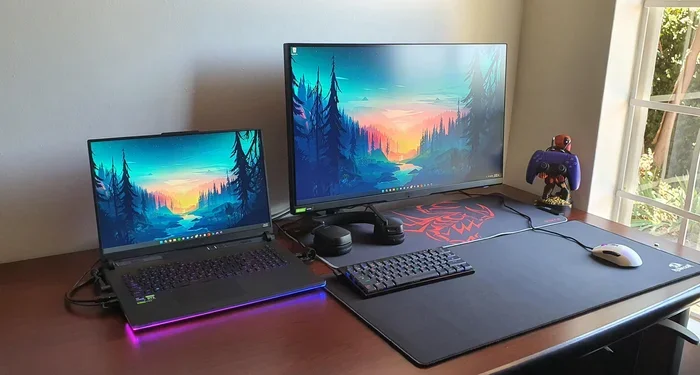
- Gaming laptops: Brands like Asus ROG, Acer Predator, and MSI frequently include 16GB RAM in their gaming lineup.
- Creative workstations: Laptops designed for video editing and graphic design almost always include 16GB or more.
- Premium ultrabooks: Apple MacBook Pro and high-end Windows ultrabooks often feature 16GB of RAM as a base configuration.
Upgrading Your Laptop to 16GB RAM
If your current laptop has less than 16GB RAM, you might be able to upgrade it. The process depends on your laptop model and design. Here is what you need to know:
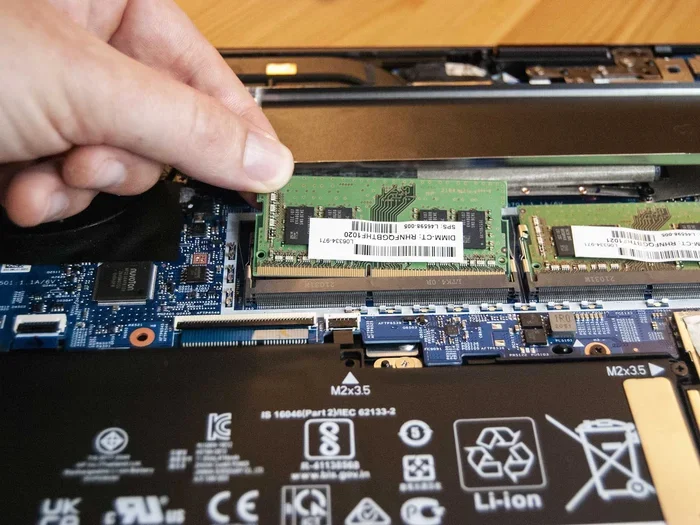
First, check if your laptop has a removable RAM slot. Many laptops have one or two SO-DIMM slots that you can access by removing a panel on the bottom. If your laptop has an empty slot, you can simply insert a 16GB SO-DIMM module. If both slots are filled, you may need to replace the existing modules with higher-capacity ones.
Some laptops, especially thin and light models, have soldered RAM. This means the memory is permanently attached to the motherboard and cannot be upgraded. Before purchasing any RAM, check your laptop specifications or contact the manufacturer to confirm upgradeability.
Quick Tips for Upgrading RAM
- Always check your laptop manual or the manufacturer website for compatible RAM types.
- Buy RAM in matching pairs for dual channel performance.
- Ground yourself before touching internal components to avoid static damage.
- Use a soft brush to clean dust from RAM slots before inserting new modules.
- Restart your laptop after upgrading and check the system settings to confirm the new RAM is recognized.
How Much Does a 16GB RAM Upgrade Cost?
The cost of a 16GB RAM module varies, but you can expect to pay between 50 and 100 dollars for a single 16GB SO-DIMM stick. DDR4 modules tend to be more affordable, while DDR5 modules are slightly more expensive due to newer technology. If you need two sticks for dual channel, budget around 100 to 200 dollars total. Compared to buying a new laptop, this is a very cost-effective upgrade.
Who Benefits Most from 16GB RAM?
Not everyone needs 16GB of RAM. But for certain users, this amount of memory makes a world of difference. Let us look at the groups that benefit the most from a 16GB RAM laptop.
Gamers
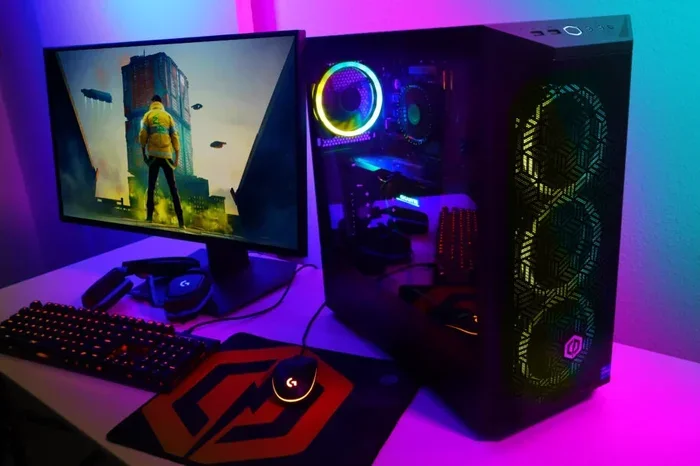
Modern games demand more system memory than ever before. Titles like Cyberpunk 2077, Hogwarts Legacy, and Starfield recommend 16GB RAM for smooth gameplay. With only 8GB, you might experience stuttering, long load times, or crashes. 16GB of RAM ensures your game runs properly while leaving room for background processes like voice chat, streaming software, and your web browser.
If you are a serious gamer, 16GB is the minimum you should aim for. Some gamers even go up to 32GB for future-proofing. But for most gaming laptops, 16GB hits the perfect balance between performance and price.
Content Creators
Video editors, graphic designers, and 3D artists work with large files that eat up RAM quickly. Editing a 4K video in Premiere Pro or DaVinci Resolve can easily use 10GB or more of memory. With 16GB RAM, you have enough headroom to work without constant slowdowns. Rendering and exporting also benefit from extra memory.
Photographers working with large RAW files in Lightroom or Photoshop will also notice a big improvement. And 3D modelers using Blender or Maya will find their workflows much smoother with 16GB of system memory.
Professionals and Students
For professionals who juggle multiple applications throughout the day, 16GB RAM is a game changer. Running Microsoft Office, a web browser with 30 tabs, Slack, Zoom, and a PDF reader all at once is no problem with 16GB. Students who use resource-heavy software for engineering, data science, or architecture will also benefit greatly.
Even casual users who like to have many browser tabs open will notice smoother performance with 16GB of RAM compared to 8GB.
16GB RAM vs 8GB RAM: A Comparison
To understand the value of 16GB RAM, it helps to compare it directly with the older 8GB standard. Here is a side-by-side look at how they stack up.
| Feature | 8GB RAM | 16GB RAM |
|---|---|---|
| Web Browsing | Handles 10-15 tabs comfortably | Handles 30+ tabs with ease |
| Gaming | Works for older or less demanding games | Runs modern games smoothly |
| Video Editing | Struggles with 4K footage | Handles 4K editing well |
| Multitasking | Noticeable slowdown with many apps | Smooth performance with multiple apps |
| Future Proofing | May feel outdated in 1-2 years | Stays relevant for 3-5 years |
| Price Difference | Lower upfront cost | Slightly higher but worth it |
| Best For | Basic tasks, browsing, documents | Gaming, creative work, heavy multitasking |
The comparison table shows that 16GB RAM outperforms 8GB in nearly every scenario. The price difference is small compared to the performance gains you get. For most users, 16GB is the smarter long-term choice.
Things to Consider Before Upgrading
Before you rush out to buy 16GB RAM for your laptop, there are a few important factors to consider. Skipping these steps can lead to wasted money or compatibility issues.
Laptop Compatibility
Not every laptop supports 16GB RAM. Older models may have a maximum RAM limit of 8GB or 12GB. Check your laptop specifications before making a purchase. You can usually find this information on the manufacturer website or in the user manual. Look for the maximum RAM capacity and the type of memory slots your laptop uses.
Some laptops have two RAM slots, which gives you flexibility. You can install two 8GB sticks for a total of 16GB, or one 16GB stick if one slot is already occupied. Other laptops have a single slot, which means you must replace the existing module entirely.
Dual Channel vs Single Channel
Dual channel RAM can significantly boost memory performance. This setup uses two RAM sticks that work together to double the data bandwidth. For example, two 8GB sticks in dual channel mode will outperform a single 16GB stick in many scenarios.
If your laptop has two RAM slots, consider buying a matched pair of 8GB modules. This gives you 16GB of RAM in dual channel configuration for the best performance. Make sure the modules have the same speed, latency, and brand for optimal compatibility.
Expert Insight: The Dual Channel Advantage
According to hardware testing experts, dual channel RAM can improve performance by 10 to 20 percent in memory-intensive tasks. This boost is especially noticeable in gaming and video editing. Always try to fill both RAM slots for the best results.
Operating System Limits
Your operating system also plays a role. A 64-bit version of Windows 10 or Windows 11 can fully utilize 16GB RAM. Older 32-bit operating systems have a 4GB RAM limit and cannot take advantage of more memory. Mac laptops with Apple Silicon chips handle 16GB RAM efficiently and are well optimized for memory management.
Common Mistakes to Avoid When Upgrading RAM
Upgrading your laptop RAM is straightforward, but mistakes can happen. Here are common errors to avoid:
- Buying the wrong RAM type: DDR4 and DDR5 are not interchangeable. Make sure you know which type your laptop supports before purchasing.
- Ignoring speed matching: Mixing RAM sticks with different speeds can cause compatibility issues. Try to match the speed of your new RAM with your existing modules.
- Overlooking laptop design: Some laptops have sealed bottoms that require professional help to open. Check if your laptop is user-upgradeable before buying RAM.
- Not checking for BIOS updates: After installing new RAM, update your laptop BIOS to ensure the best compatibility and stability.
- Forgetting to remove the old RAM: If your laptop has two slots and both are filled, you need to remove one stick before inserting the new one.
Is 16GB RAM Enough for the Future?
Software continues to become more demanding every year. Operating systems, web browsers, and applications all use more memory with each update. 16GB RAM is considered the current sweet spot and should serve you well for several years. For most users, 16GB will remain sufficient through 2027 and beyond.
However, if you plan to keep your laptop for five years or more, you might want to consider 32GB RAM. This is especially true for gamers and professionals who use resource-heavy software. For the average user, 16GB hits the perfect balance between performance and cost.
The laptop RAM market is evolving quickly. DDR5 is becoming more common, and prices for 16GB modules continue to drop. This makes 16GB an even more attractive option for anyone looking to upgrade their system. Whether you buy a new laptop with 16GB RAM or upgrade an existing one, this amount of memory is a smart investment.
Conclusion
So, can you get 16 GB of RAM in a laptop? Absolutely. 16GB RAM is available in a wide range of laptops, from budget models to premium gaming machines. It offers the perfect balance of performance, multitasking ability, and future-proofing. Whether you upgrade an existing laptop or buy a new one, 16GB of system memory will transform your computing experience.
The benefits are clear. Smoother multitasking, better gaming performance, faster creative workflows, and a more responsive system overall. 16GB RAM is no longer a luxury. It is becoming the standard for anyone who wants a laptop that can keep up with modern demands. Do not settle for less when your productivity and enjoyment depend on it.
Take the time to check your laptop compatibility, choose the right RAM type, and enjoy the performance boost that 16GB of memory brings. Your laptop, and your workflow, will thank you for it.
Frequently Asked Questions
Can I upgrade my laptop to 16GB RAM if it currently has 8GB?
In most cases, yes. If your laptop has a removable RAM slot and supports 16GB modules, you can upgrade by either replacing the 8GB stick or adding a second 8GB stick. Check your laptop specifications to confirm the maximum RAM capacity and the type of memory slots available.
Is 16GB RAM enough for gaming?
Yes, 16GB RAM is the recommended amount for modern gaming. Most current games list 16GB as the minimum or recommended requirement. It provides smooth gameplay and leaves enough memory for background apps like voice chat and streaming software.
What is the difference between 16GB DDR4 and 16GB DDR5 RAM?
DDR5 RAM is the newer generation and offers faster speeds and better energy efficiency compared to DDR4. DDR5 modules typically run at higher MHz and provide improved bandwidth. However, DDR4 16GB RAM is still very capable and more affordable, making it a solid choice for most users.
Can a laptop have both 8GB and 8GB RAM sticks for 16GB total?
Yes, installing two 8GB RAM sticks is a common way to reach 16GB of total memory. This setup also enables dual channel mode, which improves memory performance. Just make sure both sticks have the same speed, latency, and type for the best results.
Do Mac laptops support 16GB RAM?
Yes, Apple offers 16GB RAM as a configuration option in several MacBook models. However, Apple Silicon Macs have unified memory architecture, which means the RAM is shared with the GPU. This design makes 16GB of RAM very efficient for both general use and creative workloads on Mac laptops.
How long will 16GB RAM remain sufficient for a laptop?
For most users, 16GB RAM will remain sufficient for at least four to five years. Software and operating systems are becoming more demanding, but 16GB still provides excellent headroom. Power users and gamers may want to consider 32GB for longer-term use, but 16GB remains the current sweet spot for performance and value.