Can Work Track My Laptop Location Without Me Knowing
Yes, your employer can track your laptop location using GPS, IP address mapping, and employee monitoring software — often without you realizing it. This guide breaks down exactly how employer laptop tracking works, what legal rights you have, and simple steps you can take to protect your work laptop privacy.
Have you ever wondered if your employer is watching your every move on your work laptop? It feels like a scary thought, but the truth is that can work track my laptop location is a real question many remote workers ask every day. With the rise of work from home monitoring and employee surveillance tools, companies now have more power than ever to know where your laptop is — and what you do on it.
Whether you work remotely full time or split your time between home and the office, understanding employer laptop tracking is essential. This article will walk you through exactly how companies track laptops, what tools they use, and what you can do to protect your work laptop privacy. Let us get into it.
So, can work track my laptop location without me knowing? The short answer is yes. But the full answer is much more interesting — and important — than a simple yes or no. Keep reading to find out everything you need to know.
Key Takeaways
- Employers can track your laptop location: Through GPS, Wi-Fi networks, IP addresses, and built-in device management tools.
- Tracking often happens silently: Many tracking methods run in the background and are invisible to the average user.
- Legal rules vary by country: Employee privacy rights differ significantly depending on where you live and work.
- You can check for tracking software: Simple steps like checking installed programs and location services can reveal monitoring tools.
- Company laptop policies matter: Your employment agreement likely covers what your employer can and cannot do.
- Protecting your privacy is possible: Using a VPN, adjusting settings, and understanding your rights can help you stay informed.
📑 Table of Contents
- How Can Work Track My Laptop Location
- What Tools Do Employers Use for Employee Monitoring
- Can Employers Track You Without Your Knowledge
- How to Check If Your Work Laptop Is Being Tracked
- How to Protect Your Work Laptop Privacy
- Common Mistakes People Make With Work Laptop Privacy
- Expert Insights on Employer Laptop Tracking
- Key Takeaways
- Conclusion
How Can Work Track My Laptop Location
Your employer has several ways to monitor your laptop location. Some methods are obvious, while others run completely in the background. Understanding these methods helps you see the bigger picture of remote work surveillance and why companies invest in employee monitoring software.
GPS and Location Services
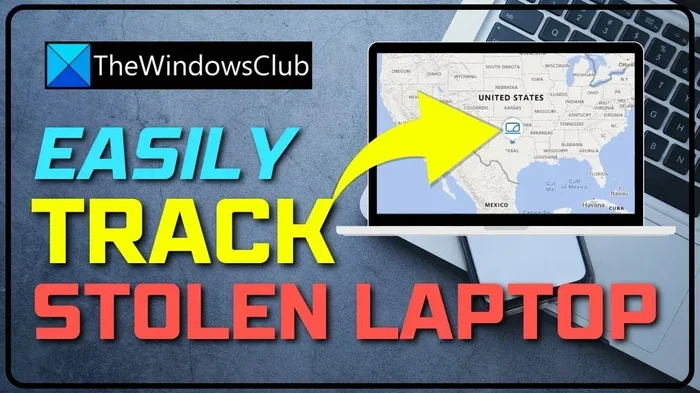
Many modern laptops come with built-in GPS or Wi-Fi-based location tracking. When you connect to the internet, your laptop shares its approximate location based on nearby Wi-Fi networks and IP addresses. Companies that install device management software can access this data remotely.
For example, if your work laptop has Windows Pro or macOS with management profiles enabled, your IT department can see where the device last connected to the internet. This is not magic — it is simple geolocation tracking based on network data.
IP Address Tracking
Every time your laptop connects to the internet, it gets assigned an IP address. That IP address reveals your general location — usually down to the city or neighborhood level. Employers who monitor network traffic can use IP address tracking to see where you log in from each day.
This method does not require any special software on your laptop. It works through your company network or VPN. If you connect to work systems from home, your employer can see that connection and map it to a physical location.
Wi-Fi Network Mapping
Your laptop remembers every Wi-Fi network you have ever connected to. When location services are enabled, your laptop can estimate its position by scanning nearby wireless networks. Employers with corporate laptop security tools active can pull this data and build a history of your movements.
This is especially relevant for companies that issue laptops with pre-installed tracking profiles. Even if you think you have turned off location sharing, the company profile might override your personal settings.
Built-In Device Management Platforms
Large companies use platforms like Microsoft Intune, Jamf, or VMware Workspace ONE to manage thousands of laptops. These device management platforms allow IT teams to:
- Track the last known location of each device
- Remotely lock or wipe a lost laptop
- Monitor login times and locations
- View installed software and hardware changes
- Enforce security policies across all devices
These tools are designed for corporate laptop security, but they also give employers a detailed view of where and when you use your work laptop. This is one of the most common ways companies practice employer laptop tracking on a large scale.
What Tools Do Employers Use for Employee Monitoring
The employee monitoring software market has exploded in recent years. Companies use a wide range of tools to keep tabs on remote workers. Some focus on productivity, while others specialize in geolocation tracking and device security.
Popular Employee Monitoring Platforms
Here are some of the most common tools employers use to track employee activity and location:
- Teramind — Tracks screen activity, keystrokes, and location in real time
- Hubstaff — Monitors work hours, app usage, and GPS location
- Time Doctor — Tracks computer usage, website visits, and login locations
- ActivTrak — Provides productivity analytics and location data
- Veriato — Focuses on insider threat detection and location monitoring
- Microsoft Defender for Endpoint — Enterprise security tool with device tracking capabilities
These platforms often include features like computer activity monitoring, screenshot capture, and even webcam activation. While many are marketed as security tools, they collect a surprising amount of personal data about how you use your work laptop.
Tracking Apps You Might Not Know About
Some employers install hidden laptop tracking apps that sit quietly in your system tray or run as background services. These apps can be very difficult to detect if you do not know what to look for. Common signs include:
- Unusual battery drain
- Increased internet usage
- Unknown processes running in Task Manager
- Strange icons in your system tray
- Slow performance during work hours
If you notice any of these signs, it is worth investigating further. You might be running employer surveillance software without realizing it.
Can Employers Track You Without Your Knowledge
This is the question on everyone’s mind. The honest answer is that it depends on several factors, including your company policy, your employment contract, and the laws in your jurisdiction.
Company Laptop Policies
When you sign your employment agreement, you probably agreed to a company laptop policy that gives your employer broad rights over the device. Most policies state that the company owns the laptop and can monitor its usage at any time. This means that technically, your employer does not need your permission to track the device.
However, the specifics matter a lot. Some companies are transparent about monitoring. Others track silently. The key is to read your employment documents carefully and ask questions during onboarding.
Work From Home Monitoring
The shift to remote work has made work from home monitoring a hot topic. Many companies installed tracking software on employee laptops during the pandemic and never removed it. A 2023 study found that over 60 percent of companies with remote workers use some form of digital monitoring.
Common practices include:
- Tracking login and logout times
- Monitoring keyboard and mouse activity
- Capturing periodic screenshots
- Recording website and app usage
- Logging GPS or IP-based location data
These practices raise serious questions about employee privacy rights, especially when the tracked device is used in your personal space at home.
Legal Boundaries of Employer Tracking
The law around employer surveillance varies widely. In the United States, federal law allows employers to monitor company-owned devices with few restrictions. However, some states have stronger privacy protections. In the European Union, the General Data Protection Regulation (GDPR) gives employees more control over their personal data.
Here is a quick comparison of tracking laws in major regions:
| Region | Employer Tracking Allowed? | Employee Consent Required? | Key Privacy Law |
|---|---|---|---|
| United States | Yes, for company devices | Often not required | Various state laws |
| European Union | Yes, with restrictions | Usually required | GDPR |
| United Kingdom | Yes, with notice | Recommended | UK GDPR + DPA 2018 |
| Canada | Yes, with reasonableness test | Often required | PIPEDA |
| Australia | Yes, with notification | Required in some states | Privacy Act 1988 |
As you can see, the rules are not the same everywhere. If you are concerned about work laptop privacy, it is worth researching the laws in your specific country or state.
How to Check If Your Work Laptop Is Being Tracked
Wondering how to find out if your employer is monitoring your laptop? Here are some practical steps you can take right now.
Step 1: Check Your Installed Programs
Open your control panel or settings and look at the list of installed applications. Search for names you do not recognize. Common monitoring tools include names like “Agent,” “Monitor,” “Tracker,” or brand names of known employee monitoring software like Teramind, Hubstaff, or ActivTrak.
Step 2: Review Location Services
On Windows, go to Settings > Privacy & Security > Location. On macOS, go to System Settings > Privacy & Security > Location Services. Check which apps have permission to access your location. If you see an unfamiliar app with location access, that is a red flag.
Step 3: Check for Management Profiles
On macOS, go to System Settings > General > Profiles & Device Management. On Windows, open your command prompt and type “netstat -an” to see active network connections. A management profile or unusual network activity could indicate employer monitoring.
Step 4: Monitor Your Network Activity
Use your task manager or activity monitor to check which applications are using the internet. If you see unknown processes sending data regularly, your laptop might be transmitting location or activity information to your employer’s servers.
Quick Tips for Detecting Tracking
- Run a full antivirus scan to detect hidden monitoring software
- Use a network monitoring tool like Wireshark to inspect outgoing traffic
- Check your browser extensions for unfamiliar add-ons
- Review your firewall logs for unusual outbound connections
- Ask your IT department directly what monitoring tools they use
How to Protect Your Work Laptop Privacy
Even if your employer has the right to monitor company devices, you can still take steps to protect your personal information and maintain some level of work laptop privacy.
Use a VPN
A virtual private network (VPN) encrypts your internet traffic and masks your IP address. This makes it much harder for your employer to track your exact location through IP-based methods. However, a VPN will not hide your activity from employer monitoring software installed directly on your laptop.
Separate Work and Personal Use
The best way to protect your privacy is to avoid using your work laptop for personal tasks. Do not log into personal email, social media, or banking sites on your work device. Keep your personal life completely separate from your work laptop.
Read Your Employment Agreement
Know your rights by reading the fine print. Your employment contract and company laptop policy should spell out what monitoring is allowed and what is not. If something feels unclear, ask your HR department for clarification.
Adjust Your Personal Settings
Turn off location services on your laptop when you do not need them. Disable unnecessary app permissions. While these steps may not stop employer-level monitoring, they reduce the amount of data your laptop shares.
Use a Personal Device When Possible
If your job allows it, use a personal device for non-work tasks during breaks. This keeps your personal data off a monitored system entirely. Just make sure you follow your company’s policies about personal device use.
Common Mistakes People Make With Work Laptop Privacy
Many workers make avoidable mistakes that leave them exposed to excessive employer surveillance. Here are some common pitfalls:
- Assuming your employer cannot track you: Most companies can and do track company-owned devices, especially when the device is connected to the corporate network.
- Ignoring the employment agreement: The document you signed likely contains important details about monitoring and tracking.
- Using the work laptop for personal banking: This puts sensitive financial data at risk of being accessed by employer monitoring tools.
- Thinking a VPN makes you invisible: A VPN helps with IP-based tracking but does not block locally installed monitoring software.
- Not asking questions: Many employees never ask about monitoring policies because they feel uncomfortable. This is a mistake — knowledge is power.
Expert Insights on Employer Laptop Tracking
Cybersecurity experts agree that employer laptop tracking is becoming more sophisticated every year. According to industry reports, modern monitoring tools can track not just location but also typing patterns, screen activity, and even emotional tone in written communications.
“Employers have a legitimate interest in protecting company data,” says Dr. Sarah Chen, a cybersecurity consultant with over 15 years of experience. “But employees deserve transparency about what is being monitored and why. The gap between what companies track and what employees know is still too wide.”
The key takeaway is that work laptop privacy requires both employer responsibility and employee awareness. Understanding the tools and techniques used for remote work surveillance puts you in a much better position to protect yourself.
Key Takeaways
- Employers can track your laptop location: Through GPS, IP addresses, Wi-Fi mapping, and device management platforms like Microsoft Intune or Jamf.
- Tracking often happens silently: Many employee monitoring software tools run invisibly in the background without alerting the user.
- Legal rules vary by region: Your employee privacy rights depend on where you live and the specific laws that apply.
- You can detect tracking with simple checks: Review installed programs, location settings, and network activity to spot monitoring tools.
- Company laptop policies give employers broad rights: Most agreements allow employers to monitor company-owned devices at any time.
- VPNs and personal boundaries help: Using a VPN, separating work and personal use, and reading your agreements all strengthen your work laptop privacy.
Conclusion
The question of whether can work track my laptop location does not have a simple yes or no answer. The reality is that employers have many powerful tools at their disposal, and in most cases, they can track your work laptop — sometimes without you ever knowing. From geolocation tracking to IP address mapping and advanced device management software, the technology for employer laptop tracking is more accessible than ever.
But knowledge is your greatest asset. By understanding how tracking works, what tools employers use, and what your legal rights are, you can make informed decisions about your work laptop privacy. Take the time to read your company policies, ask questions, and implement the protective steps outlined in this article.
You do not need to be paranoid, but you should be informed. A little awareness goes a long way in protecting your personal data and maintaining a healthy boundary between your work and personal life. Stay safe, stay informed, and take control of your digital footprint today.
Frequently Asked Questions
Can my employer track my laptop location even when I am at home?
Yes, in most cases your employer can track your laptop location while you are at home. They can use IP address tracking, Wi-Fi network mapping, or GPS data to determine your approximate location. If your company has device management software installed, it can send location data back to the IT department automatically.
Is it legal for employers to track employee laptops?
In most countries, it is legal for employers to track company-owned devices. However, the rules vary by region. In the EU, GDPR requires employers to inform employees about monitoring. In the US, federal law is more permissive, but some states have additional protections. Always check your local laws and employment agreement.
How can I tell if my work laptop has tracking software installed?
You can check by reviewing your installed programs, looking at your task manager for unfamiliar processes, and examining your location services settings. Signs of tracking include unusual battery drain, increased network activity, and unknown applications running in the background. If you are unsure, contact your IT department and ask directly.
Will using a VPN stop my employer from tracking my laptop?
A VPN will hide your IP address and make it harder to track your location through network data. However, it will not stop locally installed employee monitoring software from tracking your activity or location. VPNs protect your internet traffic but do not block device-level monitoring tools.
What should I do if I find tracking software on my work laptop?
First, do not try to remove or disable the software, as this could violate your employment agreement. Instead, document what you found and have a conversation with your HR or IT department. Ask them to explain what is being tracked and why. Understanding the policy is your best first step.
Can my employer track my laptop when it is turned off?
Generally, no. Most tracking methods require the laptop to be powered on and connected to a network. However, some advanced enterprise devices with embedded tracking chips can report their last known location even after being turned off. This is rare and usually limited to high-security corporate environments.